This topic describes how to manage simulation events.
Background information
You can create a simulation event for a primary event. After a simulation event is created for a primary event, the system automatically replicates the fields, variables, and latest versions of policies of the primary event to the simulation event. When an API operation is called, the system calls the primary event and the simulation event. This allows you to compare the policy execution results between the primary event and the simulation event when the same request parameters are used.
The policy execution results of the simulation event are used only for internal purposes such as post-event analysis and verification and do not affect the final decision.
Create a simulation event
On the Event Management page, find the primary event for which you want to create a simulation event and click Create Simulation Event. Then, enter a name for the simulation event and click OK.

Modify the policies of a simulation event and click Enable for the simulation event to take effect. By default, a newly created simulation event is disabled.
If you want to add input parameters for a simulation event, add the input parameters to the primary event for which you created the simulation event and then create another simulation event for the primary event.
Manage the policies of a simulation event
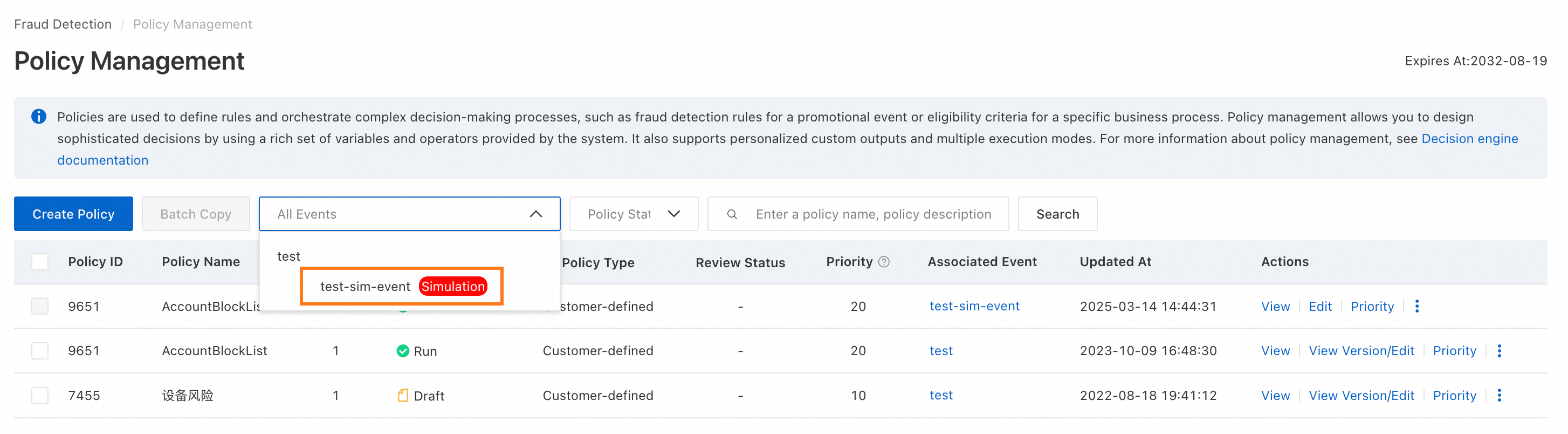
Go to the Policy Management page and select the simulation event whose policies you want to manage. You can view and modify all policies of the simulation event.
Create a policy. When you create a policy, select a simulation event as the associated event.
Modify a policy. Find the policy that you want to modify and click Edit.
Analysis and comparison
For more information, see Simulation event analysis.
Bring a simulation event online or disable a simulation event
Bring a simulation event online. A simulation event can be brought online only if the policy execution results of the simulation event after the analysis and comparison meet expectations. You can click Switch online to bring a simulation event online. After a simulation event is brought online, the policies of the simulation event overwrite the policies of the primary event.
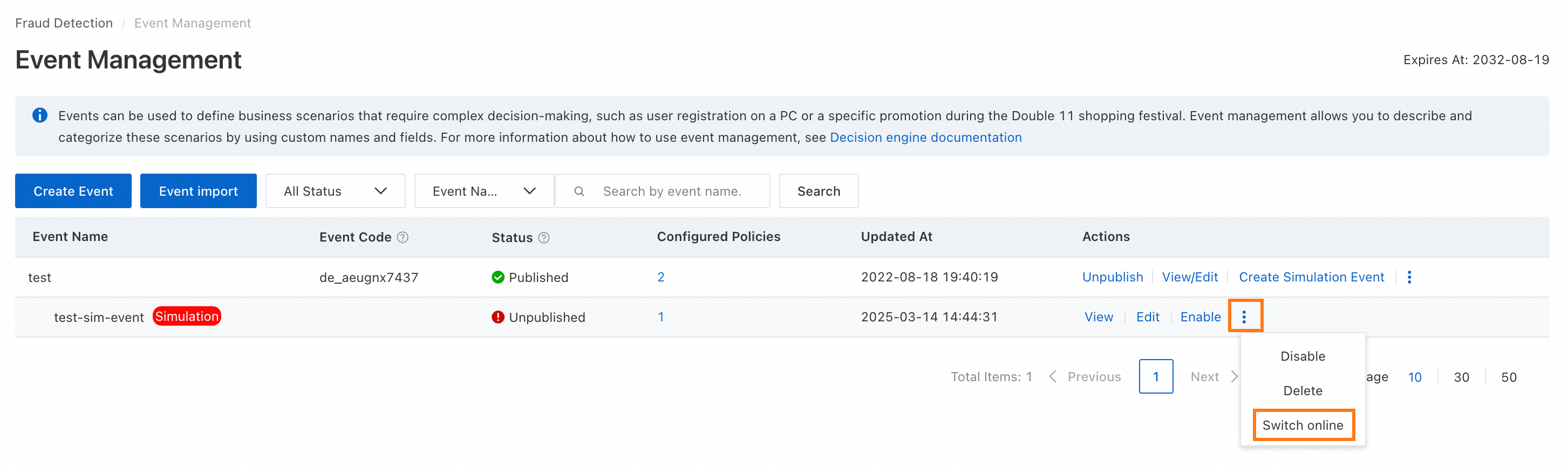
Disable a simulation event. To disable a simulation event, click Disable. After a simulation event is disabled, the system no longer calls the simulation event.