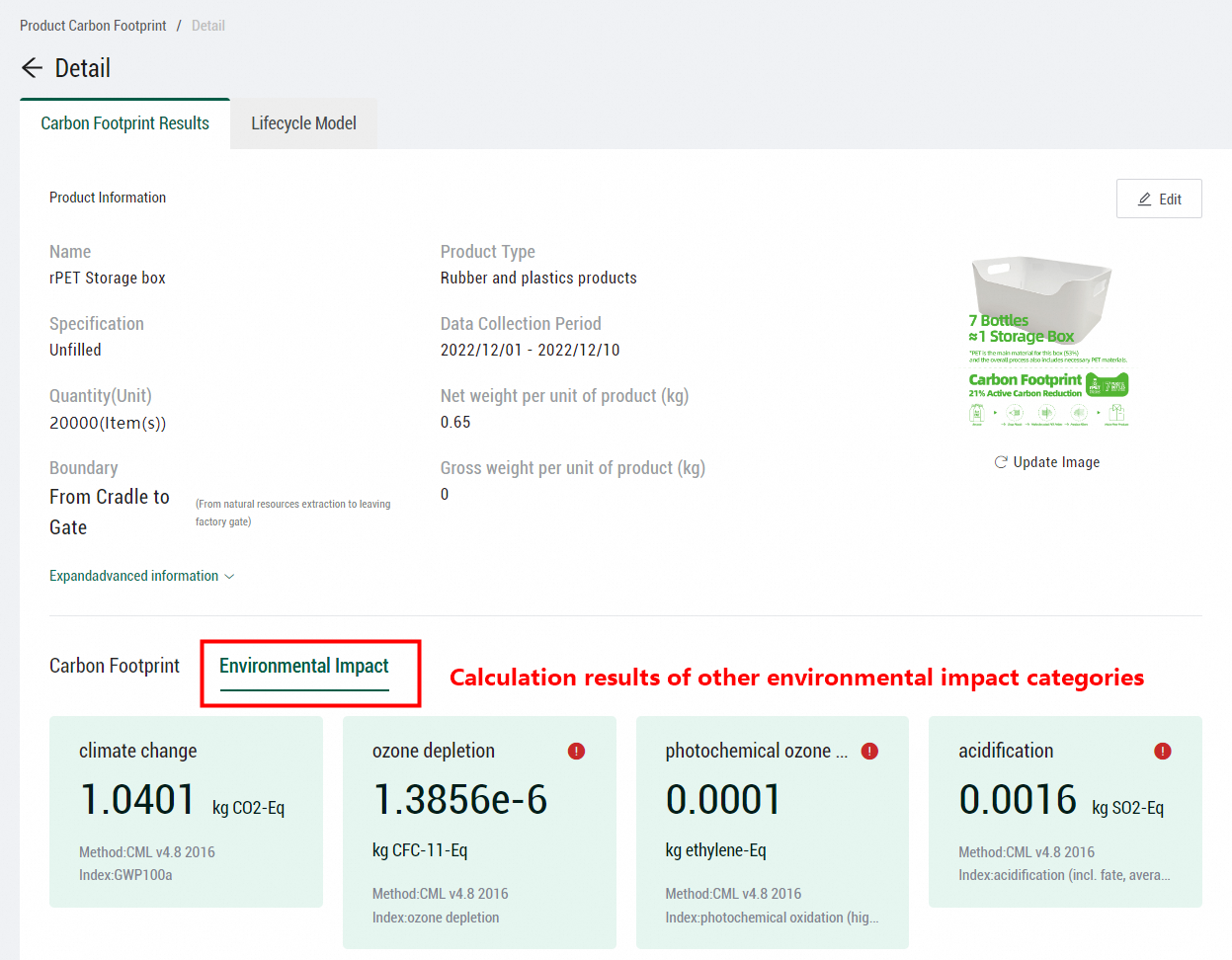
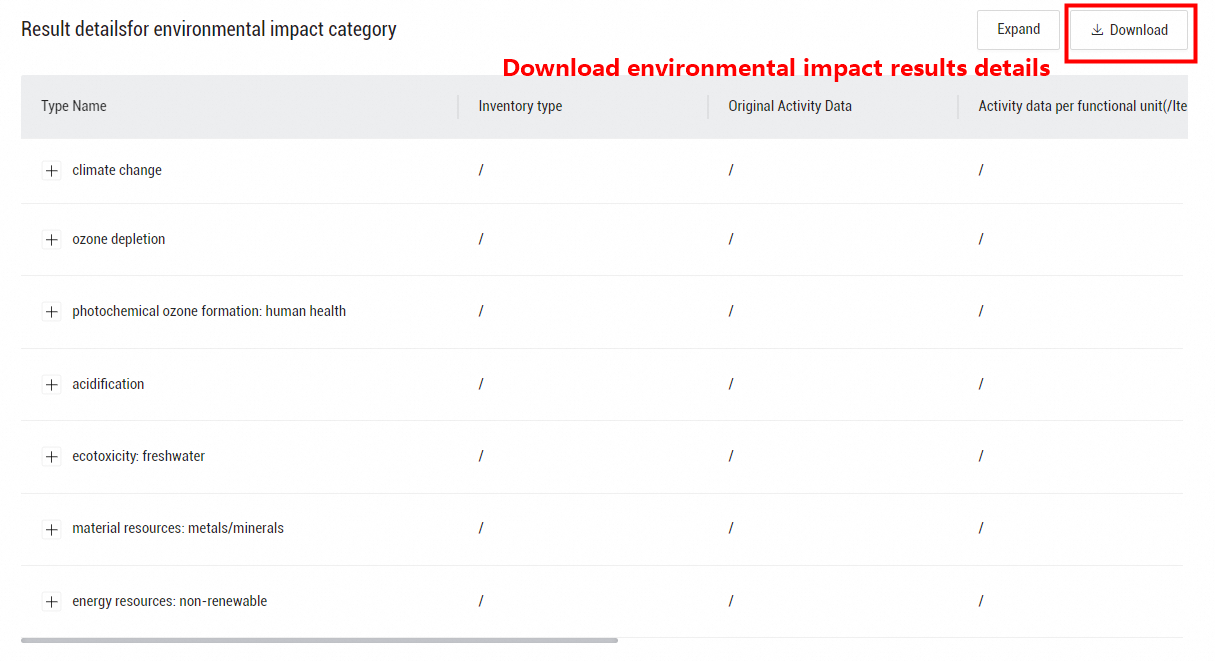
This topic describes the calculation of other environmental impact categories in product lifecycle assessment, such as ozone depletion, human toxicity, and eutrophication.
By default, Energy Expert considers only the impacts of climate changes when it calculates the carbon footprint of a product. To consider the impacts of other environmental impact categories, such as ozone depletion, human toxicity, and eutrophication, you must separately configure calculation methods for the categories.
Click Set method in the upper part of the Lifecycle Model page.

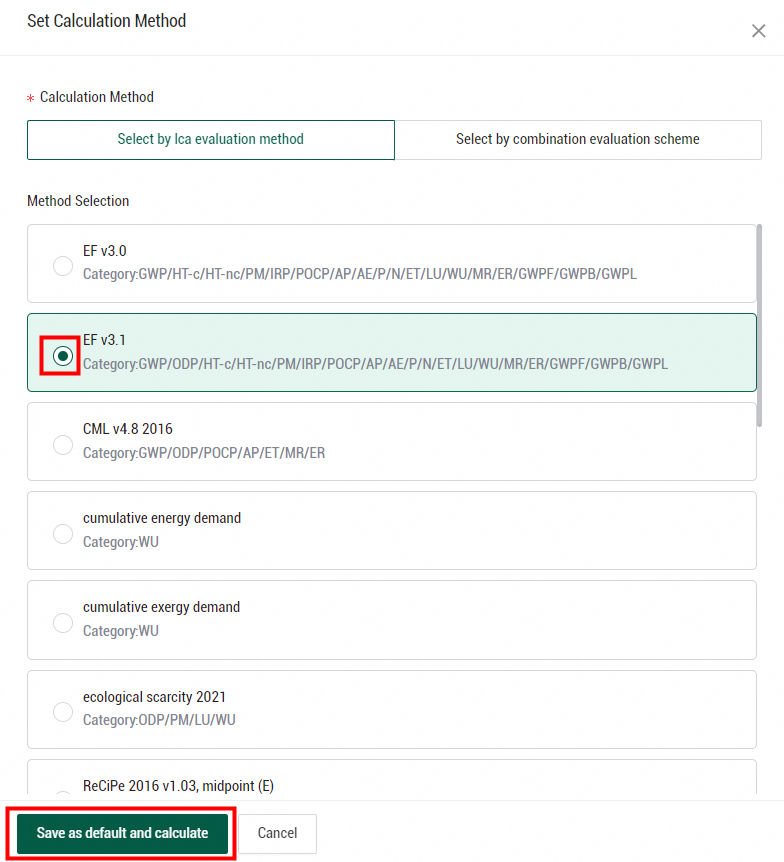
In the Set Calculation Method panel, select a calculation method, such as EF, CML, or ReCiPe. The environmental impact categories of each calculation method are displayed below the method. Select a method and click Save as default and calculate.
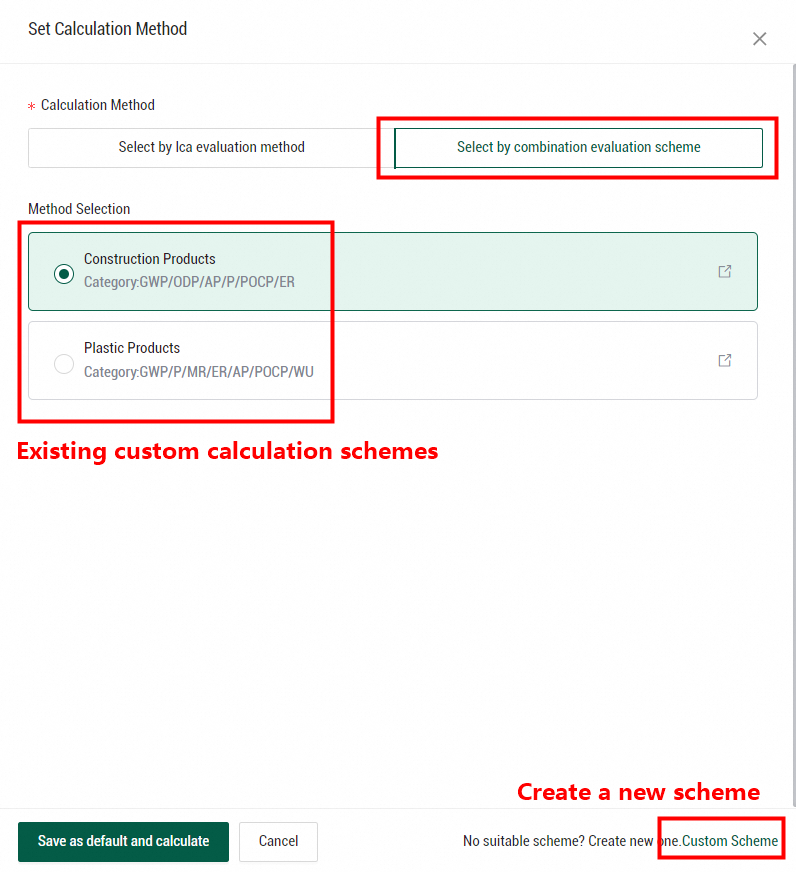
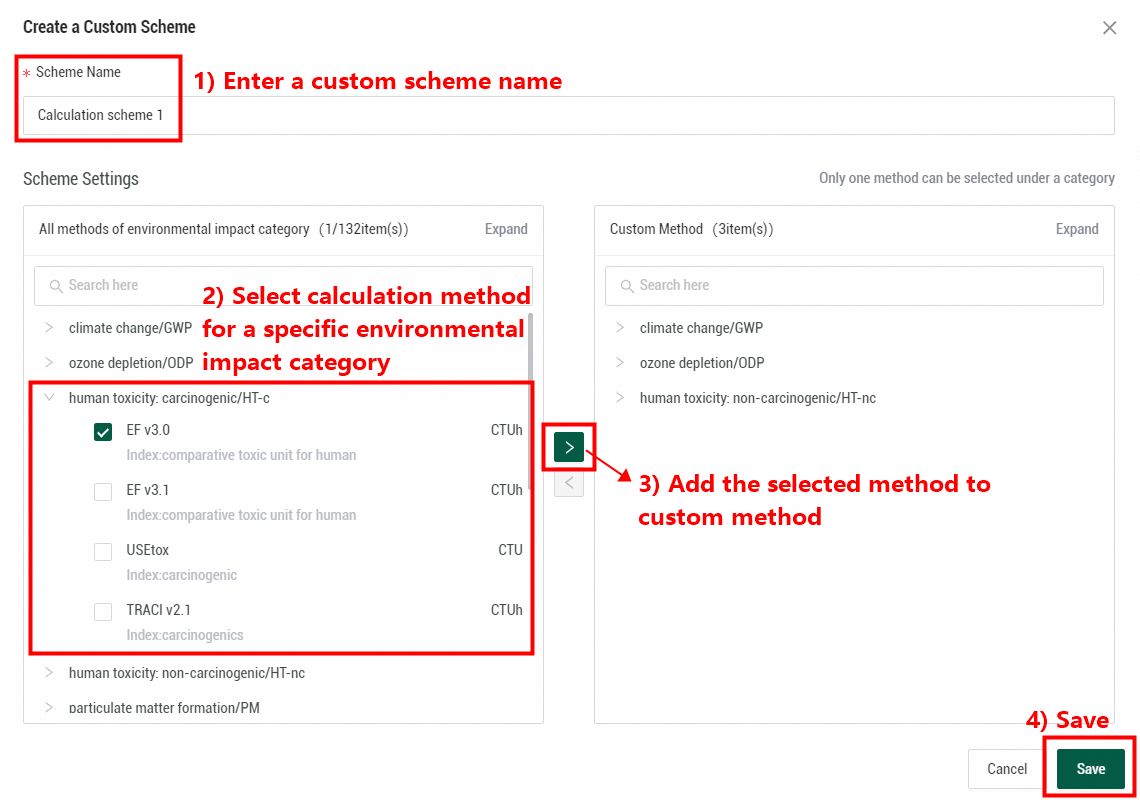
If you need to customize a calculation scheme by defining a specific calculation method for an environmental impact category, click Select by combination evaluation scheme. You can select an existing custom calculation scheme or customize one by yourself. In the lower-right corner of the panel, click Custom Scheme. In the Create a Custom Scheme dialog box, enter a scheme name, find the environmental impact categories whose impacts you want to calculate, and then add the corresponding calculation methods to the Custom Method section. After all required methods are added, click Save. Click Save as default and calculate again.
After the calculation scheme is saved, click Calculate and Publish in the upper part of the Lifecycle Model page.
After the calculation is complete, you can view the calculation results and corresponding analysis of each environmental impact category on the Environmental Impact tab of the Carbon Footprint Results page. You can also download the environmental impact results details in an Excel file.