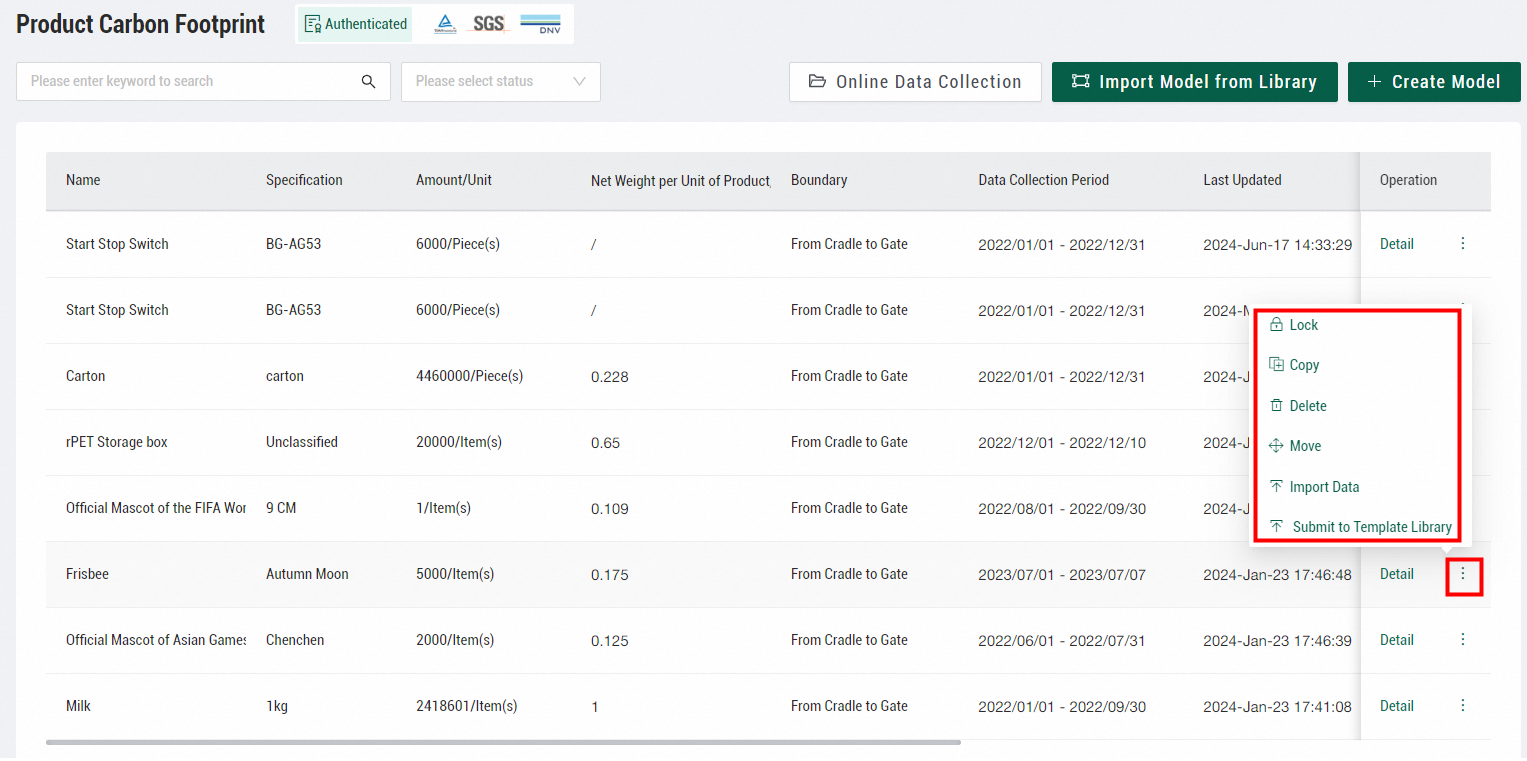
You can copy, delete, move, import data into, lock, and submit product carbon footprint models to the template library.
In the product carbon footprint model list, find a model and hover over the More icon in the Operation column.
-
Copy a model: Click Copy to create a duplicate that you can modify. The copy is automatically named Original name-Copy.
-
Delete a model: Click Delete to delete the model.
-
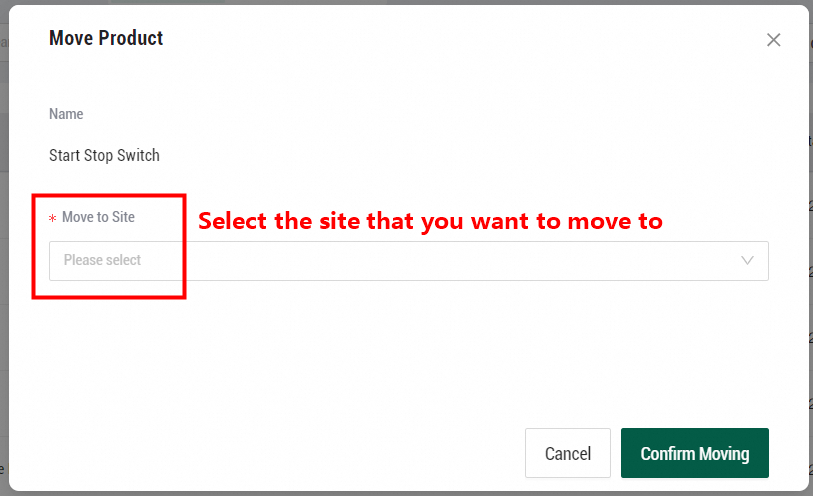
Move a model: Click Move to move the model to another organization or site within your account.
-
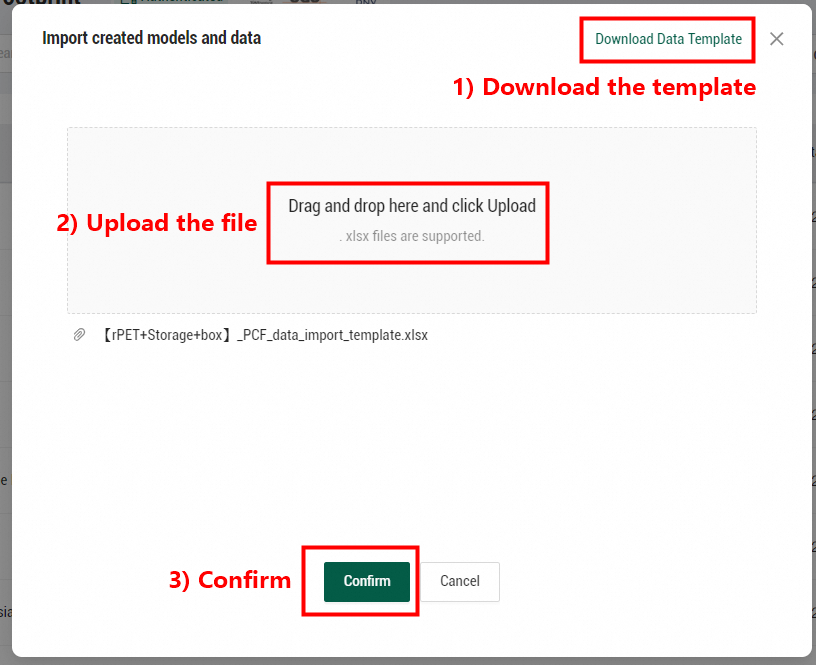
Import data: Click Import Data to create a model from Excel. Download the data template from Energy Expert, fill in the model data, and upload the completed template.
-
Submit a model to the template library: Click Submit to Template Library to share a widely applicable model. The model is submitted for review. After an Energy Expert administrator approves it, the model is published to the public model library with private information removed, such as activity data and enterprise information. You can then reference this model when creating models for similar products.
-
Lock a model: You can lock only models that you created. Click Lock to prevent other users from modifying or deleting the model. Click Unlock to allow modifications again.