This topic describes how to use the online data collection feature of product carbon footprint tool.
Energy Expert provides the online data collection feature to collect the PCF related data. In the upper-right corner of the Product Carbon Footprint page, click Online Data Collection.

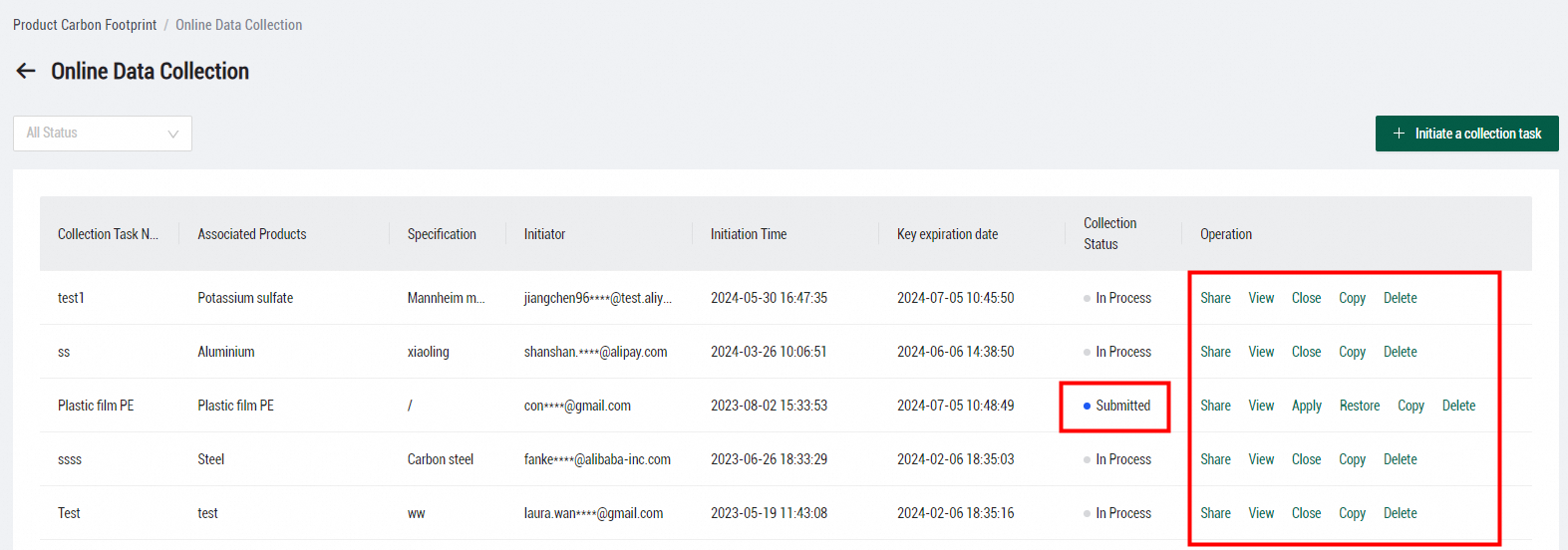
On the Online Data Collection page, you can view the initiated online data collection tasks. Click Initiate a collection task. In the Initiate data collection task dialog box, enter a task name and associate the task with an existing product carbon footprint model. Before you initiate a data collection task, you must create a product carbon footprint model. This helps the data provider enter data on the data collection page, and the entered data is applied to the created model. After you configure the parameters in this dialog box, click Confirm Submission.

Find the data collection task that you initiate and click Share in the Operation column to obtain the link and key for sharing the task.
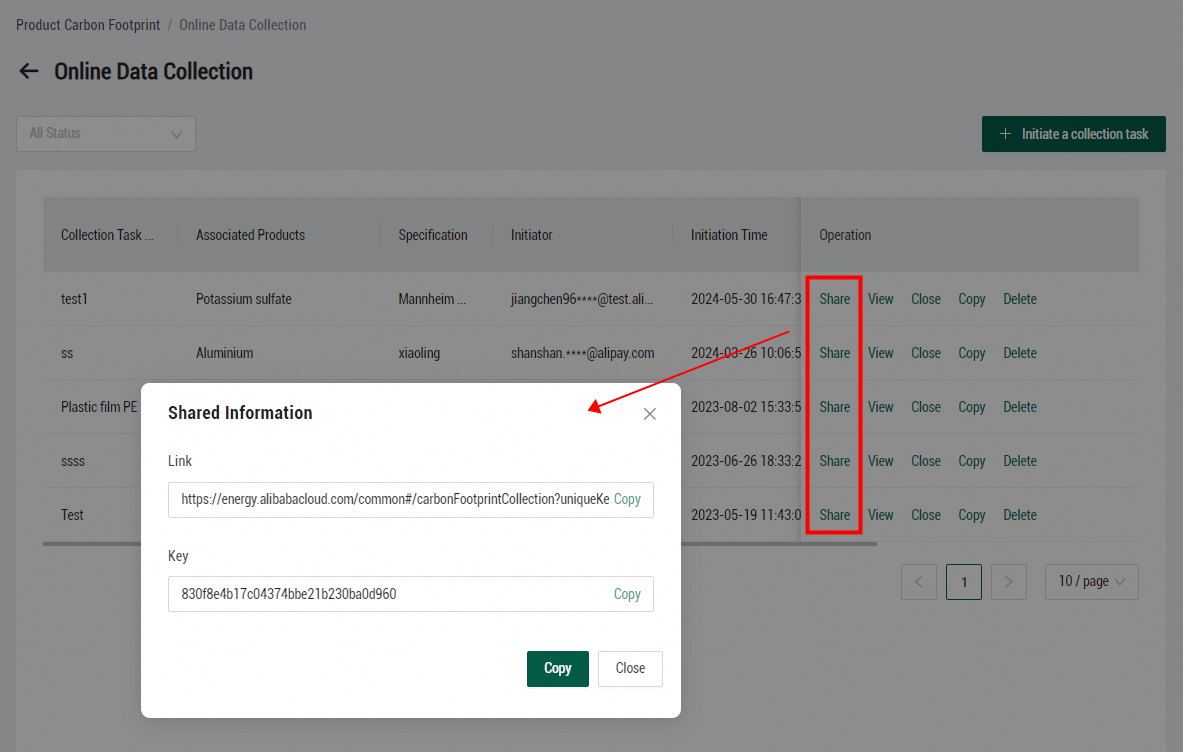
External users can use the link and key to view the data collection page and enter required data online. After the data provider enters required data and submits the data, the state of the data collection task changes to Submitted. The submitted data collection page can no longer be modified. The data collector can review the submitted data collection page online in Energy Expert. If the entered data is valid, find the data collection task and click Apply in the Operation column to synchronize the data to the associated product carbon footprint model. If the data on the data collection page must be modified, find the data collection task and click Restore to return the page to the data provider.
You can share, view, close, copy, delete, apply, and restore a data collection task. After you click Close, the data collection task is terminated and the corresponding data collection page becomes invalid. You can apply and restore only submitted data collection tasks.