This topic describes how to customize the data quality rating (DQR) for a lifecycle inventory item.
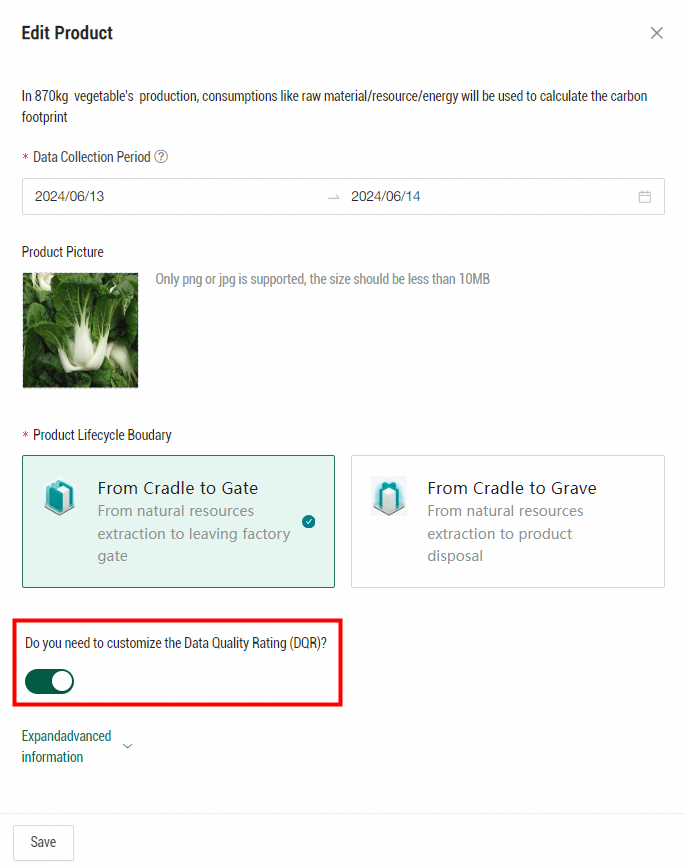
After you turn on Do you need to customize the Data Quality Rating (DQR)? on the basic information editing page of a product, you can customize the DQR for the impact factors associated with each inventory item.
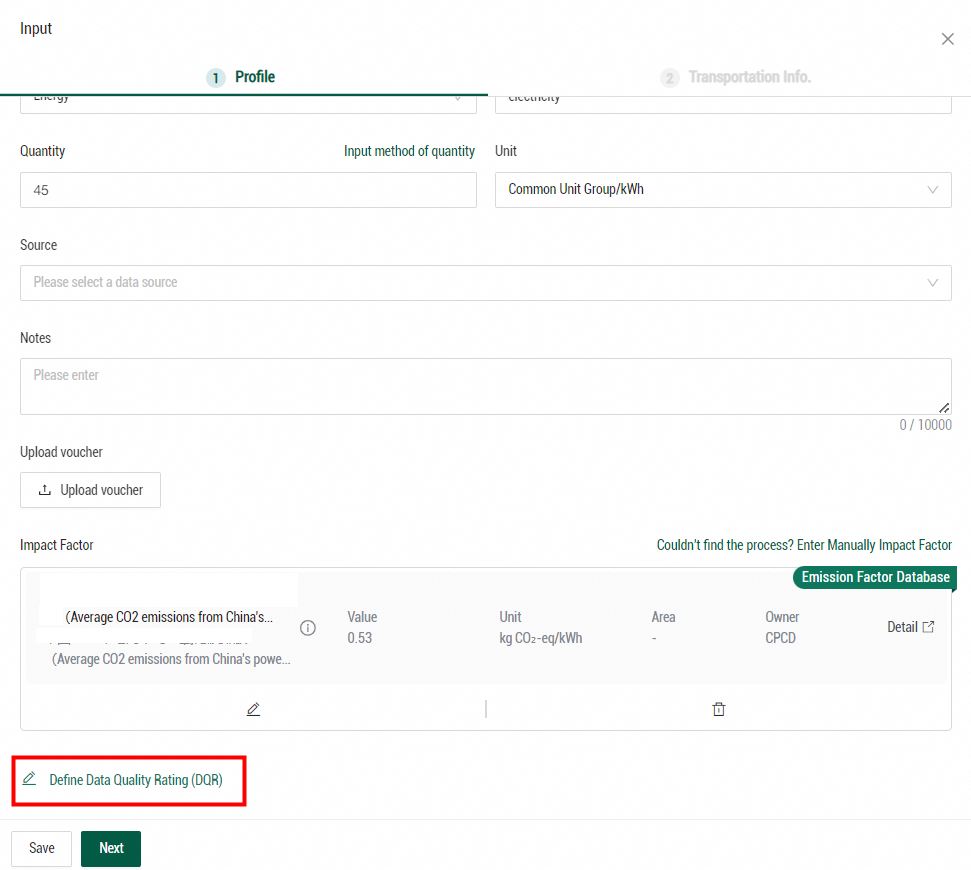
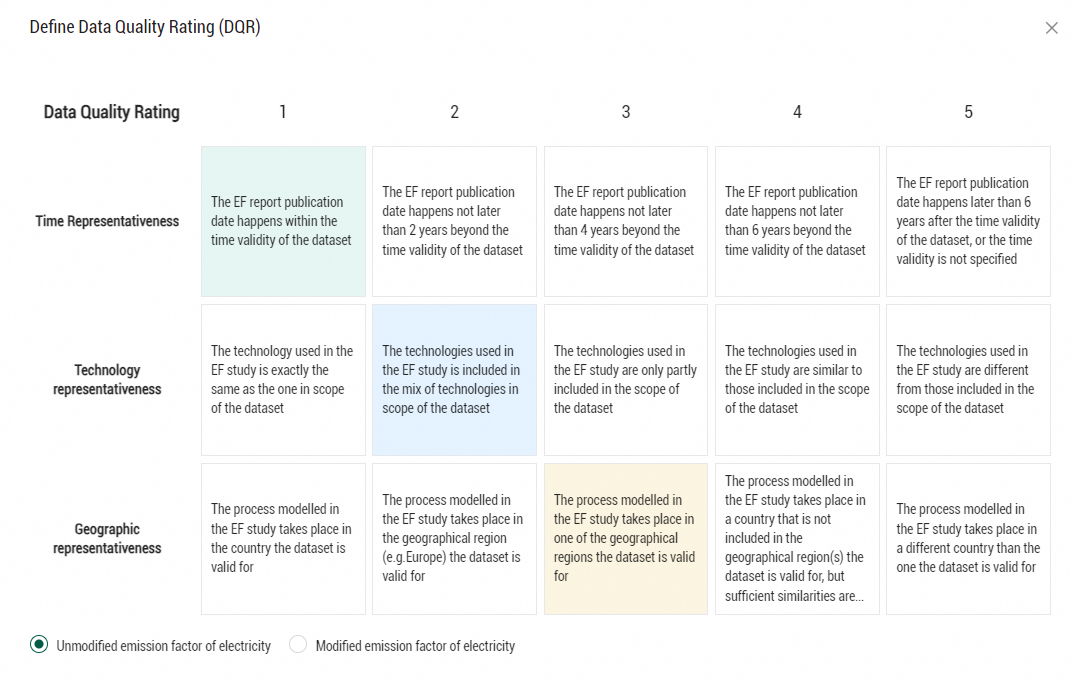
On the editing page of a product lifecycle inventory, click Define Data Quality Rating (DQR) below the Impact Factor section. In the Define Data Quality Rating (DQR) panel, you can select a rating for the impact factor associated with each inventory item from each of the following aspects: time representativeness, technology representativeness, and geographic representativeness. The scores from 1 to 5 indicate the data quality in descending order.
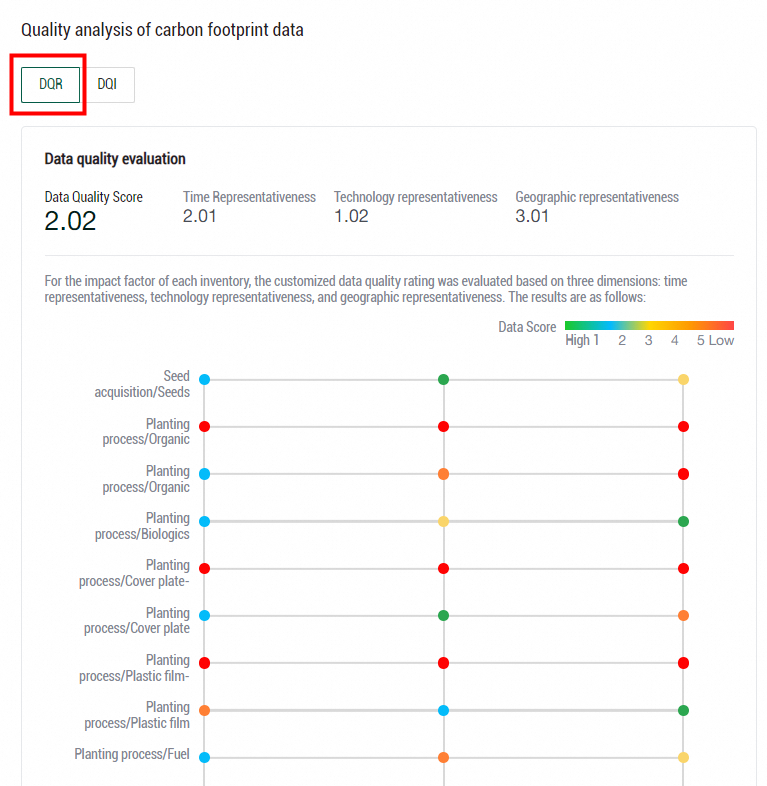
To view the DQR analysis results, click the DQR tab in the Quality analysis of carbon footprint data section of the Carbon Footprint Results page. Note: The DQI evaluation system offers a default data quality evaluation method predefined in Energy Expert.