The Hadoop Distributed File System (HDFS) NameNode exposes a web UI for monitoring cluster health, checking storage usage, and reviewing startup progress. This topic explains how to connect to the UI and interpret its key sections.
Connect to the NameNode web UI
The NameNode web UI is only accessible from the cluster's primary node and is not exposed to the public internet by default. Choose the access method that suits your use case:
-
SSH tunnel: Suitable for engineers who need direct, persistent access to the NameNode UI. For setup instructions, see Create an SSH tunnel to access web UIs of open source components.
-
EMR console: Suitable for quick, one-time access without configuring a tunnel. For instructions, see Access the web UIs of open source components.
Endpoints of NameNode
Once connected, open the NameNode web UI at the endpoint that matches your Hadoop version.
| Version | Endpoint | Note |
|---|---|---|
| Hadoop 3.X | http://${namenode_hostname}:9870 |
Replace ${namenode_hostname} with the hostname of the node where NameNode is deployed. |
| Hadoop 2.X | http://${namenode_hostname}:50070 |
Replace ${namenode_hostname} with the hostname of the node where NameNode is deployed. |
NameNode UI homepage
Overview
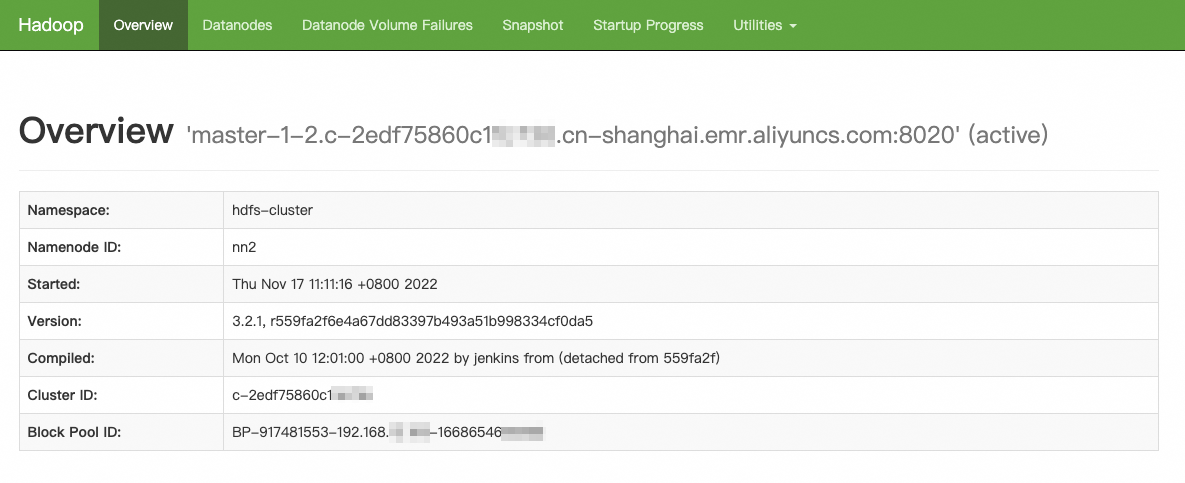
The first line of the Overview page shows the hostname of the NameNode node. In a high availability (HA) cluster, the value in parentheses — active or standby — indicates the current NameNode role.
| Parameter | Description |
|---|---|
| Namespace | The namespace address the NameNode belongs to. |
| NameNode ID | The service ID of the NameNode. |
| Started | The time the NameNode started. |
| Version | The HDFS version number. |
| Compiled | Compilation information. |
| Cluster ID | The ID of the HDFS cluster. |
| Block Pool ID | The ID of the HDFS block pool. |
Summary
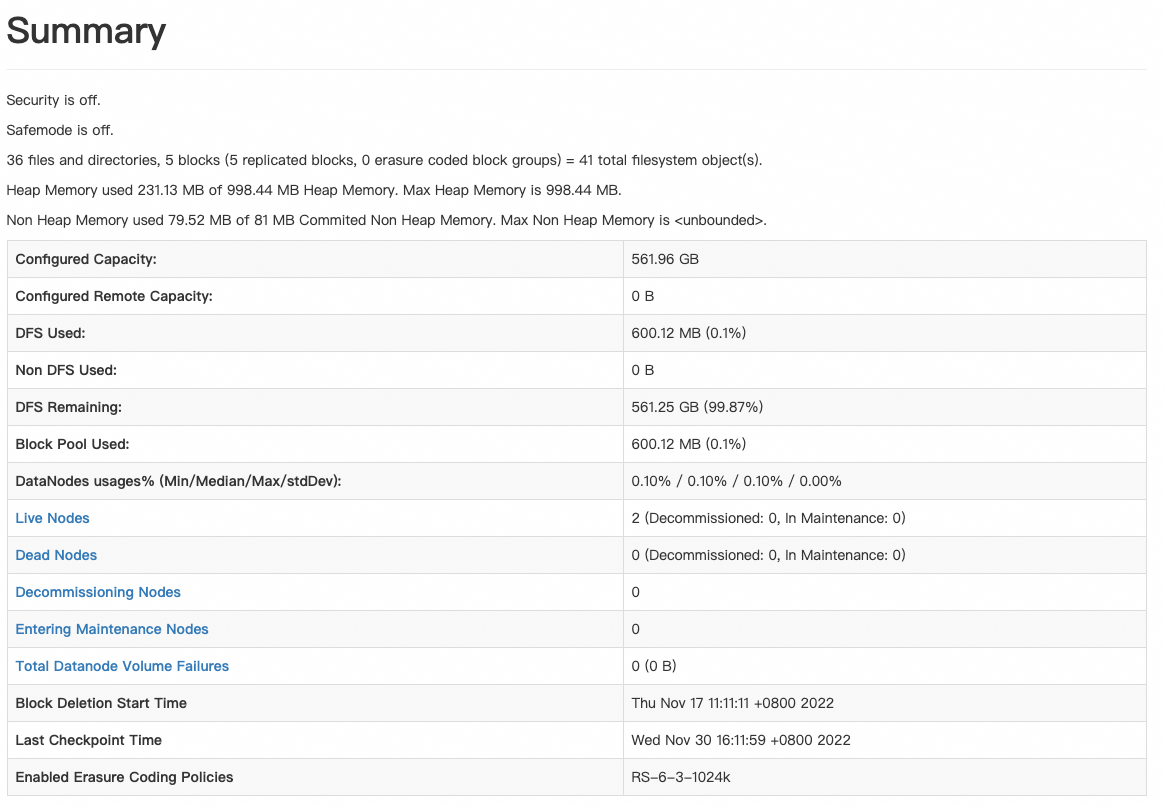
Key fields in the Summary section:
-
Security: Whether Kerberos authentication is enabled for the cluster.
-
Safemode: Whether the cluster is in safe mode (read-only).
-
File, directory, and block counts: These numbers vary depending on which NameNode you are viewing. In an HA cluster, the counts from the active NameNode take priority.
NameNode Journal Status
The NameNode Journal Status section shows the state of the Quorum Journal Manager (QJM), which is critical for HA clusters.
Active NameNode — runs in write mode:
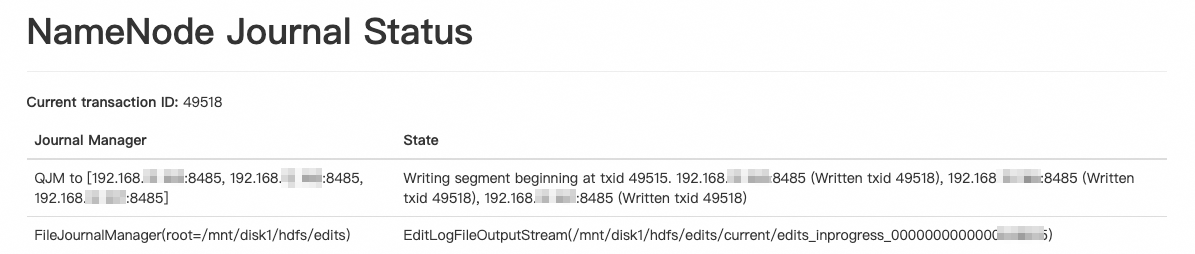
Check the Written txid value for each JournalNode. If the txid is always 0 or differs significantly from the other JournalNodes, reset that JournalNode.
Standby NameNode — runs in read mode:

The standby NameNode QJM status is read-only. No action is normally required.
NameNode Storage

Checkpoint operations on FsImage files run asynchronously. Monitor the image type status of each NameNode. If a standby NameNode's image type stays in the Failed state for an extended period, EditLog files accumulate. A NameNode restart under these conditions takes significantly longer to complete, because it must read through the backlogged EditLog files.
Startup progress of NameNode
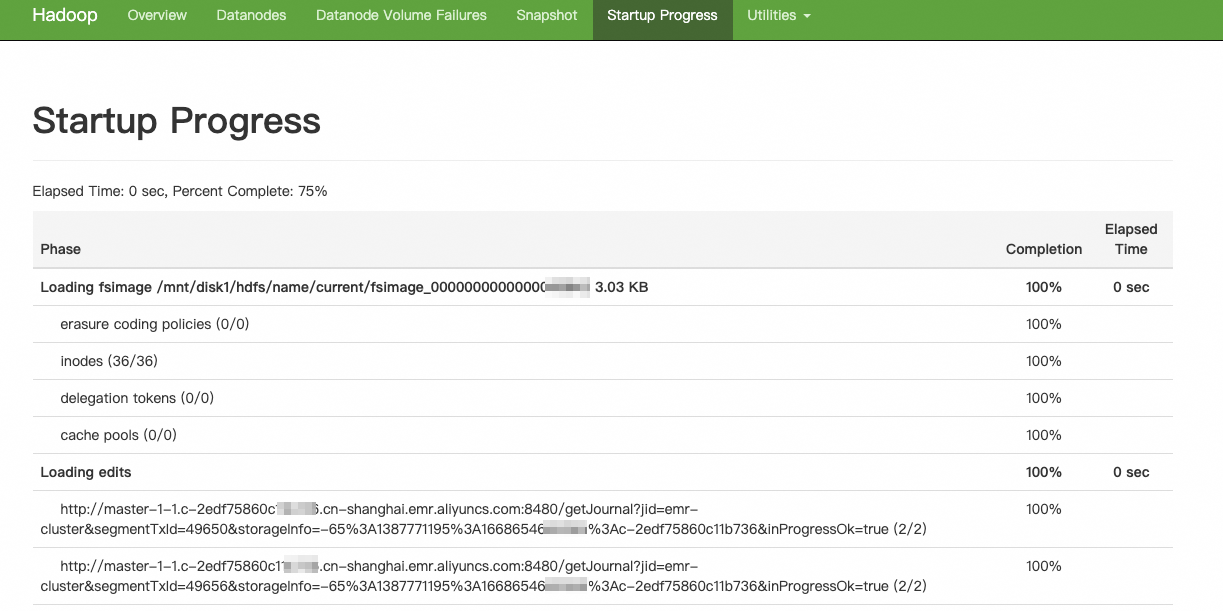
NameNode startup runs three operations in sequence: load FsImage files, load EditLog files, and wait for reported blocks. Each normally completes quickly. If a step takes unusually long, investigate as follows:
-
Slow FsImage loading or slow block reporting: Check whether the garbage collection (GC) parameters need adjustment.
-
Slow EditLog loading: Check whether a large volume of logs has accumulated on the JournalNode. For the JournalNode's local disk directory, see Local disk directories used by HDFS components.
What's next
For issues related to HDFS usage, see FAQ and troubleshooting.