Configure how POPs handle query strings when generating cache keys. Stripping the ? and everything after ? lets URLs with different parameters share one cached copy, improving cache hit ratios and reducing page load time.
How it works
POPs strip the ? and all parameters after ? from request URLs. Different users accessing the same file share one cached copy regardless of URL parameters, which improves cache hit ratios, reduces origin fetches, and increases file delivery efficiency.
Ignore query strings when URLs carry parameters unrelated to the cached resource, such as user IDs or tracking codes. For example:
User A: http://example.com/1.jpg?uid=123
User B: http://example.com/1.jpg?uid=654
Without query string filtering, the POP treats these as separate requests and fetches the resource from the origin for each. With filtering enabled, the POP strips the parameters after ? and uses only http://example.com/1.jpg as the cache key.
Procedure
In the ESA console, select Site Management. In the Website column, click the name of the target site.
In the navigation pane on the left, choose .
In the Query String area, click Configure, select a filtering mode, configure the settings, and click OK.
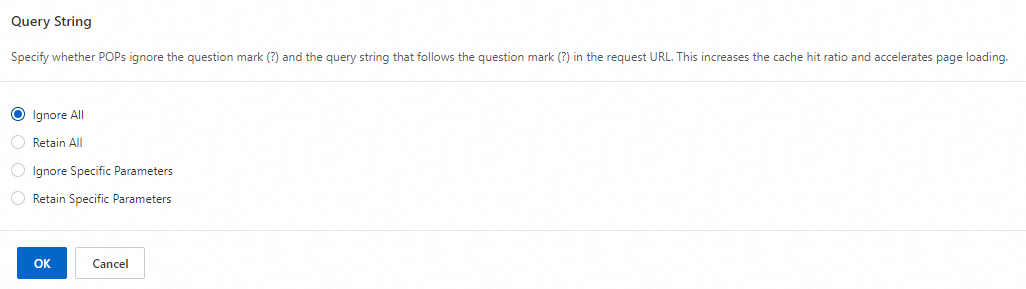
Filtering modes
Assume the original URL is http://example.com/1.jpg?key1=1&key2=2&key3=3. Depending on the rule settings, ESA processes the original URL as follows:
Parameter | Description | Example |
Ignore All | Removes the | The cache key is |
Retain All | Retains the | The cache key is |
Ignore Specific Parameters | Removes specified parameters after | If you enter |
Retain Specific Parameters | Retains only specified query string parameters after | If you enter |
Site-level vs. rule-based settings
Site-level settings apply to all requests. To target specific requests, use rule-based features, which match conditions for finer control. The rule-based equivalent of query string filtering is Custom Cache Key.