The API security feature of Edge Security Acceleration (ESA) helps prevent data breaches and service interruptions caused by unknown or deprecated APIs. It uses machine learning to continuously analyze your site's traffic, automatically discover API endpoints, and identify issues such as sensitive data leakage and API abuse.
Step 1: Configure session identifiers
To enable user-level API behavior analysis and anomaly detection, you must configure a session identifier before you use API security. ESA uses this identifier to identify each visitor and accurately detect user-specific attacks.
-
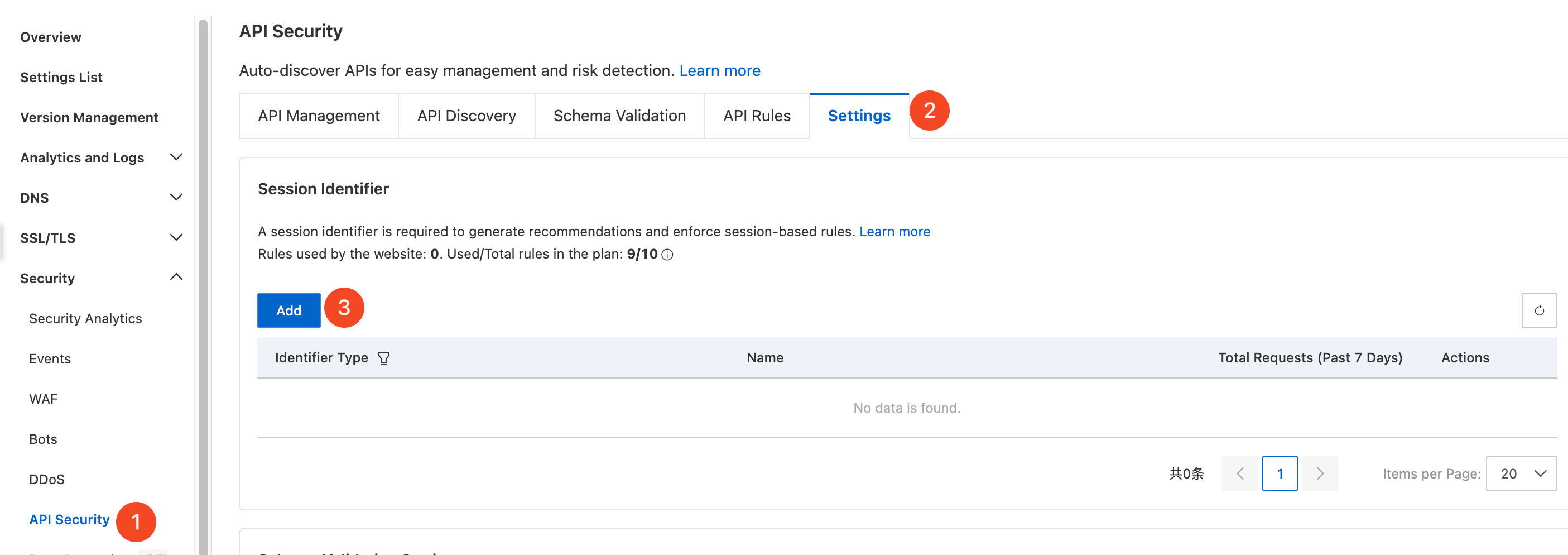
In the ESA console, select Websites . In the Website column, click the target site.
-
In the navigation pane on the left, choose .
-
On the API Security page, click the Settings tab. In the Session Identifier section, click Add.
-
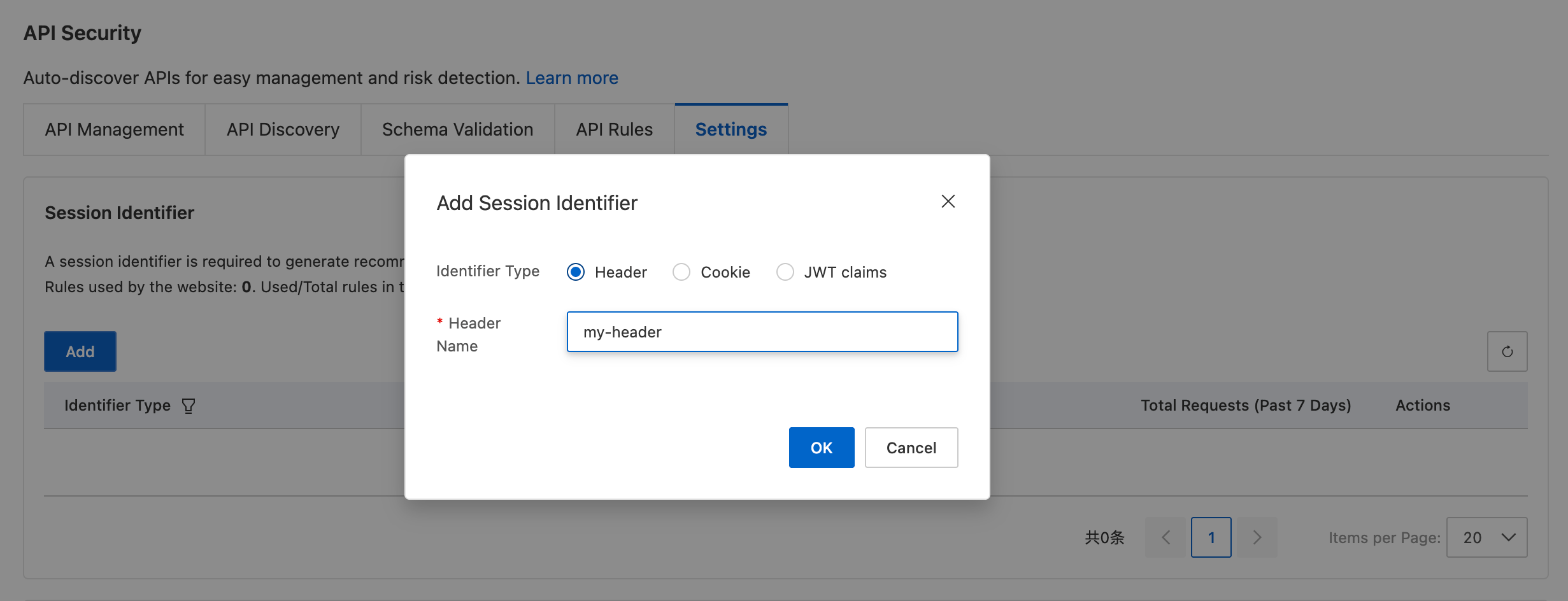
Select an identifier type: Header, Cookie, or JWT claims (requires an existing or new claim), and then enter the corresponding name.
Step 2: Discover and evaluate APIs
After you configure the session identifier, ESA automatically starts discovering APIs. You can evaluate the discovered APIs and mark them as Managed or Ignored to ensure that your core business APIs are fully protected and unnecessary APIs are excluded.
Discover APIs
ESA uses machine learning and session identifiers to analyze your site's traffic and automatically discover its APIs.
Only APIs that received valid requests in the last 30 days are included in the discovery results.
-
In the ESA console, select Websites . In the Website column, click the target site.
-
In the navigation pane on the left, choose .
-
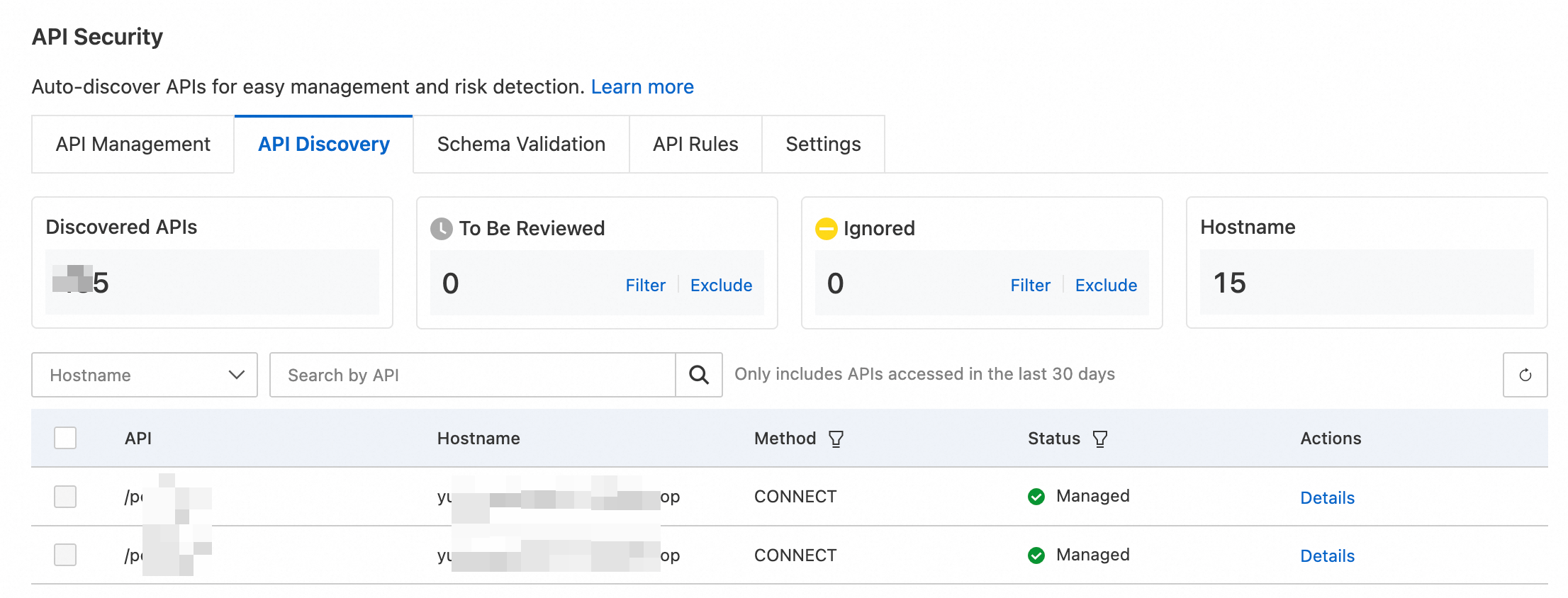
On the API Security page, select the API Discovery tab. ESA displays the total number of Discovered APIs and their details.
Evaluate APIs
To help you quickly categorize APIs, ESA assigns one of the following statuses to discovered APIs:
|
Status |
Security protection level |
Recommended action |
|
To Be Reviewed |
No active protection. API calls do not trigger any API security mitigation policies. |
High-risk state. Evaluate and mark the API as Managed or Ignored as soon as possible. |
|
Managed |
Ignore. ESA will no longer perform any statistics, analysis, or protection for this API. |
Recommended. All public-facing business APIs should be in this state. |
|
Ignored |
Fully protected. Covered by comprehensive API Security detection and protection, including abnormal behavior analysis and attack prevention. |
For APIs that are used for internal testing, are deprecated, or do not require security management. |
Evaluate the discovered APIs as follows:
-
In the ESA console, select Websites . In the Website column, click the target site.
-
In the navigation pane on the left, choose .
-
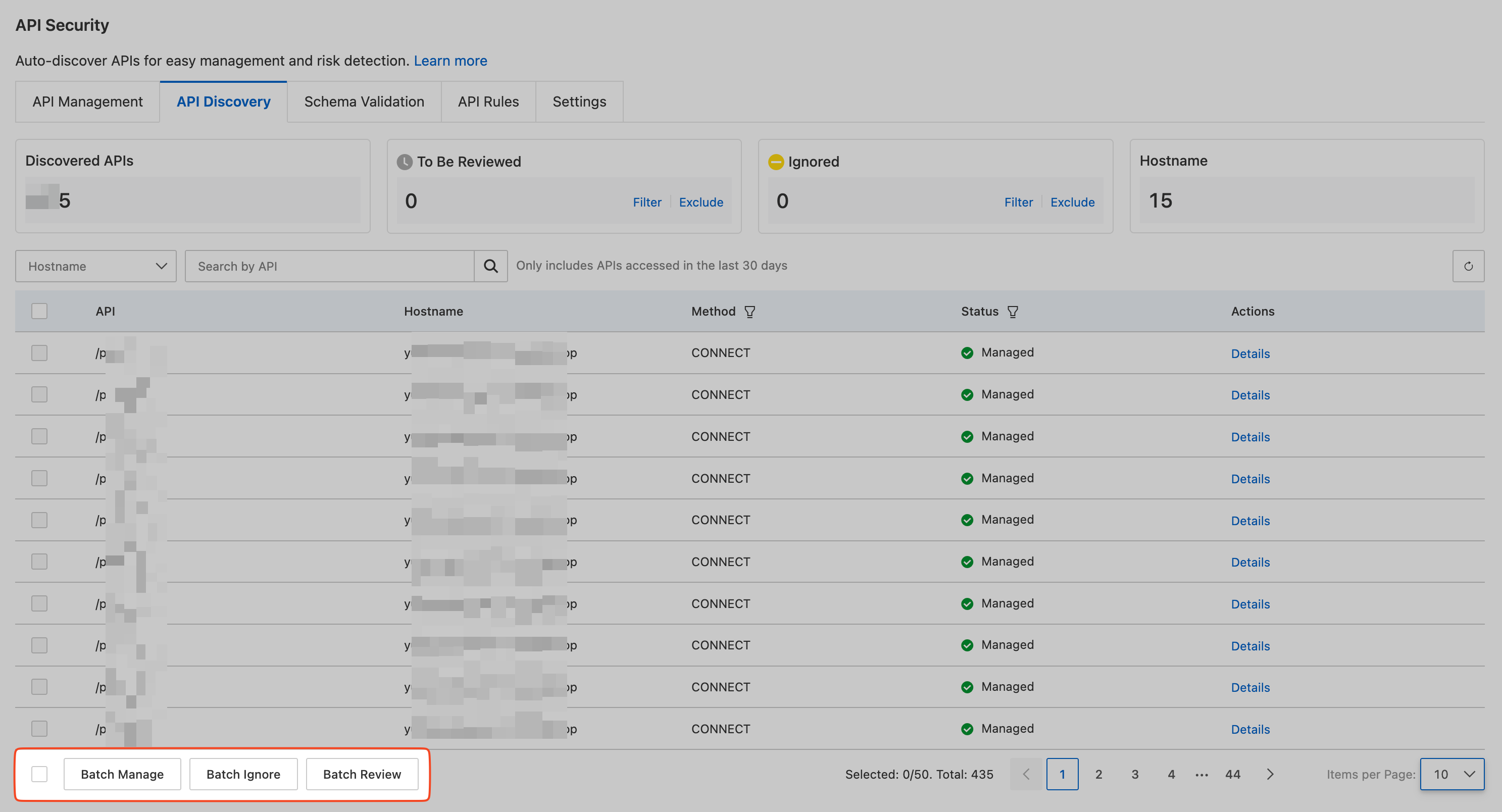
On the API Security page, select the API Discovery tab. In the To Be Reviewed section, click the Filter button to display all APIs that are pending evaluation.
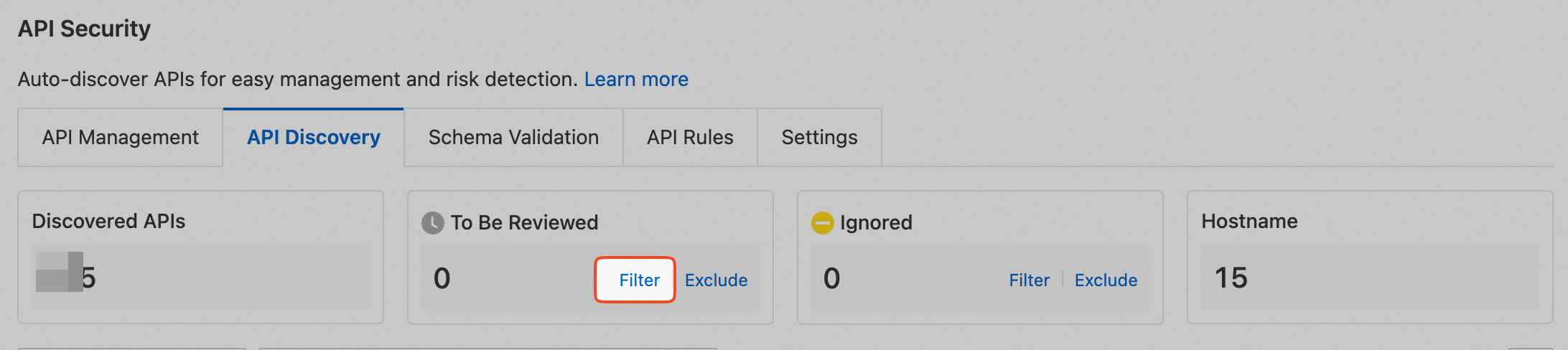
-
In the list of APIs pending evaluation, mark an API as Managed or Ignored. You can also select multiple APIs and choose an action from the options below the list.