You can use Terraform to add, remove, or modify HTTP response headers in responses from the origin to ESA. For example, you can dynamically set CORS headers based on the request.
Install Terraform and configure permissions
Install and configure Terraform on your computer
For more information about how to use Terraform on your computer, see Install and configure Terraform.
Create an AccessKey pair for a RAM user. An Alibaba Cloud account has all permissions on resources. If the AccessKey pair of your Alibaba Cloud account is leaked, your resources are exposed to great risks. We recommend that you use the AccessKey pair of a RAM user. For more information, see Create an AccessKey pair.
-
Create environment variables to store identity credentials.
You can create and view your AccessKey on the AccessKey Management page.
If the environment variables are not configured, identity verification fails when you run the Terraform template.
Use an online service (no installation or permission configuration required)
If you do not want to install Terraform, you can use the online service Cloud Shell.
Alibaba Cloud Cloud Shell is a free operations and maintenance (O&M) product. It is pre-installed with Terraform components and configured with identity credentials. Therefore, you can run Terraform commands directly in Cloud Shell. For more information, see Create resources with Terraform.
When you use Terraform in Cloud Shell, its destroy feature can cause data loss. We recommend that you use Cloud Shell only for simple and quick operations, such as debugging. For more information about the limits, see Limits.
Resources
Query site information: alicloud_esa_sites
Configure inbound response header modification: alicloud_esa_http_incoming_response_header_modification_rule
Configure an inbound response header modification rule
Create a configuration file named
main.tfand copy the following code into it. This code creates an inbound response header modification rule (origin to ESA) for your site.# 1. Query information about an existing site. data "alicloud_esa_sites" "default" { site_name = "{{DOMAIN}}" # Replace with the domain name of your site added to Edge Security Acceleration. } # 2. Modify an inbound response header (origin to Edge Security Acceleration): Set the Access-Control-Allow-Origin header in the response for requests with a matching Origin header. resource "alicloud_esa_http_incoming_response_header_modification_rule" "example" { site_id = data.alicloud_esa_sites.default.sites[0].site_id rule_name = "cors-mirror-origin-example" rule_enable = "on" rule = "(http.request.headers[\"origin\"] in {\"http://www.example.com\" \"https://www.example.com\" \"http://image.example.com\" \"https://image.example.com\"})" response_header_modification { operation = "add" name = "Access-Control-Allow-Origin" value = "http.request.headers[\"origin\"]" type = "dynamic" } }Navigate to the directory that contains the configuration files. Then, run the following command to initialize the Terraform environment.
terraform init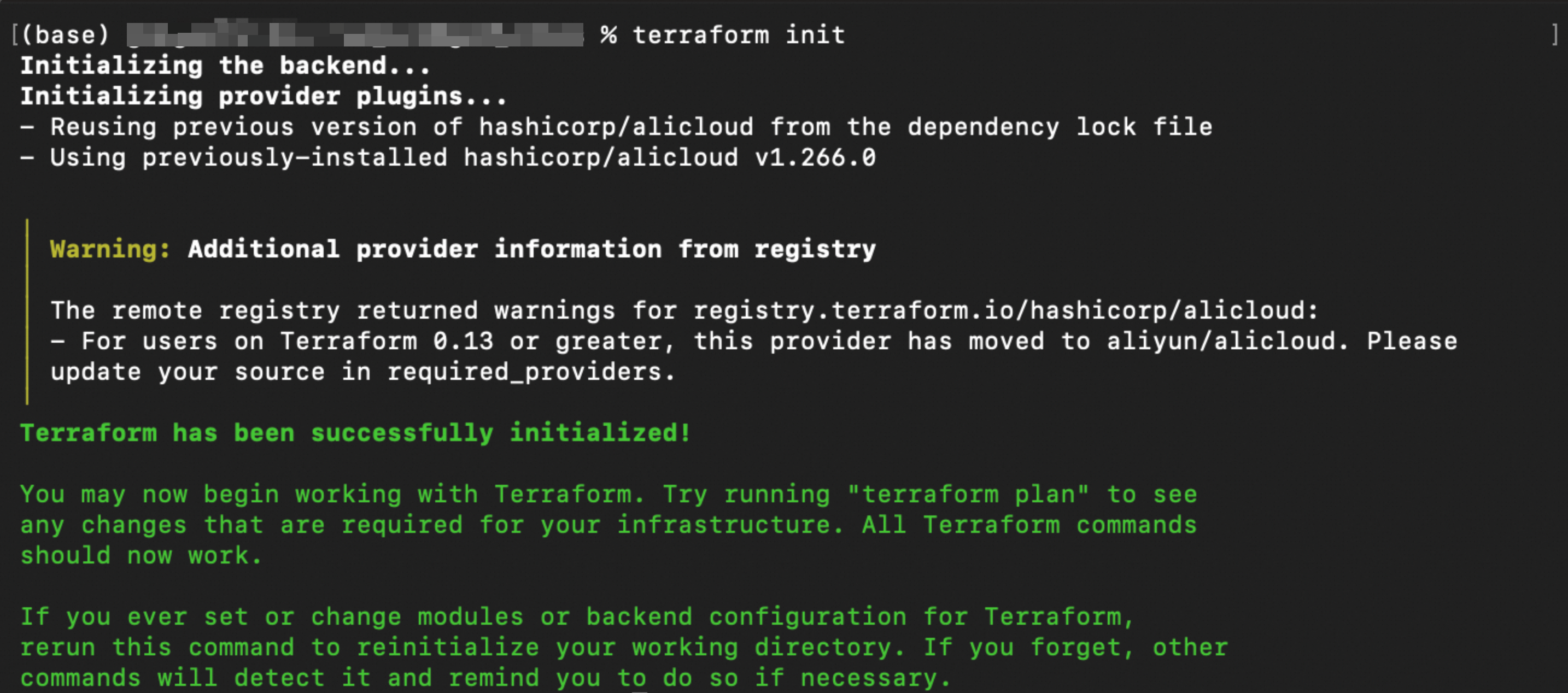
Run the following command to validate the syntax and configuration of the Terraform files.
terraform validateIf the output is similar to the following figure, the validation is successful.

Run the following command to preview the changes that will be applied.
terraform planRun the following command to execute the Terraform script.
terraform applyWhen prompted, enter
yesto confirm the operation.
Verify the result
Run terraform show
Run the following command in your working directory to view details about the resources that Terraform created:
terraform showVerify in the console
In the ESA console, select Site Management, and in the Website column, click the target site.
In the navigation pane on the left, choose to view the created rule and its configuration.
(Optional) Clean up resources
If you no longer need the resources created or managed by Terraform, you can run the terraform destroy command to release the resources.
terraform destroyReferences
response_header_modification.operation parameter
The operation parameter in the response_header_modification block of the Terraform alicloud_esa_http_incoming_response_header_modification_rule resource accepts the following values.
Value | Description | Description |
| Add | Adds a response header. |
| Delete | Deletes the response header with the specified name. |
| Modify | Modifies the value of an existing response header. |
response_header_modification.type parameter
The type parameter specifies whether the header value is a static string or a dynamic expression.
Value | Description | Description |
| Static | The |
| Dynamic | The |