Use Terraform to create custom WAF rulesets and rules for fine-grained bot protection in Bots advanced mode.
Install Terraform and configure permissions
Install and configure Terraform on your computer
For more information about how to use Terraform on your computer, see Install and configure Terraform.
Create an AccessKey pair for a RAM user. An Alibaba Cloud account has all permissions on resources. If the AccessKey pair of your Alibaba Cloud account is leaked, your resources are exposed to great risks. We recommend that you use the AccessKey pair of a RAM user. For more information, see 创建AccessKey.
-
Create environment variables to store identity credentials.
You can create and view your AccessKey on the AccessKey Management page.
If the environment variables are not configured, identity verification fails when you run the Terraform template.
Use an online service (no installation or permission configuration required)
If you do not want to install Terraform, you can use the online service Cloud Shell.
Alibaba Cloud Cloud Shell is a free operations and maintenance (O&M) product. It is pre-installed with Terraform components and configured with identity credentials. Therefore, you can run Terraform commands directly in Cloud Shell. For more information, see Create resources with Terraform.
When you use Terraform in Cloud Shell, its destroy feature can cause data loss. We recommend that you use Cloud Shell only for simple and quick operations, such as debugging. For more information about the limits, see Limits.
Resources
Create a site: alicloud_esa_site
Create a WAF ruleset: alicloud_esa_waf_ruleset
Create a WAF rule: alicloud_esa_waf_rule
Query ESA instances: alicloud_esa_sites
Configure Bots advanced mode
Create a configuration file named
main.tf, and then copy the following code into the file to configure the WAF ruleset and rule for Bots advanced mode.# 1. Query existing site information data "alicloud_esa_sites" "default" { site_name = "DOMAIN" # Replace with the domain name of your site in ESA, for example, example.com } # 2. Create a WAF ruleset (Bots advanced mode) resource "alicloud_esa_waf_ruleset" "bots_ruleset" { site_id = data.alicloud_esa_sites.default.sites[0].site_id # Site ID (from the data source) phase = "http_bot" # Rule phase: bot protection site_version = 0 # Site version } # 3. Create a bot protection rule resource "alicloud_esa_waf_rule" "default" { site_id = data.alicloud_esa_sites.default.sites[0].site_id # Site ID (from the data source) ruleset_id = alicloud_esa_waf_ruleset.bots_ruleset.ruleset_id # ID of the associated ruleset phase = "http_bot" site_version = 0 # Basic rule configuration config { name = "bots-protection-rule" # Rule name status = "on" # Rule status: enabled action = "deny" # Action on match: deny expression = "(http.host in {\"{{example.com}}\"})" # Match condition: domain name # Response configuration actions { response { id = "0" # Response ID code = "403" # HTTP status code: Forbidden } } } # Advanced bot configuration (shared settings) shared { target = "web" # Protection target type: Web application mode = "automatic" # Web SDK integration mode: automatic cross_site_id = 10000001 # Cross-site ID (optional) name = "BotsAdvancedRule" # Shared rule name expression = "ip.src eq 192.168.0.1" # Shared match expression action = "deny" # Shared default action # Match condition configuration (multi-level nesting) match { logic = "and" # Logic for multiple conditions: AND # First-level match criteria criteria { logic = "and" match_type = "http.host" # Match field: Hostname # Second-level nested criteria criteria { logic = "or" match_type = "http.uri" # Match field: URI path # Third-level nested criteria criteria { match_type = "ip.src" # Match field: Source IP address } } } } } }Navigate to the directory that contains the configuration files. Then, run the following command to initialize the Terraform environment.
terraform init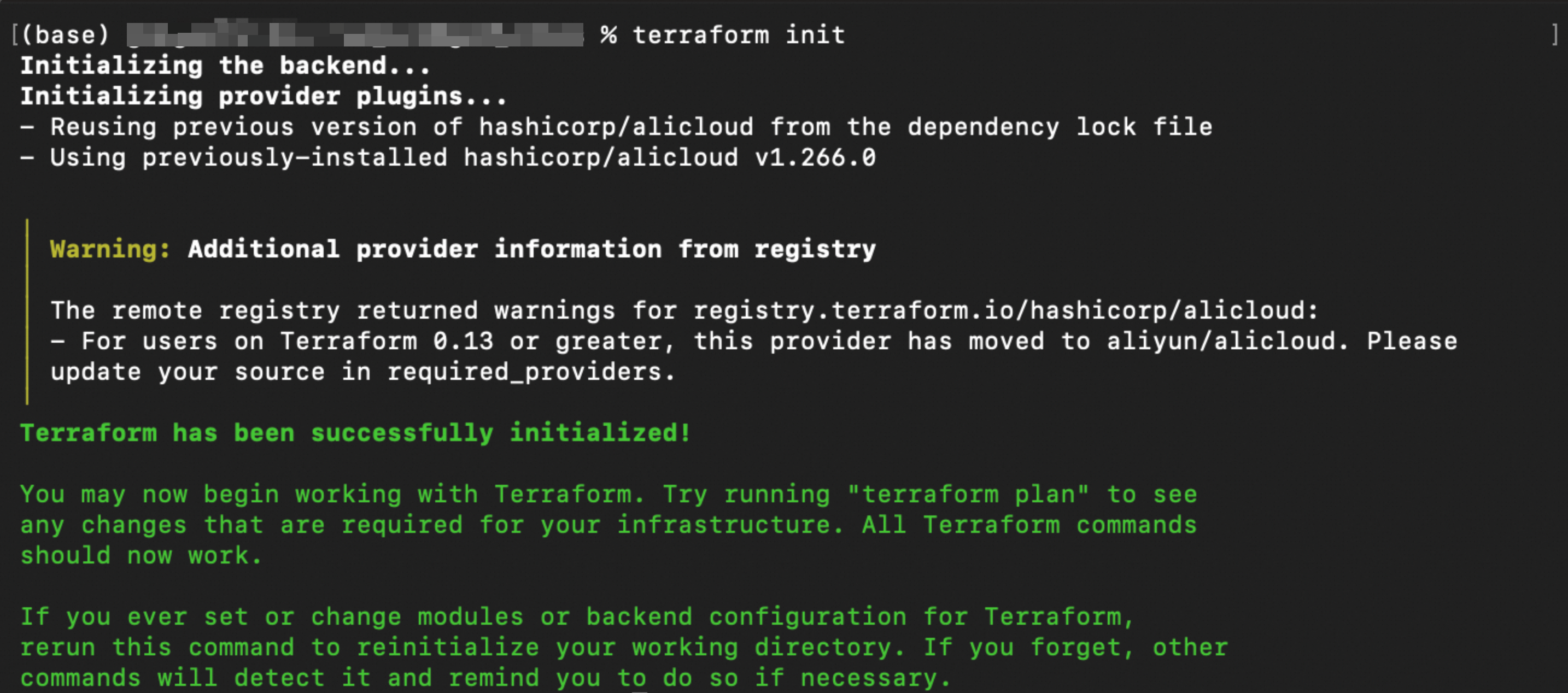
Run the following command to validate the syntax and configuration of the Terraform files.
terraform validateIf the output is similar to the following figure, the validation is successful.

Run the following command to preview the changes that will be applied.
terraform planRun the following command to execute the Terraform script.
terraform applyWhen prompted, enter
yesto confirm the operation.
Verify the results
Using terraform show
After terraform apply succeeds and before you clean up the resources, run the following command in the working directory to verify the resource status.
terraform showUsing the console
In the ESA console, go to Site Management. In the Website column, click the target site.
In the left-side navigation pane, choose .
On the Bots advanced mode page, you can see the newly created custom rule, including its Rule Name, Matching Conditions, action, and Status.
References
Example parameters
Parameter | Example value | Description |
|
| Filters for Enterprise-plan ESA instances to obtain an available instance ID. |
|
| This parameter defines the WAF rule phase. The value |
|
| The site version number. A value of |
|
| The name of the rule, which is used to identify it in the console. |
|
| The status of the rule. |
|
| The action to take when a request matches the rule. Supported values include |
|
| The match expression. Uses ESA expression syntax to define match conditions, such as domain, path, or IP address. |
|
| The HTTP response status code. This is the code returned when the action is |
|
| The type of target to protect. |
|
| The Web SDK integration mode. The value |
|
| The logical operator for multiple conditions. |
|
| The type of field to match. Supported values include |
|
| A set of match conditions. Supports multiple levels of nesting to build complex match logic trees for fine-grained traffic filtering. |
Phase parameter
In the alicloud_esa_waf_ruleset and alicloud_esa_waf_rule resources, the phase parameter specifies the WAF execution phase. The following table describes the valid values.
Value | Description | Description |
| custom rule | Creates custom access control rules with flexible match expressions and various actions. |
| whitelist rule | Allows specific traffic to bypass other security checks. Use this to permit trusted traffic. |
| managed rule | A pre-configured ruleset maintained by Alibaba Cloud to protect against common web attacks, such as SQL injection and XSS. |
| scan protection rule | Detects and blocks malicious scanning activities, such as directory traversal and port scanning. |
| rate limiting rule | Limits access based on request frequency to prevent malicious attacks and resource abuse. |
| IP access rule | Controls access based on IP addresses or CIDR blocks. |
Action parameter
In the alicloud_esa_waf_rule resource, the action parameter specifies the action to take when a request matches a rule. The following table lists the valid values.
Value | Description | Description |
| Block | Blocks matching requests and returns a custom response code, such as 403. This is suitable for traffic that is clearly malicious. |
| Monitor | Logs matching requests without blocking them. This is useful for observing a rule's behavior during testing. |
| JS challenge | ESA returns a snippet of JavaScript code to the client. If the client successfully executes the JavaScript code, all requests from the client are allowed for a period of time (30 minutes by default). Otherwise, the requests are blocked. This method is suitable for distinguishing between real users and bots. |
| CAPTCHA challenge | ESA returns a sliding verification page to the client. If the client successfully completes the verification, all requests from the client are allowed for 30 minutes (by default). Otherwise, the requests are blocked. This applies to scenarios that require user interaction for verification. |
For more details on parameters, see alicloud_esa_waf_ruleset and alicloud_esa_waf_rule.