As Alibaba Cloud products grow more complex, their console pages display more parameters. OpenAPI and Terraform parameters also increase. These parameters do not map directly to console parameters. To lower the barrier for developers who use OpenAPI or Terraform to create resources, Alibaba Cloud Open Platform provides a ConsoleToCode component on the console frontend. This component automatically converts console operations into Terraform code and SDK code.
Workflow
Use adding a DNS record as an example to show how to obtain Terraform code with the equivalent code feature.
In the ESA console, choose Websites. In the Website column, click the target site.
Choose . Click Add Record. Fill in the record parameters, such as:
Record Type:
A/AAAAHostname:
testRecord Value:
192.168.0.1
Click Console-to-Code. In the panel, select the Terraform tab.
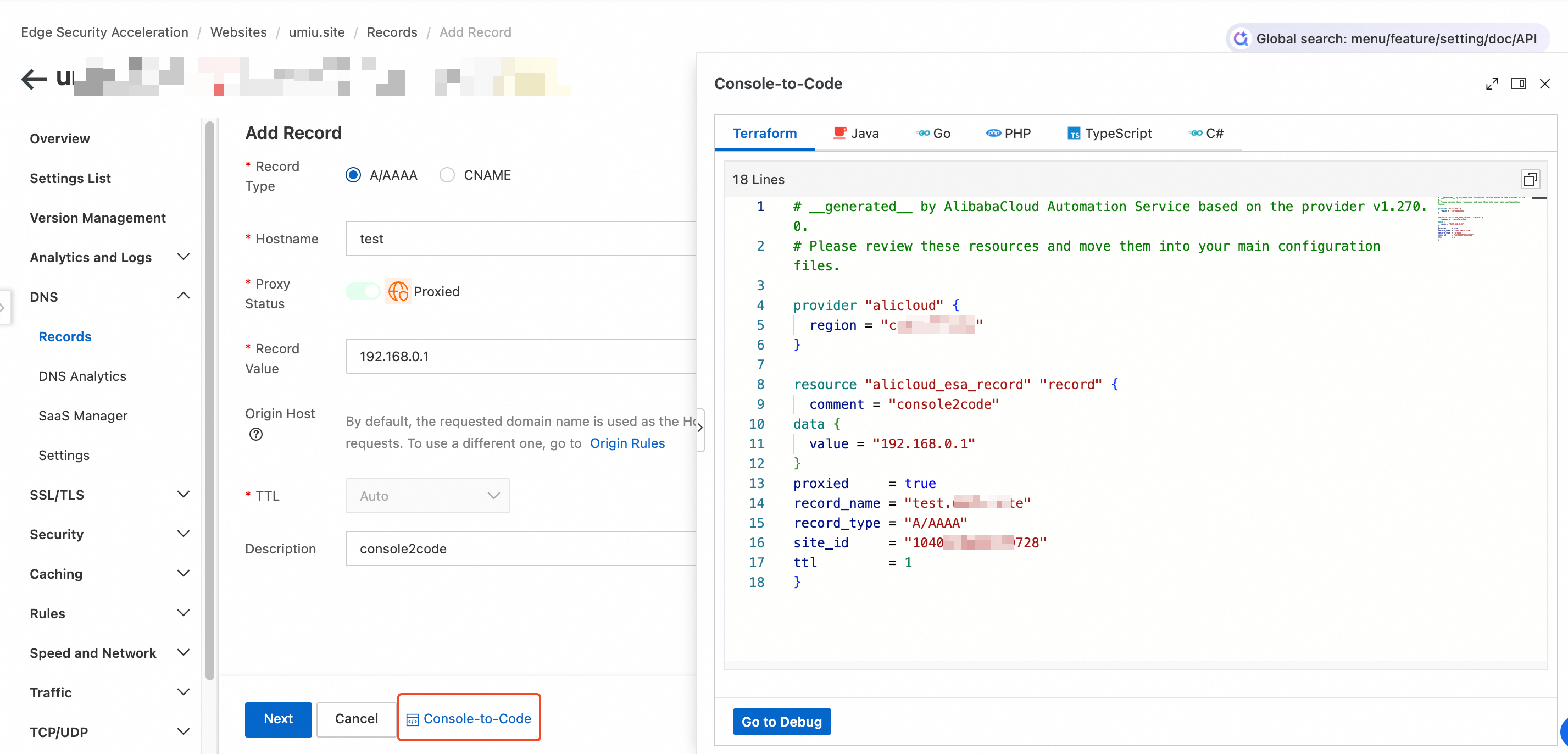
The console auto-generates Terraform code like this:
# __generated__ by AlibabaCloud Automation Service based on the provider v1.270.0.
# Please review these resources and move them into your main configuration files.

provider "alicloud" {
  region = "cn-hangzhou"
}

resource "alicloud_esa_record" "record" {
  comment = "console2code"
data {
  value = "192.168.0.1"
}
proxied     = true
record_name = "test.example.com"
record_type = "A/AAAA"
site_id     = "1040********9728"
ttl         = 1
}
Next, apply the configuration using the command in Add a DNS record using Terraform.
Notes
Code is for reference only and is not automatically executed: Terraform code generated by the equivalent code feature is not automatically applied to your ESA configuration. You must copy the code and run Terraform commands locally for it to take effect.
Console operations and Terraform management are not synchronized: If you manage the same resource both in the console and with Terraform, your Terraform state file may become inconsistent with the actual configuration. Use Terraform exclusively for resource management.
Incomplete forms still generate useful code: Even if you leave required fields blank in the console form, the Equivalent Code panel displays code for the fields you filled in. It also marks missing required parameters so you understand the code structure.
Provider version requirement: Generated Terraform code depends on the official Alibaba Cloud provider (alicloud). Make sure your local Terraform environment has the correct provider version installed and configured.
Supported console features
Only adding a DNS record is supported. More features will be added soon.