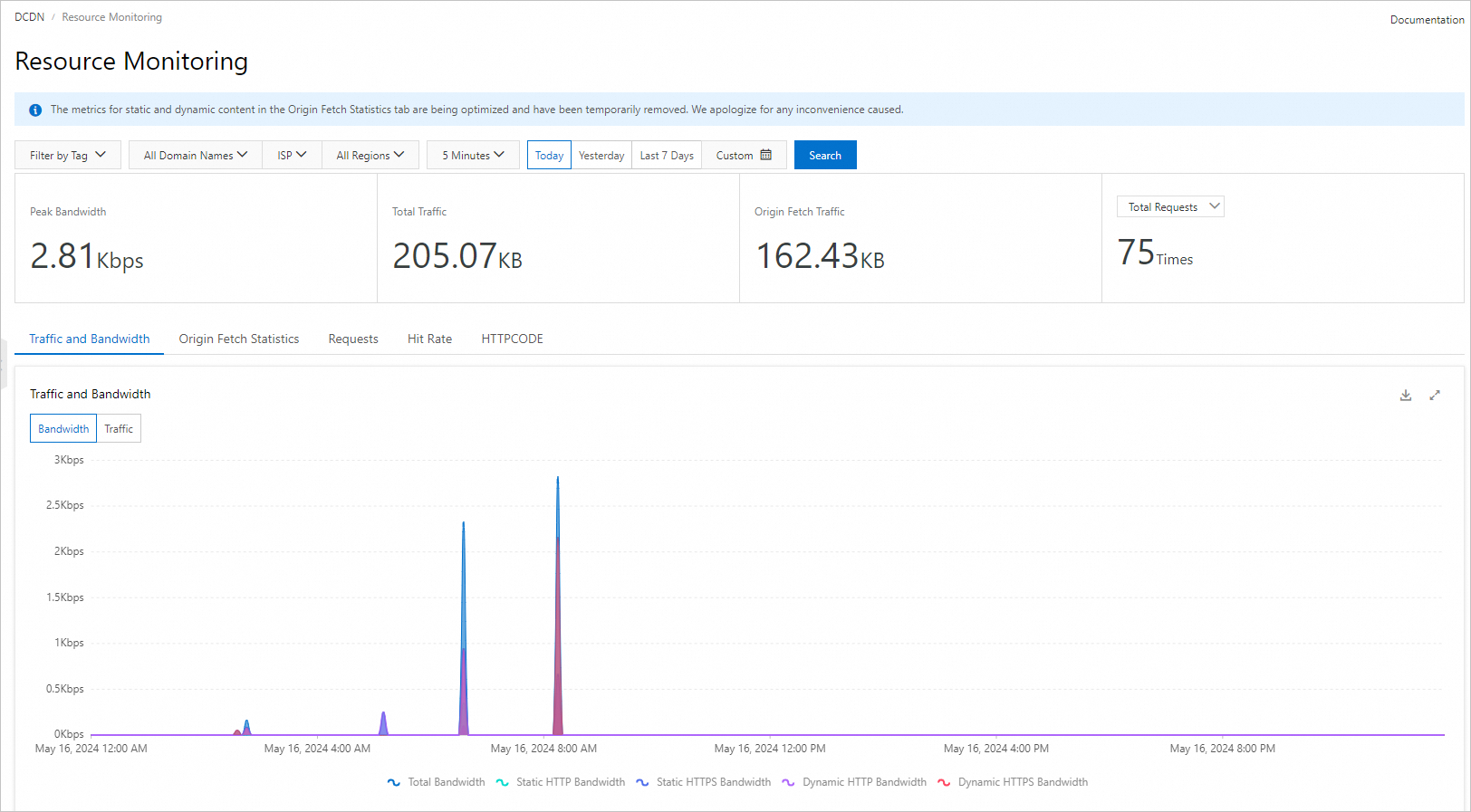
Resource Monitoring tracks bandwidth, traffic, cache performance, and HTTP status codes for your accelerated domain names — broken down by the region or carrier of client IP addresses. Use it to identify traffic trends, diagnose origin errors, and optimize CDN configurations.
Overview
Time granularity
The maximum time range per query and historical data availability differ between the console and API. The following tables list the supported time granularity for each method.
-
In the console:
Time granularity
Maximum time range per query
Historical data available
Data delay
5 minutes
3 days
30 days
15 minutes
1 hour
30 days
30 days
4 hours
1 day
30 days
30 days
04:00 on the next day
-
Through APIs:
Time granularity
Maximum time range per query
Historical data available
Data delay
5 minutes
3 days
93 days
15 minutes
1 hour
31 days
186 days
4 hours
1 day
366 days
366 days
04:00 on the next day
Resource monitoring vs. real-time monitoring
Resource monitoring and real-time monitoring differ in time granularity, data delay, and historical data availability. The Real-time monitoring overview covers real-time granularity options.
The two features also count different request types when they calculate the hit rate. Resource monitoring excludes dynamic requests and counts only static requests, whereas real-time monitoring counts all request types, including both static requests and dynamic requests. As a result, the hit rate reported by resource monitoring may be higher than the hit rate reported by real-time monitoring.
Monitoring items and metrics
The following table lists the monitoring items. You can filter data by domain name, region, and ISP, and download query results.
Data is calculated and aggregated by APIs. Each item links to its API reference.
|
Monitoring item |
Description |
API reference |
|
Traffic and Bandwidth |
Traffic and bandwidth of accelerated domain names. Filterable by region, ISP, and protocol (HTTP, HTTPS). |
|
|
Origin Fetch Statistics |
Origin bandwidth and traffic of accelerated domain names. |
|
|
Requests |
Request count and QPS of accelerated domain names. You can query data by region, ISP, and protocol (HTTP and HTTPS). Note
|
|
|
Hit Rate |
Byte hit rate and request hit rate of accelerated domain names. |
|
|
HTTP status codes |
HTTP status codes (2xx, 3xx, 4xx, 5xx) of accelerated domain names. |
Usage notes
-
Traffic data from the DCDN console or API may differ from log-based data. Monitoring traffic is typically about 1.1 times the log-calculated amount. Why is the traffic amount found by using the monitoring and usage analytics feature or the usage statistics feature different from the traffic amount that is logged?
-
Resource monitoring collects data by client region and ISP. Billing is metered by traffic, bandwidth, and requests at DCDN POPs per billable region, so results may differ.
Procedure
-
Log on to the DCDN console.
-
In the navigation pane on the left, click .
-
On the Resource Monitoring page, select the monitoring item and query conditions, and then click Search.
Analyze results online or download them.