A High-speed Service Framework (HSF) application built on Pandora Boot may take an unusually long time to start when it publishes or consumes a large number of services. This topic explains the root cause and provides configuration changes to reduce startup time.
Why this happens
At startup, HSF synchronizes service addresses from the service registry (ConfigServer) for every published service (provider) and consumed service (consumer). Each service waits for address synchronization sequentially, with a default timeout of 3,000 milliseconds per service.
Because the wait is sequential, startup time scales linearly with the number of services:
| Registered or subscribed services | Default wait per service | Estimated total wait |
|---|---|---|
| 10 | 3,000 ms | ~30 seconds |
| 50 | 3,000 ms | ~2.5 minutes |
| 100 | 3,000 ms | ~5 minutes |
To speed up startup, reduce the per-service wait time.
Solution
Step 1: Reduce the global address synchronization timeout
In the application.properties file, set spring.hsf.max-wait-address-time to a lower value (in milliseconds). The default is 3,000 ms.
spring.hsf.max-wait-address-time = 500This value applies to all providers and consumers.
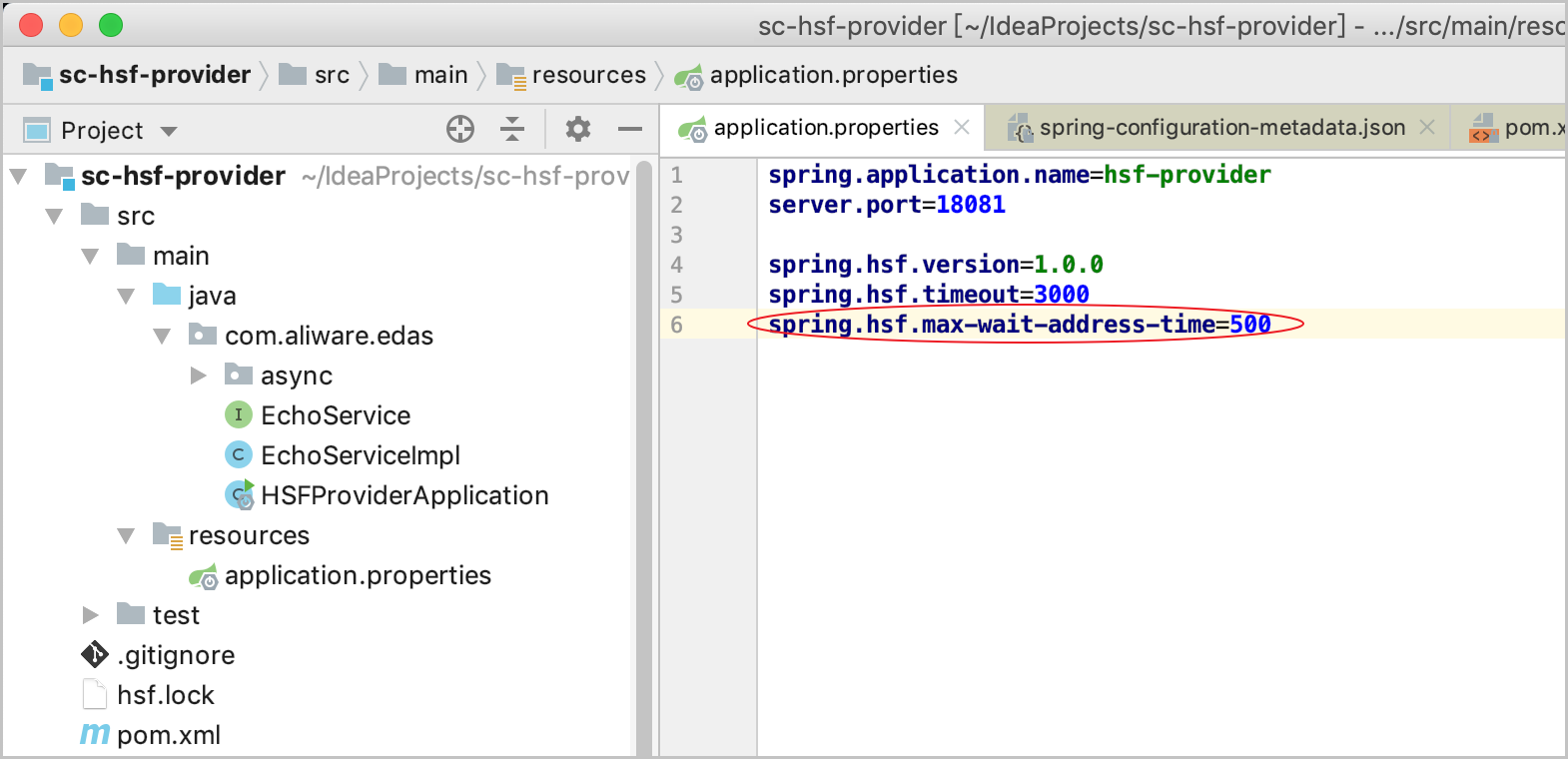
Setting this value too low increases the risk of HSF-0001 errors, which occur when a service is called before its address has been synchronized. Start with 500 ms and increase the value if you see HSF-0001 errors at startup.
Step 2 (optional): Override the timeout for a specific service interface
To set a different timeout for a single service interface, add a per-interface entry in application.properties:
spring.hsf.max-wait-address-times.<fully-qualified-interface-name> = <timeout-in-ms>Replace the placeholders with actual values:
| Placeholder | Description | Example |
|---|---|---|
<fully-qualified-interface-name> | Full class name of the service interface | com.example.OrderService |
<timeout-in-ms> | Address synchronization timeout in milliseconds | 1000 |
A per-interface value overrides the global spring.hsf.max-wait-address-time for that interface. All other interfaces continue to use the global value.
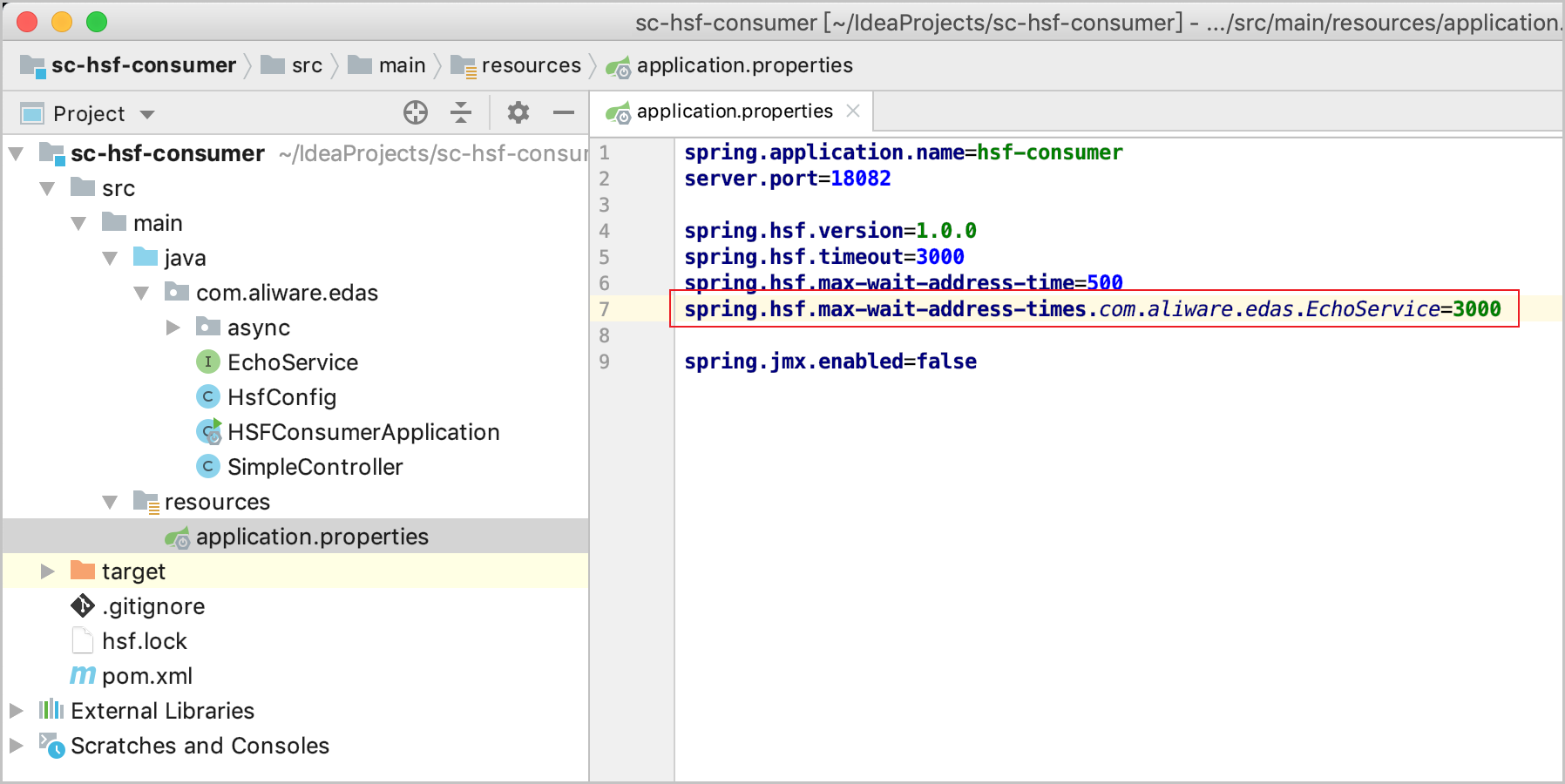
Step 3 (optional): Set a dedicated wait time for a consumer interface
For consumer interfaces that must have a valid address before the application finishes starting, use the addressWaitTime parameter (in milliseconds).
During service subscription, this parameter blocks the calling thread for the specified duration to wait for address synchronization. This prevents empty-address errors when the service is called immediately after startup.
Set addressWaitTime between 3,000 and 5,000 milliseconds for critical consumer interfaces. This parameter is required for an interface that needs to subscribe to a service when a consumer application is started.
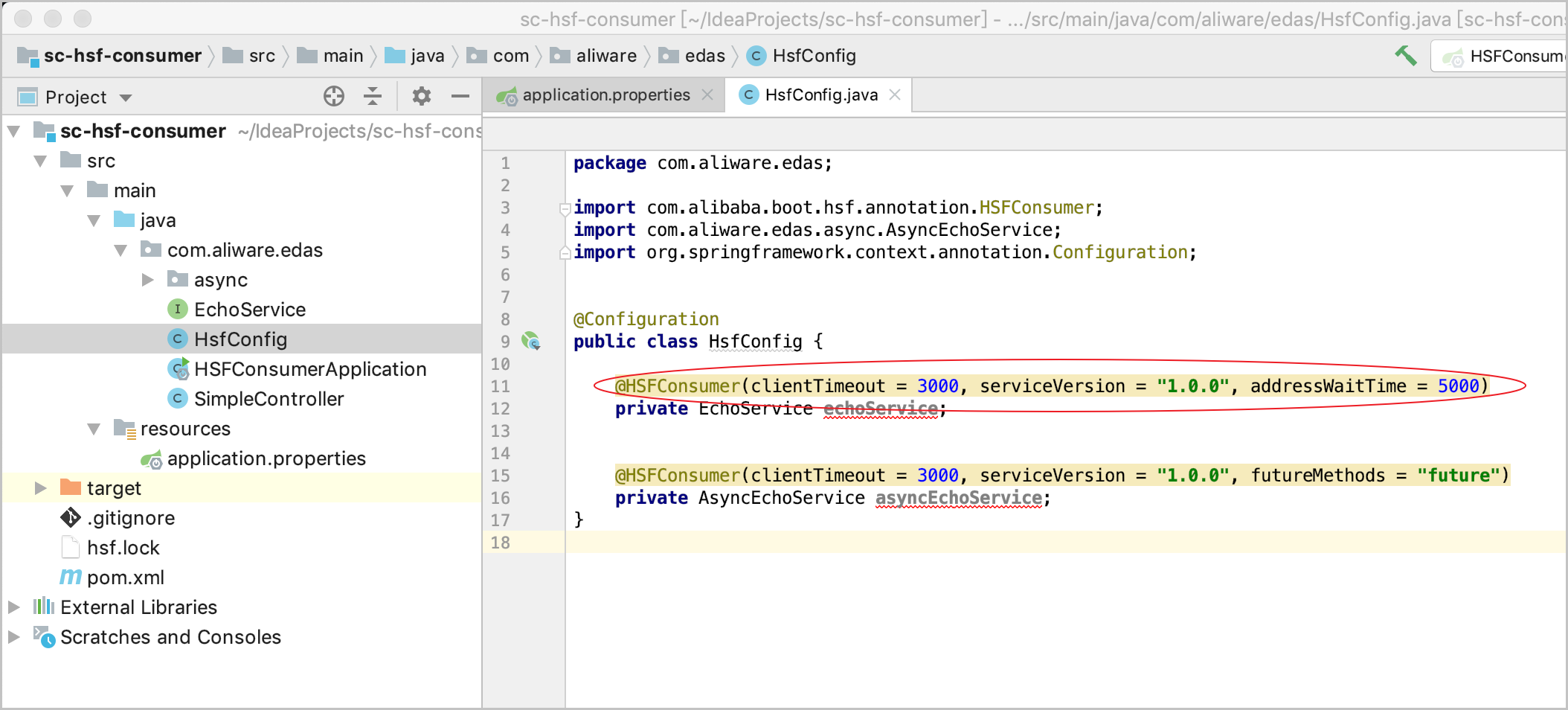
addressWaitTime increases startup time for the configured interface. If this parameter is not set for interfaces that require subscription at startup, HSF-0001 errors may occur.
Configuration priority
The following table summarizes how the three parameters interact:
| Parameter | Scope | Default | Priority |
|---|---|---|---|
spring.hsf.max-wait-address-time | All providers and consumers | 3,000 ms | Lowest -- applies to all interfaces unless overridden |
spring.hsf.max-wait-address-times.<interface> | A single interface | None (inherits global) | Overrides the global value for the specified interface |
addressWaitTime | A single consumer interface | None | Applies during service subscription for the configured consumer interface |
Step 4: Restart the application
Restart the application for the configuration changes to take effect.
Troubleshooting
If startup remains slow after you reduce spring.hsf.max-wait-address-time, capture a thread dump and review the relevant log files to identify the bottleneck.
Capture a thread dump
Generate a thread dump of the running application:
jstack <application-jvm-process-id> >> threaddump.txtReplace <application-jvm-process-id> with the PID of the application's JVM process.
In the thread dump, look for threads that are blocked on address synchronization from ConfigServer. Common patterns include:
Threads in a
TIMED_WAITINGorBLOCKEDstate with stack frames referencingConfigServerorAddressService.Multiple threads waiting on the same lock related to service registration or subscription.
Check log files
Review the following logs for errors or delays related to address synchronization:
| Log file | What to look for |
|---|---|
$USER_HOME/log/configclient/config-client.log | Connection timeouts, failed address pushes, or retry loops from the ConfigServer client |
$USER_HOME/log/hsf/ | Service registration or subscription errors, address resolution failures |