Move an instance's primary ENI to another vSwitch in the same VPC and zone to change its CIDR block.
Move an instance's primary ENI to a different vSwitch within the same VPC and availability zone
Specify a new private IP address from the destination vSwitch's CIDR block, or have one assigned automatically

Potential impacts
Review the following impacts before you proceed:
Service interruption: The instance must be stopped to change its vSwitch.
Private IP address change: The primary private IP address changes to one from the destination vSwitch's CIDR block. Update any dependencies on the original IP—such as database connection strings, firewall allowlists, or service configurations—after the change.
Public IP address: Remains unchanged.
Connectivity loss (static IP only): If the instance uses a static IP address, internal network settings (IP address, subnet mask, and default gateway) become invalid after the vSwitch change. Reconfigure the OS to use DHCP before changing the vSwitch.
Network ACL rules: If the source and destination vSwitches have different network ACL rules, review and update them to ensure application connectivity.
Route configuration: The new vSwitch may have different routing rules. Associate a custom route table with the destination vSwitch and configure the necessary route entries to verify connectivity.
Prerequisites
Ensure the following conditions are met:
(If the primary ENI has secondary IP addresses) All secondary private IPv4 addresses are unassigned and all IPv6 addresses are deleted from the primary ENI.
(If the instance uses a static IP address) OS is reconfigured to use DHCP. See the DHCP configuration steps below.
Configure DHCP on a Linux instance
Configure DHCP on a Windows instance
The following steps use Windows Server 2022.
Open Network and Sharing Center.
Click Change adapter settings.
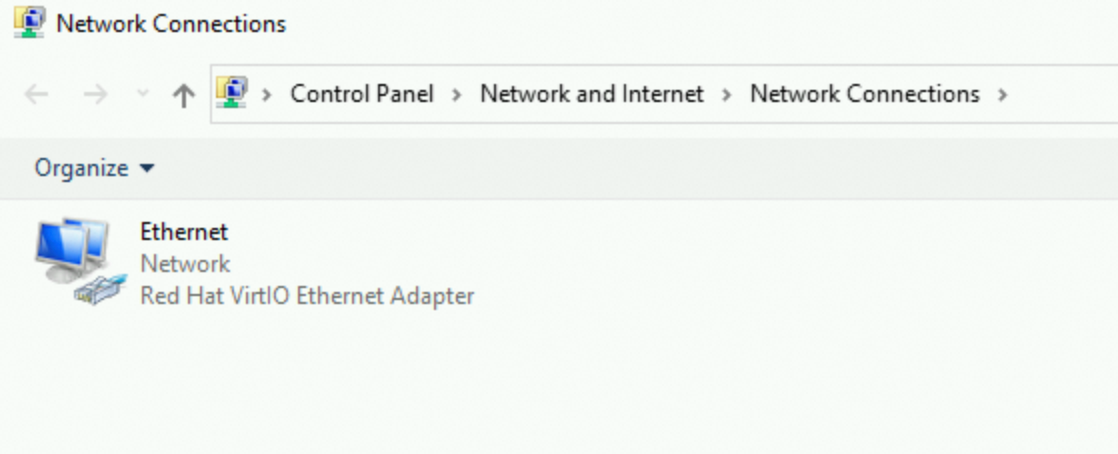
Double-click the primary ENI named Ethernet, then click Properties.
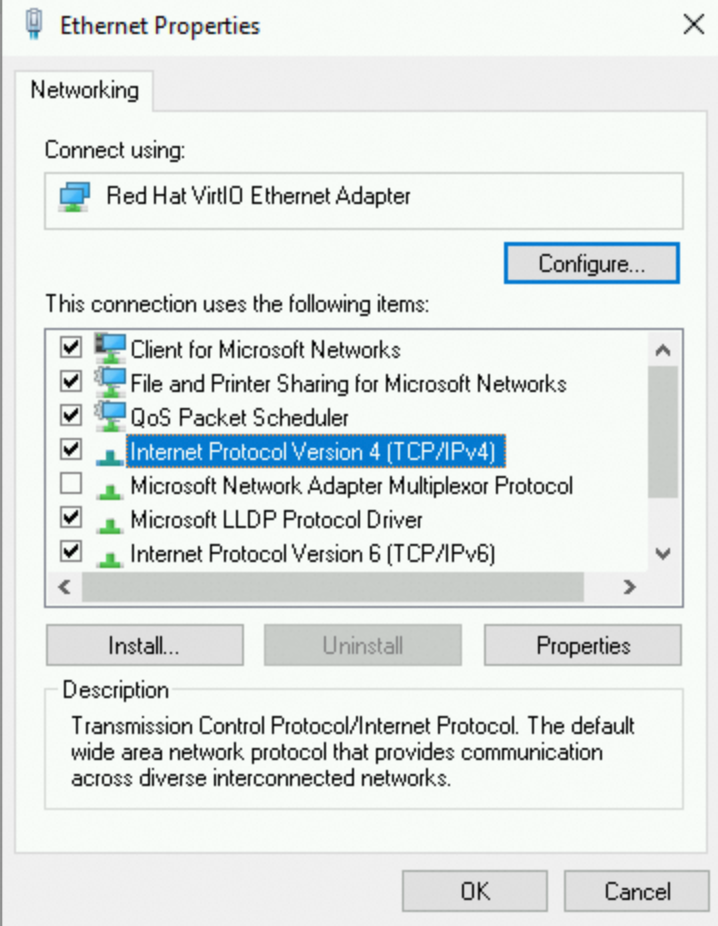
In Ethernet Properties, double-click Internet Protocol Version 4 (TCP/IPv4).
Select Obtain an IP address automatically, then click OK.
Change the vSwitch
Console
Go to the ECS console - Instances page. Select the target region and resource group.
Click the instance ID.
Click All Actions > Network and Security Group > Change vSwitch.
Select a destination vSwitch.
Set the private IP address:
Specify an IP address: Enter an IP address from the destination vSwitch's CIDR block in the Private IP Address field. This minimizes reconfiguration if you can reuse the same IP in the new subnet.
Auto-assign: Leave the Private IP Address field blank to auto-assign an available address.
Confirm the change.
After the change, the new vSwitch appears in the Configuration Information section on the Instance Details page.
The instance does not restart automatically. Start it manually.
API
Call ModifyInstanceVpcAttribute to change the vSwitch of the primary ENI.
Verify the change by calling DescribeInstances and checking the VSwitchId field in the response.
Call StartInstance to start the instance.
FAQ
How do I convert between CIDR format and IP address ranges?
See Examples of converting CIDR blocks to IP address ranges. You can also run ipcalc on the destination vSwitch to view the range directly.
How do I reconfigure secondary private IPv4 or IPv6 addresses after changing the vSwitch?
Assign secondary private IPv4 and IPv6 addresses from the new vSwitch's CIDR block. See Assign a secondary private IP address to an ENI and Configure an IPv6 address.
Next steps
To connect instances across accounts or VPCs, use a VPC peering connection for one-to-one peering, or Cloud Enterprise Network (CEN) for large-scale interconnection. See Cross-VPC interconnection overview.
To migrate an instance to another availability zone in the same region, see Cross-zone migration.
To migrate an instance to another account or region, see Migrate ECS instances between accounts or within the same account.