To respond quickly to issues in your Elastic High Performance Computing (E-HPC) cluster, you can configure alert notifications by creating alert rules. When a metric meets the specified alert conditions, Cloud Monitor automatically sends a notification. This helps you to be promptly notified of abnormalities and take action to ensure service stability. This topic describes how to configure alert notifications for an E-HPC cluster.
Prerequisites
An E-HPC cluster is created. For more information, see Create a cluster.
The cluster is in the Running state.
Procedure
Go to the Cluster Details page.
Log on to the E-HPC console.
In the left part of the top navigation bar, select a region.
In the left-side navigation pane, click Cluster.
On the Cluster List page, find the cluster that you want to manage and click the cluster ID.
In the left-side navigation pane, choose .
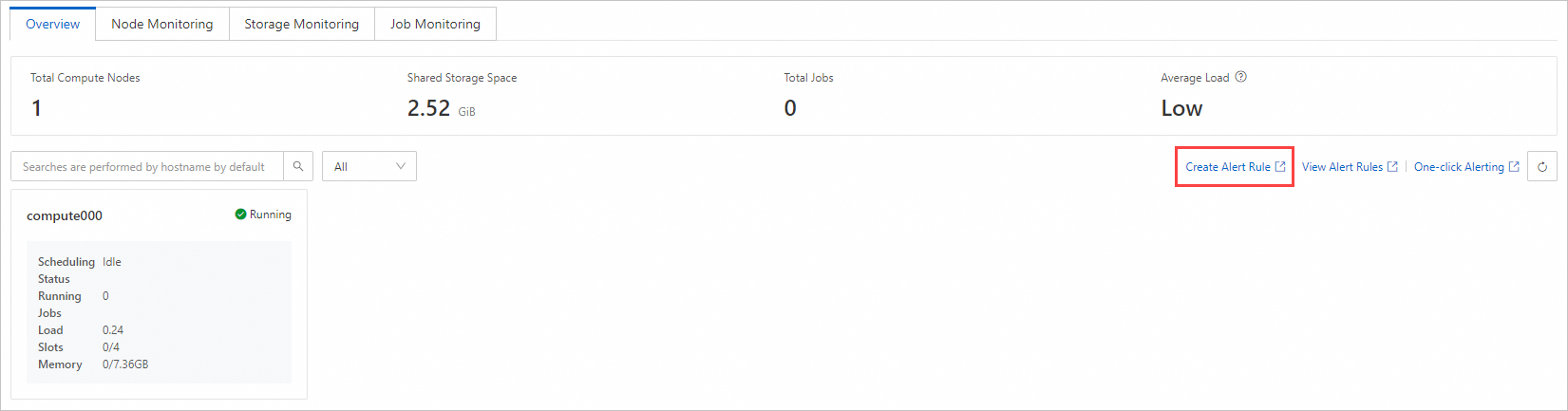
On the monitoring Overview page, click Create Alert Rule on the right.
On the Cloud Monitor console page, click Create Alert Rule in the upper-right corner.
In the panel that appears on the right, set Product to E-HPC Cluster (formerly E-HPC NEXT), and then configure other settings as needed.
For more information about the configuration items, see Create an alert rule.
References
You can view all alert rules for a cluster on its monitoring page. For more information, see View alert rules.