Learn how to use the Alibaba Cloud Python SDK with PyCharm on Windows.
Prerequisites
-
Python is installed. Install Python.
-
PyCharm is installed. Set up a Python development environment on Windows.
Use the SDK
Use the sample project from OpenAPI Portal
If you cannot download the sample project from OpenAPI Portal, follow Use the SDK in an existing project.
-
Go to the OpenAPI Explorer page, and select a product and API. For example, to call the
DescribeInstanceTypeFamiliesAPI of ECS, enterDescribeInstanceTypeFamiliesin the search box and click the result to go to the OpenAPI Explorer page.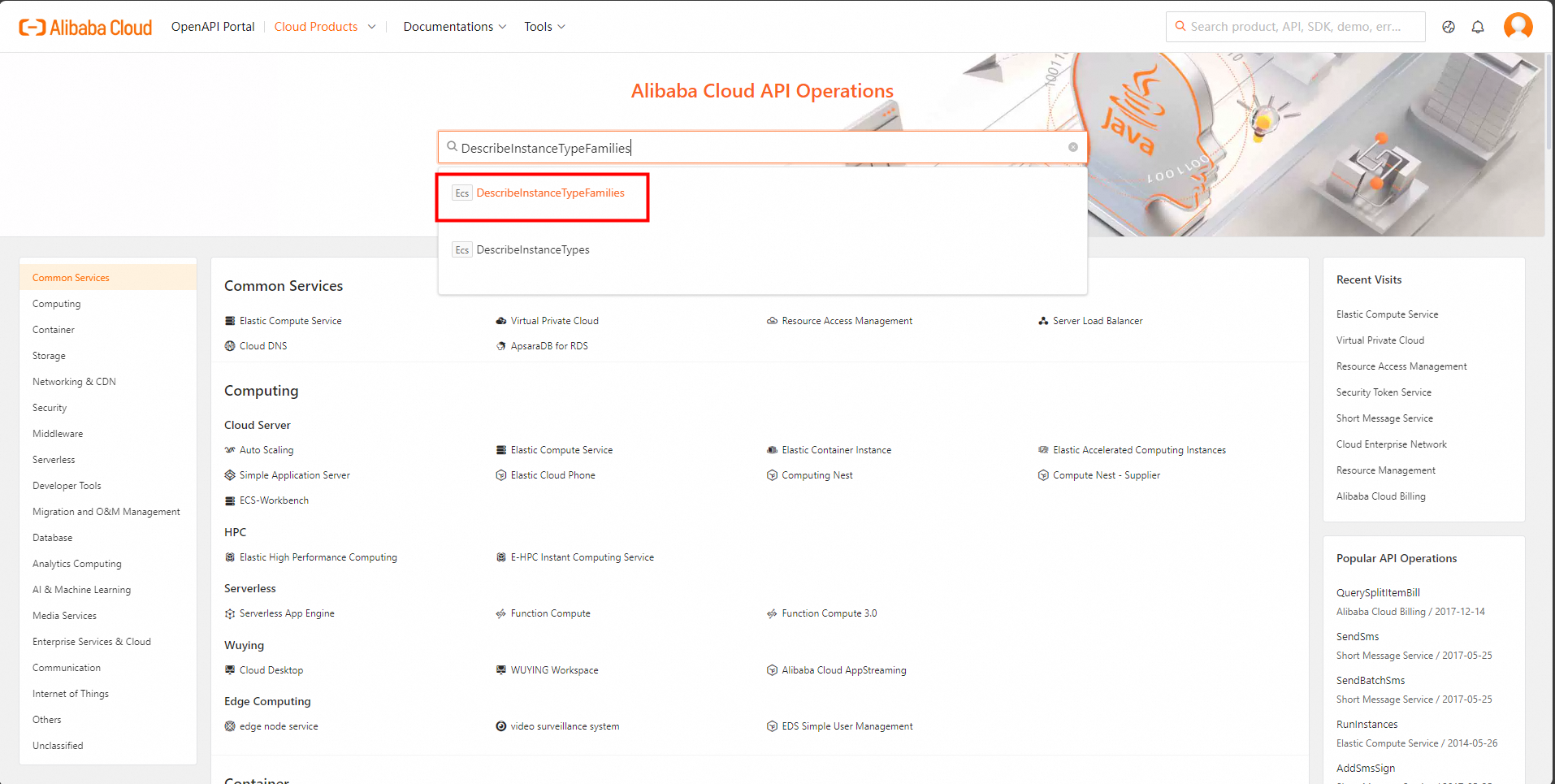
-
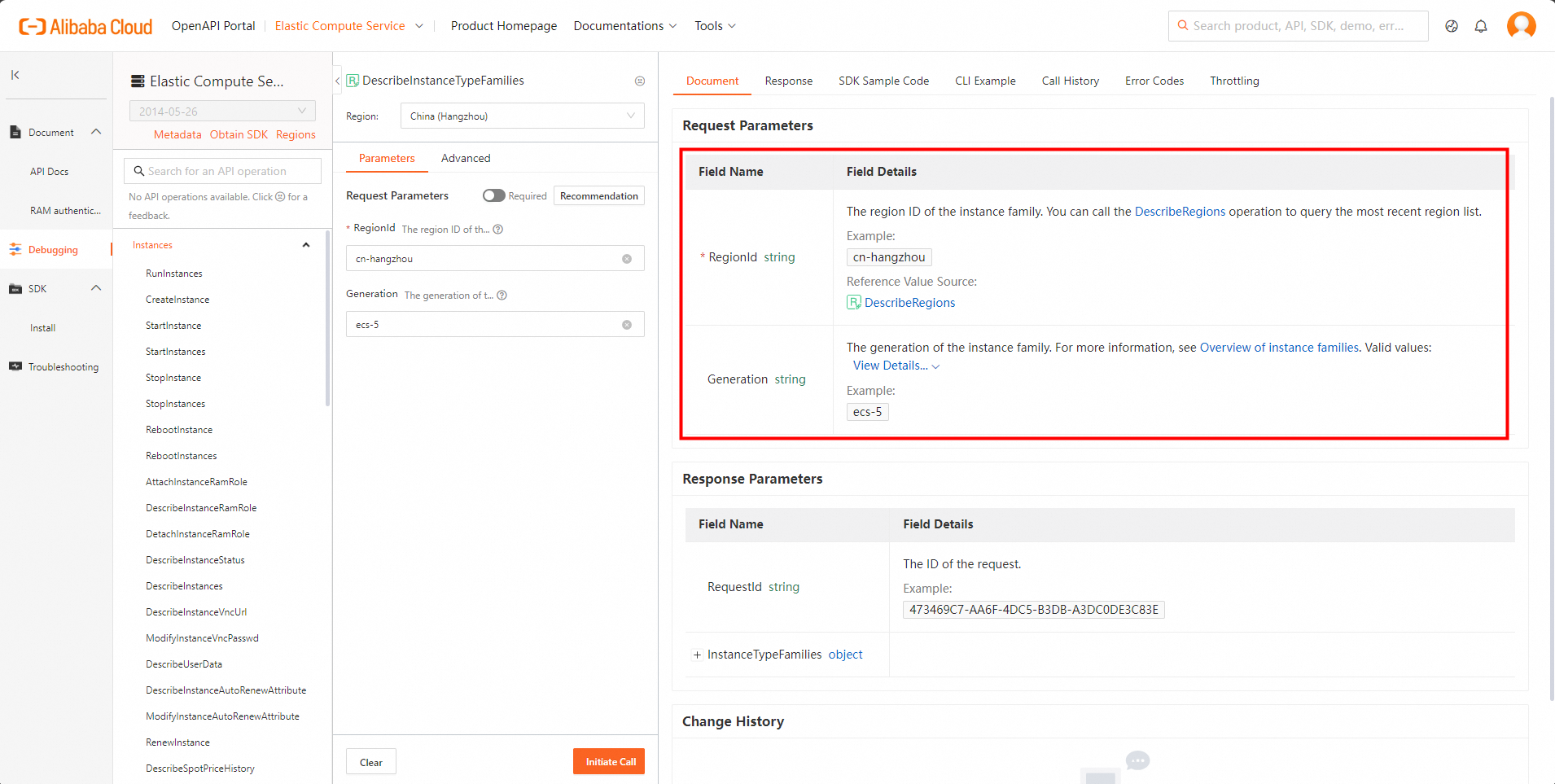
On the Parameters tab in the middle column, specify the parameters based on your business requirements. When you specify the parameters, read the information on the Document tab in the rightmost column. Make sure that you understand the usage notes of the operation and the description of each parameter. Pay attention to billing-related information. In this example, the DescribeInstanceTypeFamilies operation supports two request parameters. You must specify a value such as cn-hangzhou for the RegionId parameter. The Generation parameter is optional. You can set this parameter to ecs-5, which indicates the V-series instance family. You can view the valid values of the parameters on the Document tab.
-
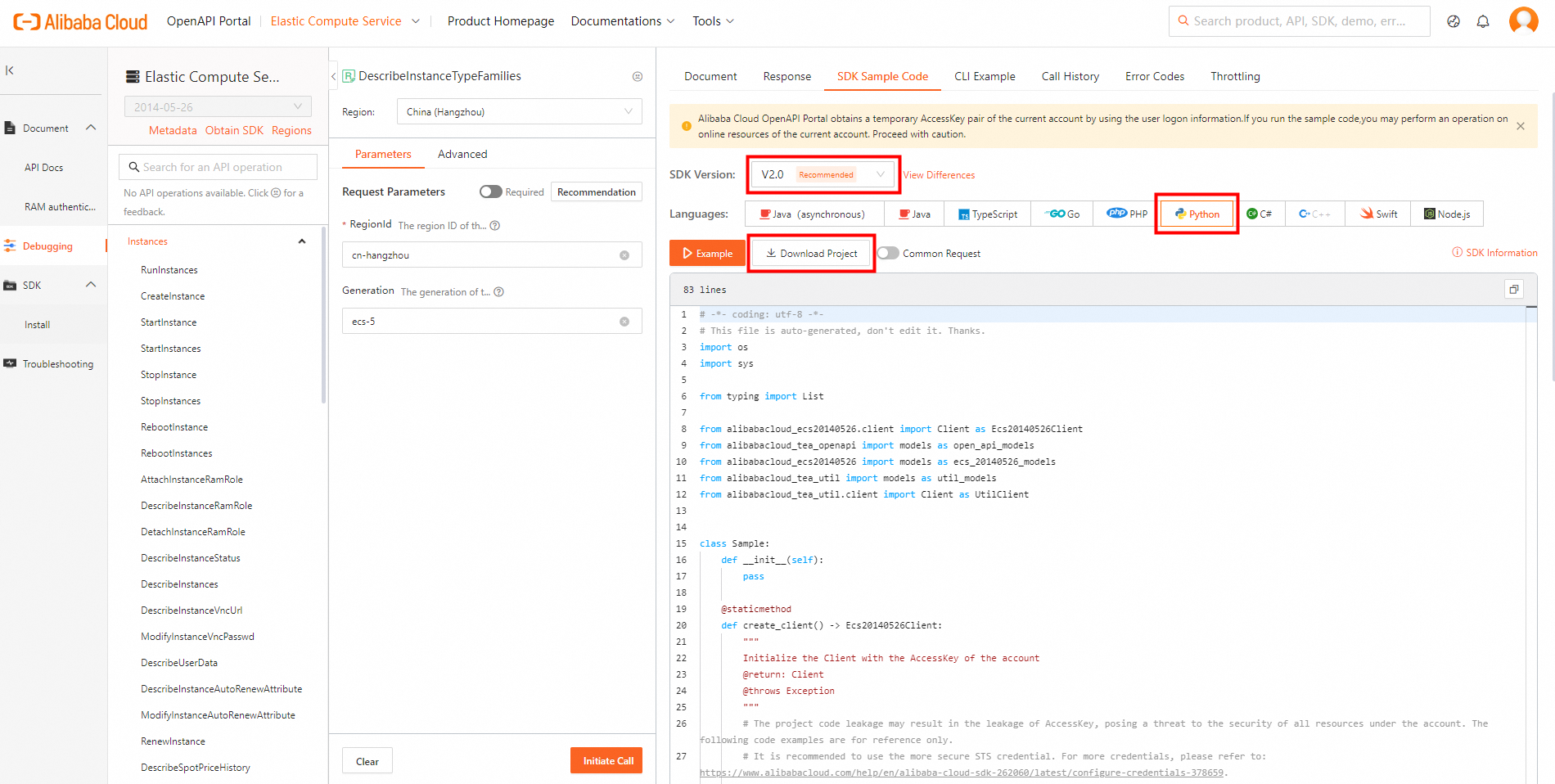
On the SDK Sample Code tab in the rightmost column, select a programming language and click Download Project to download the complete SDK project to your computer. Then, decompress the package.
-
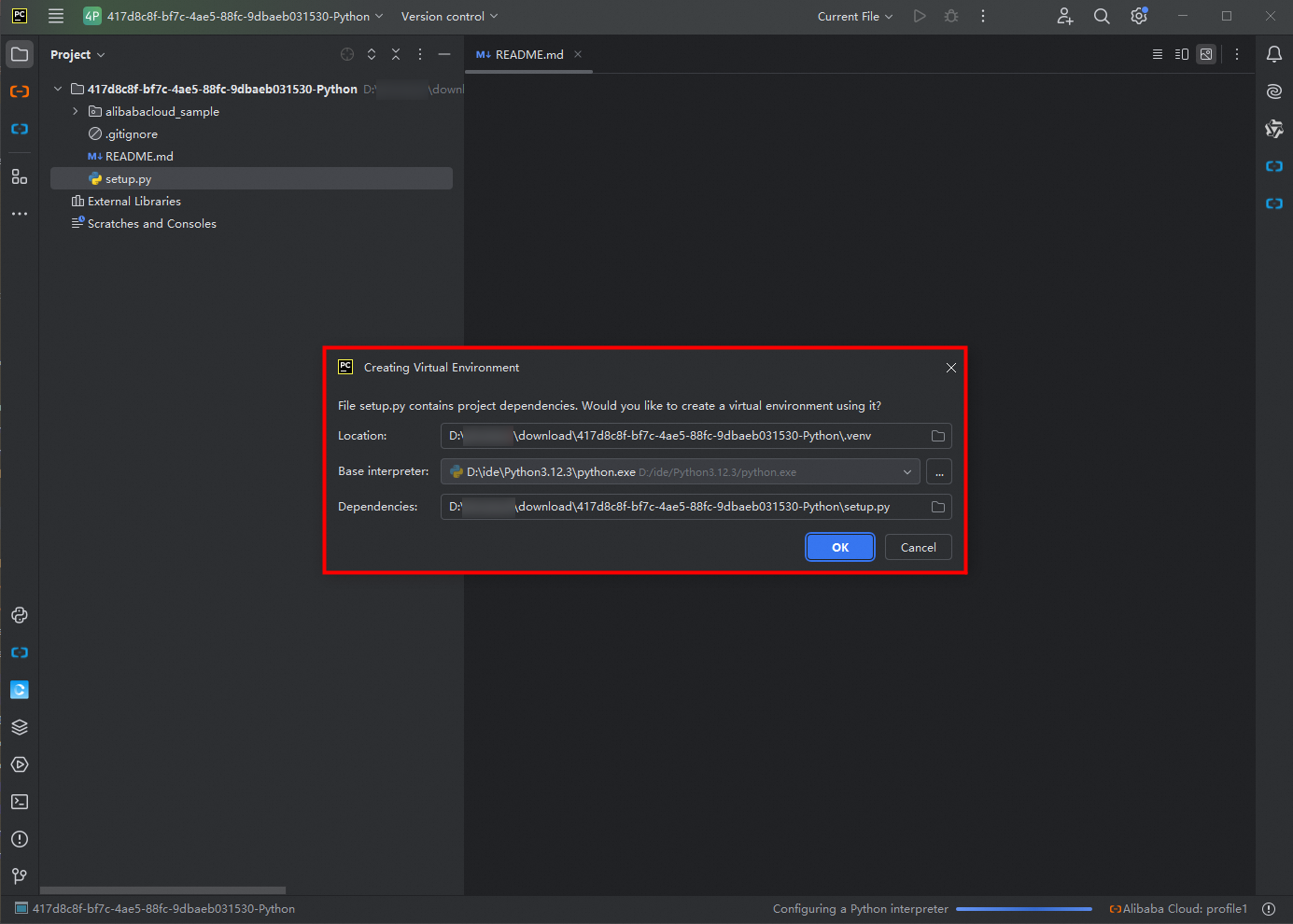
Open PyCharm. Click File > Open, select the unzipped project folder, and click OK in the Creating Virtual Environment dialog. Wait for PyCharm to create the virtual environment and download dependencies.
 Note
NoteIf dependencies fail to download, run
python3 setup.py installin the terminal. -
Before you call this operation, you must obtain an AccessKey pair as the access credential. We recommend that you use the AccessKey pair of a Resource Access Management (RAM) user. For more information, see the Create an AccessKey pair for a RAM user section of the "Create an AccessKey pair" topic.
ImportantAfter you obtain the AccessKey pair of a RAM user, you must configure the AccessKey pair in environment variables. For more information, see Configure environment variables in Linux, macOS, and Windows.
-
Run the sample code.
Click the Terminal tab at the bottom of PyCharm or press
Alt + F12. Run the following command:python ./alibabacloud_sample/sample.py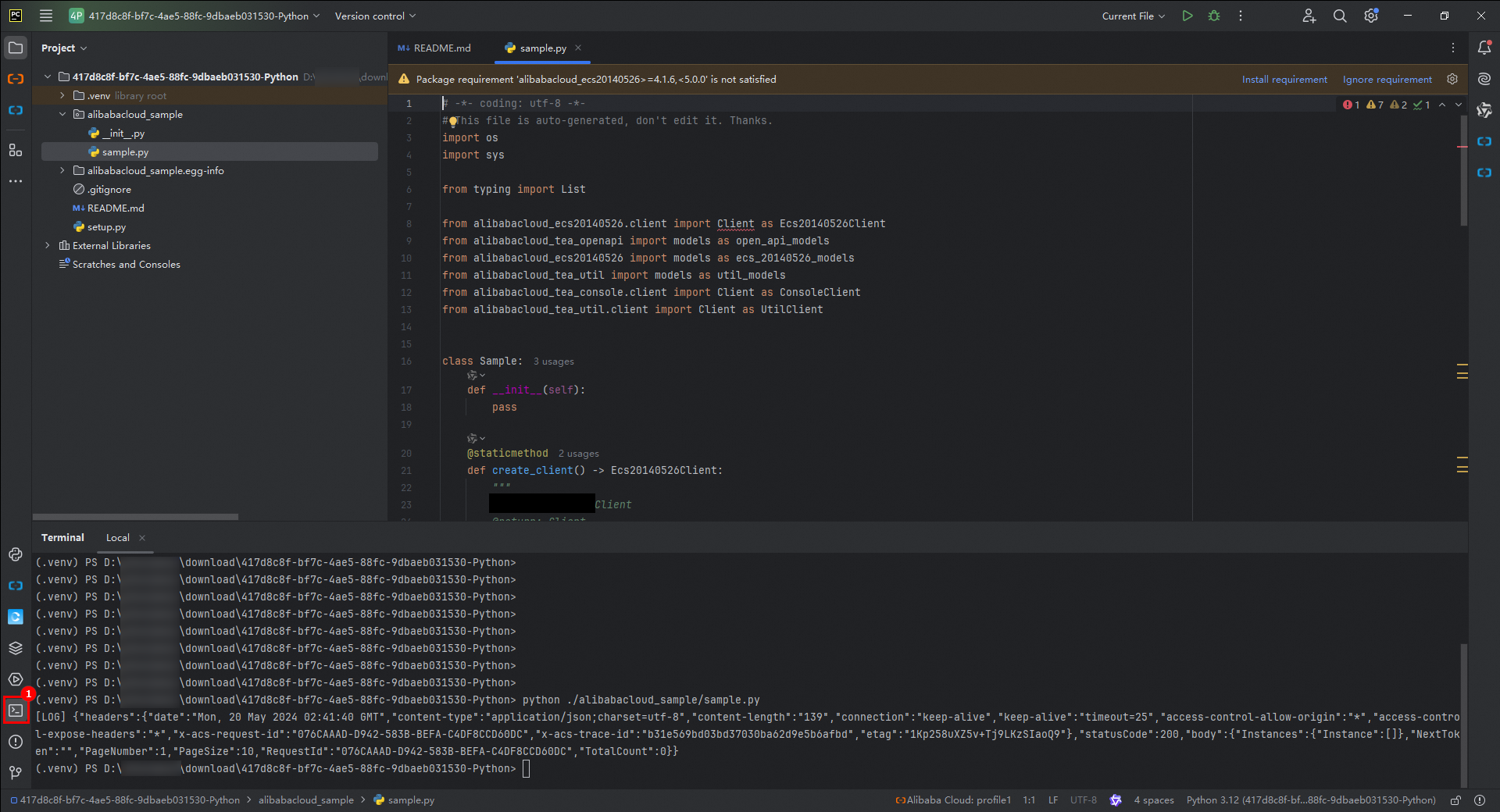
-
View the result. Click anywhere in the Run window in the lower part of the console and press
Ctrl+Fto search forstatusCode. If"statusCode":200is displayed, the call was successful.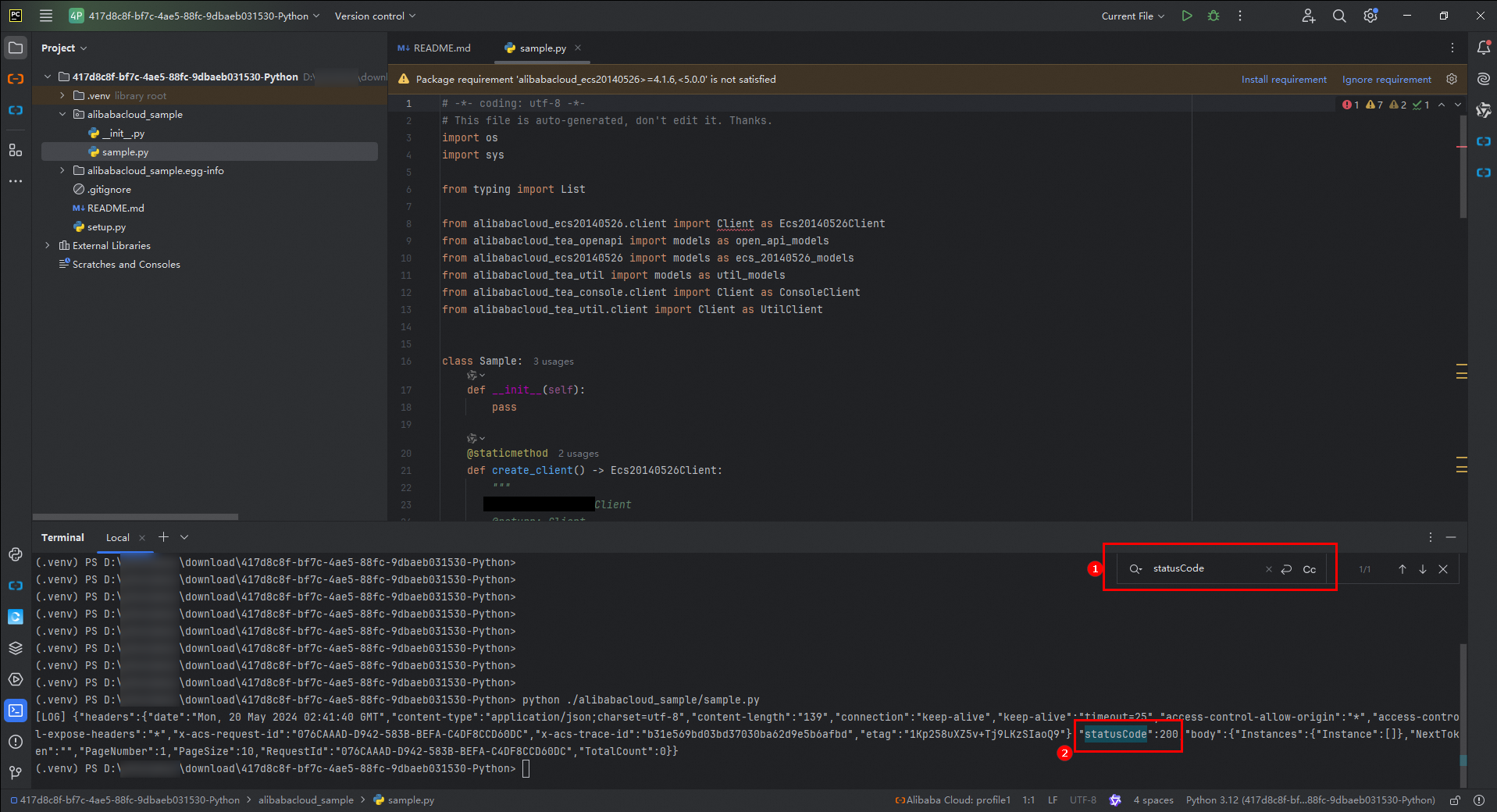
Use the SDK in an existing project
-
Obtain the SDK.
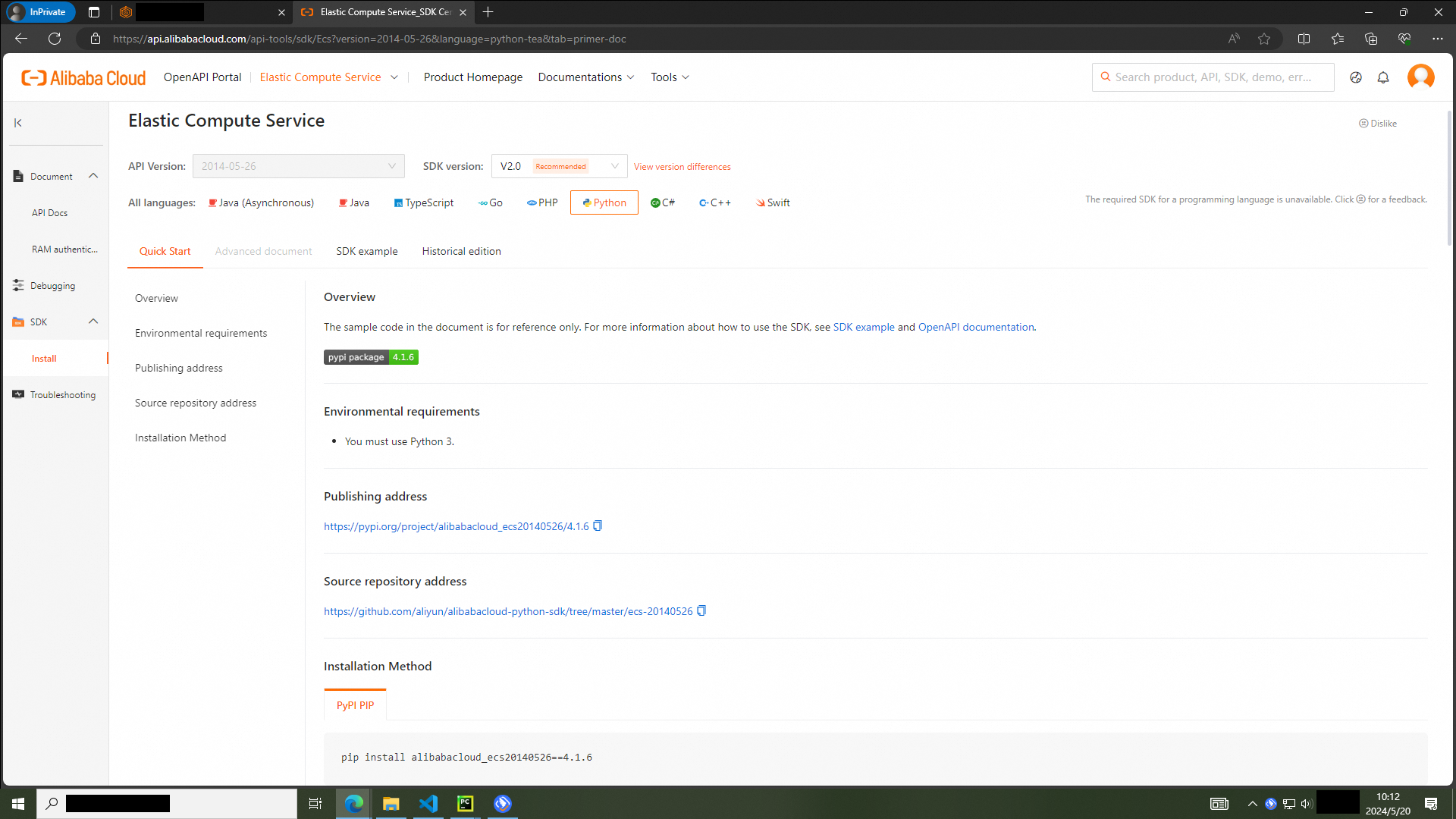
Go to SDK Center and select a product, such as Elastic Compute Service. Set SDK Version to V2.0 and Language to Python.
-
Install the SDK.
In PyCharm, press
Alt+F12to open the terminal. Paste the installation command and press Enter.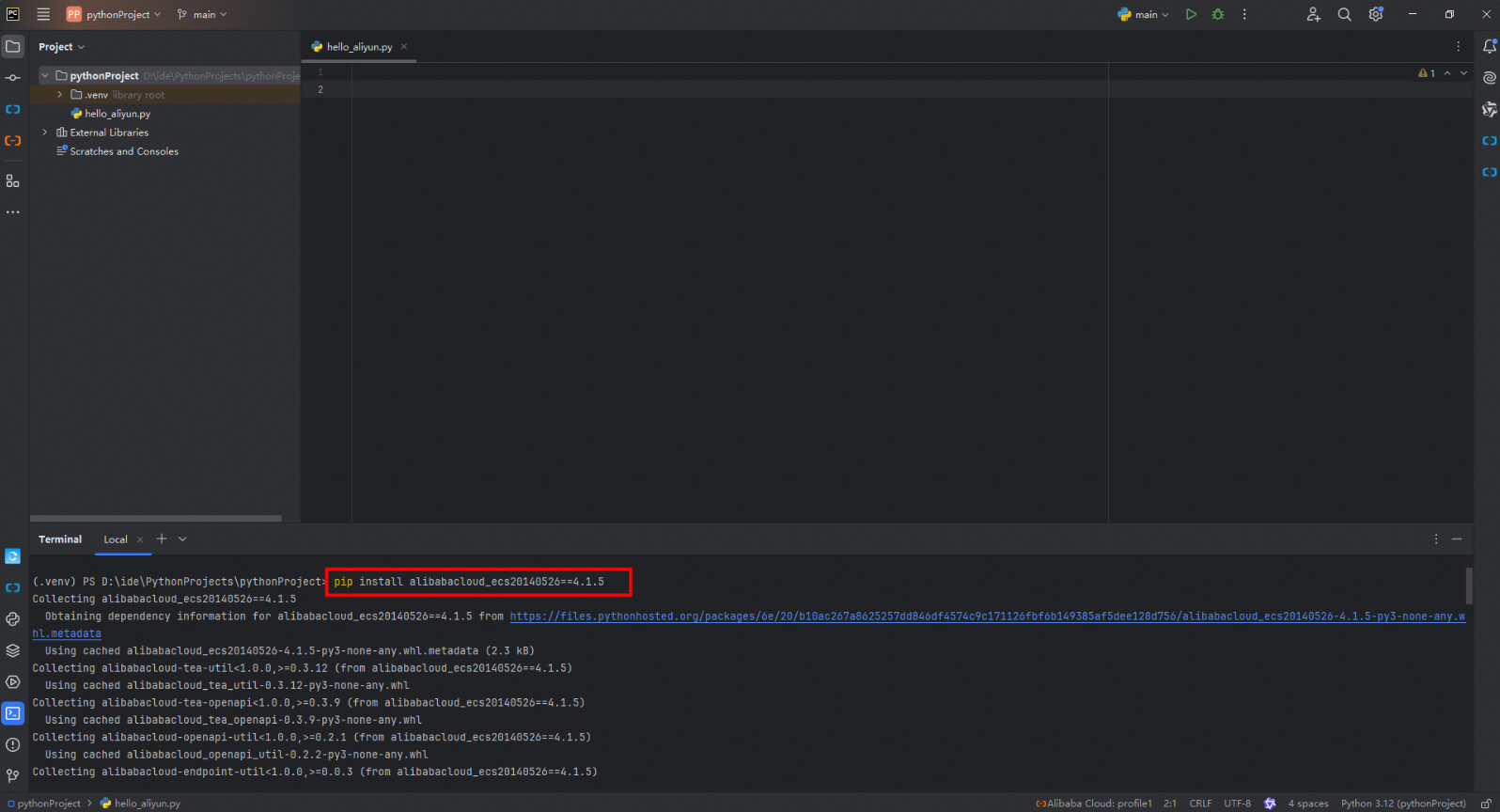
-
Create a Python file.
Right-click the project name and select New > Python File. Enter `sdk_demo` as the file name, select Python File, and press Enter.
-
Initialize the client.
Initialize the ECS client before calling an API.
ImportantYou must use an AccessKey pair to complete identity verification when you initialize the client. In this case, you must obtain an AccessKey pair in advance. For more information about how to obtain an AccessKey pair, see Create an AccessKey.
After you obtain the AccessKey pair of a RAM user, you must configure the AccessKey pair in environment variables. For more information, see Configure environment variables in Linux, macOS, and Windows.
For more information about how to configure the endpoint, see Endpoints.
import os from alibabacloud_ecs20140526 import client as ecs_client from alibabacloud_tea_openapi import models as open_api_models def init_ecs_client(): """ Initializes the ECS client. This function takes no arguments. Returns: ecs_client.Client: An initialized ECS client object for further ECS operations. """ # Create an ECS configuration object and read the AccessKey pair from environment variables. ecs_config = open_api_models.Config() ecs_config.access_key_id = os.environ['ALIBABA_CLOUD_ACCESS_KEY_ID'] ecs_config.access_key_secret = os.environ['ALIBABA_CLOUD_ACCESS_KEY_SECRET'] # Set the endpoint. ecs_config.endpoint = 'ecs-cn-hangzhou.aliyuncs.com' # Initialize the ECS client with the configuration and return it. return ecs_client.Client(ecs_config) if __name__ == '__main__': client = init_ecs_client() -
Call the API. Review the API Documentation for the target API. The following example calls the `DescribeRegions` API of ECS.
NoteEach API has a separate request object that follows the `${APIName}${Request}` naming convention, such as `DescribeRegionsRequest`.
import os from alibabacloud_ecs20140526 import client as ecs_client from alibabacloud_tea_openapi import models as open_api_models from alibabacloud_ecs20140526 import models as ecs_20140526_models def init_ecs_client(): """ Initializes the ECS client. This function takes no arguments. Returns: ecs_client.Client: An initialized ECS client object for further ECS operations. """ # Create an ECS configuration object and read the AccessKey pair from environment variables. ecs_config = open_api_models.Config() ecs_config.access_key_id = os.environ['ALIBABA_CLOUD_ACCESS_KEY_ID'] ecs_config.access_key_secret = os.environ['ALIBABA_CLOUD_ACCESS_KEY_SECRET'] # Set the endpoint. ecs_config.endpoint = 'ecs-cn-hangzhou.aliyuncs.com' # Initialize the ECS client with the configuration and return it. return ecs_client.Client(ecs_config) if __name__ == '__main__': # Initialize the ECS client. client = init_ecs_client() # Create a DescribeRegionsRequest object. describeRegions_request = ecs_20140526_models.DescribeRegionsRequest() # Send a describeRegions request to get region information. response = client.describe_regions(describeRegions_request) print(response.body) -
Handle exceptions.
The Python V2.0 SDK handles exceptions through `Tea.exceptions` with two exception types:
-
`UnretryableException`: Thrown when the maximum number of retries is reached due to network issues.
-
`TeaException`: Indicates a service error during an SDK request.
import os from Tea.exceptions import UnretryableException, TeaException from alibabacloud_ecs20140526 import client as ecs_client from alibabacloud_tea_openapi import models as open_api_models from alibabacloud_ecs20140526 import models as ecs_20140526_models def init_ecs_client(): """ Initializes the ECS client. This function takes no arguments. Returns: ecs_client.Client: An initialized ECS client object for further ECS operations. """ # Create an ECS configuration object and read the AccessKey pair from environment variables. ecs_config = open_api_models.Config() ecs_config.access_key_id = os.environ['ALIBABA_CLOUD_ACCESS_KEY_ID'] ecs_config.access_key_secret = os.environ['ALIBABA_CLOUD_ACCESS_KEY_SECRET'] # Set the endpoint. ecs_config.endpoint = 'ecs-cn-hangzhou.aliyuncs.com' # Initialize the ECS client with the configuration and return it. return ecs_client.Client(ecs_config) if __name__ == '__main__': try: # Initialize the ECS client. client = init_ecs_client() # Create a DescribeRegionsRequest object. describeRegions_request = ecs_20140526_models.DescribeRegionsRequest() # Send a describeRegions request to get region information. response = client.describe_regions(describeRegions_request) # Print the response. print(response.body) except UnretryableException as e: # Handle network exceptions. print(e) except TeaException as e: # Handle service exceptions. print(e) except Exception as e: # Handle other exceptions. print(e) -
-
(Optional) Copy sample code from OpenAPI Portal into a file and run it. Auto-generate SDK sample code.