After you create a host group, you can add dedicated hosts to the host group. This topic describes how to add dedicated hosts to a host group.
Prerequisites
Dedicated hosts are created. For more information, see Create a dedicated host.
The dedicated hosts that you want to add to a host group must reside in the same zone as the host group.
Procedure
Log on to the ECS console.
In the left-side navigation pane, choose Instances & Images >
 > Dedicated Hosts.
 In the top navigation bar, select the region and resource group to which the resource belongs.

On the Host Group tab, find the host group to which you want to add dedicated hosts and click Add Host in the Actions column.
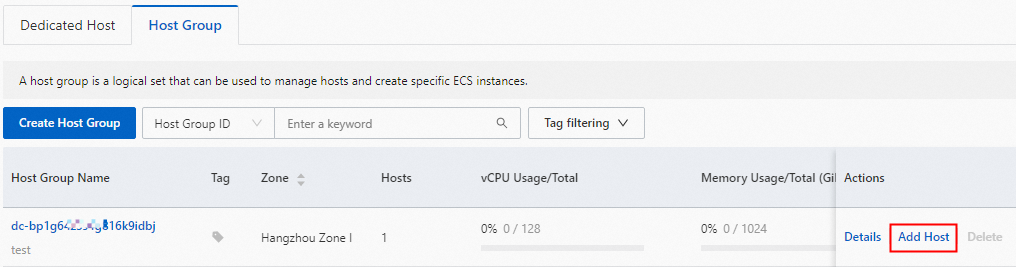
In the Add Host panel, select the dedicated hosts that you want to add to the group.
NoteTo add new dedicated hosts to the group, click Create DDH. For information about how to create a host, see Create a dedicated host.
Click Add.