If you have a pay-as-you-go dedicated host that you want to continue using for the foreseeable future, you can change its billing method to subscription to obtain savings over the pay-as-you-go rate.
Prerequisites
A pay-as-you-go dedicated host is created. For more information, see Create a dedicated host.
Procedure
Log on to the ECS console.
In the left-side navigation pane, choose Instances & Images >
 > Dedicated Hosts.
 In the top navigation bar, select the region and resource group to which the resource belongs.

Select the pay-as-you-go dedicated host that you want to manage, move the pointer over the
 icon next to Renewal, and select Switch from Pay-as-you-go to Subscription from the drop-down list.
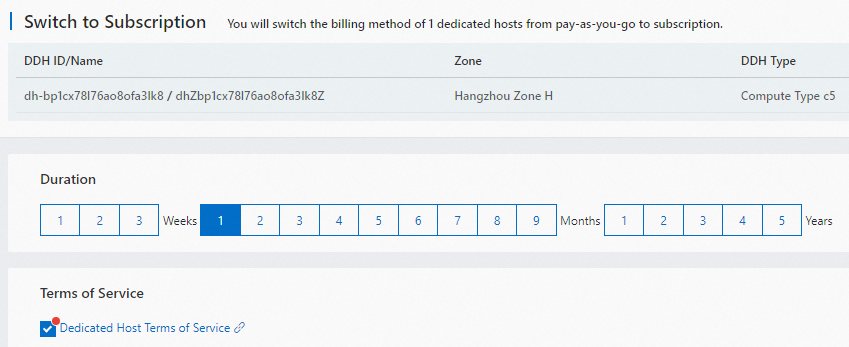
 On the Switch to Subscription page, select a renewal duration based on your business requirements. The default renewal duration is one month.
 Note
NoteIf you change the billing methods of multiple dedicated hosts from pay-as-you-go to subscription at the same time, the subscription duration that you select applies to all these hosts.
Read and accept Dedicated Host Terms of Service.
Click Create Order and complete the payment as prompted.