The Statistics Dashboard page of DataService Studio provides various charts and tables to show statistics on APIs. The statistics include the total number of APIs in a workspace, the total number of API calls, and the total resource consumption. The statistics help you obtain information about API calls from a global perspective. You can also view the charts of a single API and view the details of the API, such as HTTP status code and DataService Studio error codes.
Go to the Statistics Dashboard page
-
Log on to the DataWorks console. In the target region, click in the left-side navigation pane. Select a workspace from the drop-down list and click Go to DataService Studio.
-
In the top navigation bar, click Service Management. The Manage APIs page appears by default.
-
In the left-side navigation pane, click to open the Statistics Dashboard.
View the overall statistics of APIs
-
View the total number of APIs
In the Total APIs section, you can view the total number of APIs in a specific period of time in the current workspace, including the numbers of published and unpublished APIs.
-
View the total number of API calls and the total resource consumption
In the Overall Statistics section, you can view the statistics of all APIs in a specific period of time in the current workspace, including the total number of API calls and the total resource consumption.
The maximum statistical period is 7 days.
-
View the distribution of HTTP status codes
In the Distribution of HTTP Status Codes section, you can view the distribution of HTTP status codes that are returned by the published APIs in the current workspace in a specific period of time. Different sectors in the pie chart represent different types of status codes. You can click a sector in the pie chart to view the corresponding status codes.
NoteCommon HTTP status codes include 2XX, 4XX, and 5XX. For more information, see Error codes.
The maximum statistical period for API gateway status codes is 7 days.
-
View the distribution of DataService Studio error codes
In the Distribution of DataService Studio Error Codes section, you can view the distribution of DataService Studio error codes that are returned by all APIs in the current workspace in a specific period of time. Different sectors in the pie chart represent different types of error codes. You can click a sector in the pie chart to view the corresponding error codes. For more information about the error codes, see Error codes.
The maximum statistical period for DataService Studio error codes is 7 days.
View the allocation of resources in the previous 24 hours
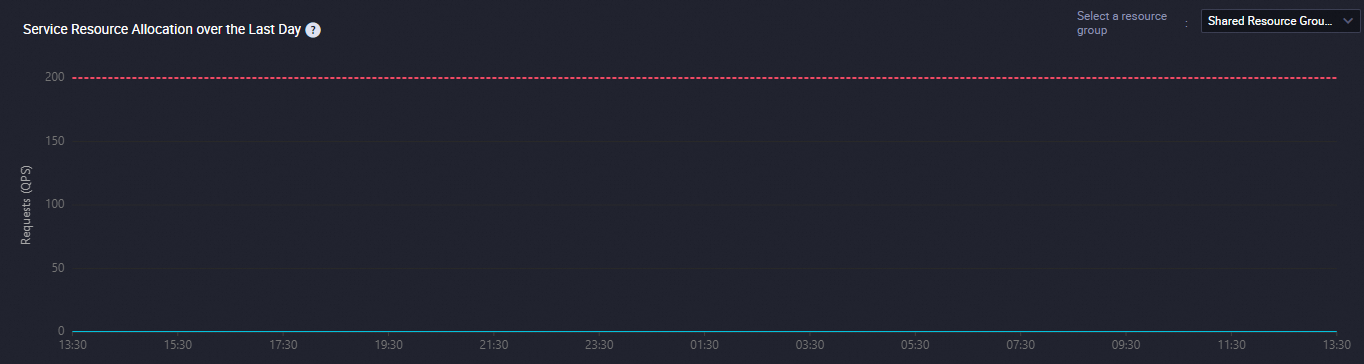
In the Resource Allocation section, you can view the change trends in the number of APIs that are called in the previous 24 hours.
View the rankings of APIs
-
The Top 10 APIs with Highest Error Rate Yesterday table lists the top 10 APIs with the highest error rates over the last 24 hours. The table includes columns for API ID, API name, Number of requests, Request failure rate, and DataService Studio resource group.
-
The Top 10 Frequently Called APIs Yesterday table ranks the most frequently called APIs or applications from the last 24 hours. You can switch between the API and APP views. The API view displays API ID, API name, Number of requests, Execution duration (ms), and Average latency (ms). The APP view displays APP ID, Application name, Workspace, Number of requests, Execution duration (ms), and Average latency (ms).