Configure tool method nodes in Blueprint Editor. Currently, the only logical node available in tool methods is the navigation node.
Navigation node
The navigation node redirects pages by opening a new browser tab or navigating within the current tab. You can also pass custom parameters during redirection.
Scenario: Click an area on a map to navigate to a lower-level page for that area. Use the data processing node to obtain the adcode field value of the current area, with the returned parameter data as return {adcode: data.area_id};. Then, in the configuration panel of the navigation node, set the destination URL to https://www.other-page.com, define a custom parameter named adcode, and pass the data processing result into the open page action of the navigation node.
After you add a navigation node to the canvas, you can view its supported events and actions and configure parameters. For more information, see Use logical nodes.
Node configuration panel
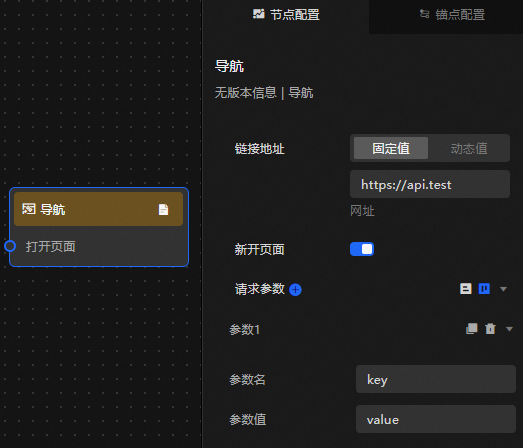
Parameter description
|
State |
Description |
|
URL |
The URL of the destination page. Supports both static field and dynamic values. |
|
New page |
Turn on this switch to open the destination URL in a new browser tab. Turn off this switch to open the destination URL in the current tab. |
|
Request parameters |
Customize the parameter name and parameter value of request parameters appended to the destination URL. Click the |
 or
or  icon to add or remove a request parameter. Click the
  or
or  icon to reorder request parameters. Click the
  icon to duplicate a request parameter with the same configuration.
 Anchor configuration panel
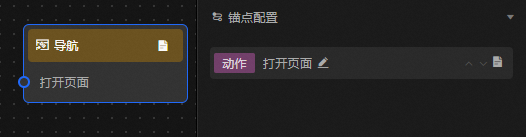 action parameter description
|
Action |
Description |
|
Open a page |
Pass the output of an upstream node to open the specified page. |