Configure serial data processing nodes in Blueprint Editor to process event data.
Serial Data Processing nodes
Serial Data Processing nodes run multiple operations on an event in sequence.
Example: To convert 0.835 to 83%, chain these operations: unit conversion (83.5), rounding (83), and suffix addition (83%). Each operation runs in sequence.
Add a Serial Data Processing node to the blueprint canvas. View the events, actions, and parameters of the Serial Data Processing node. For more information, see Use logical nodes.
Node configuration panel
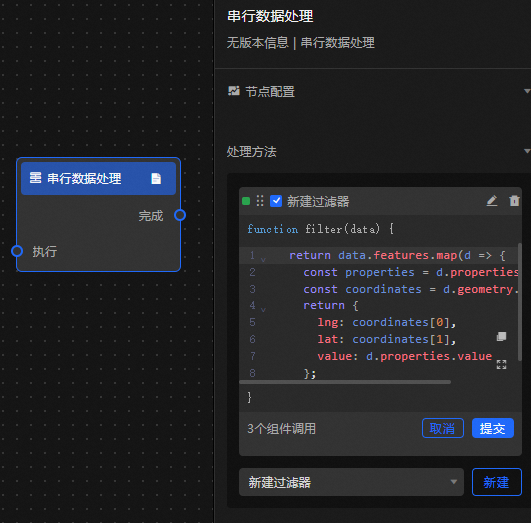
Description
|
Parameter |
Description |
|
Solution |
Add data filters that return Boolean values. A filter returns true when its condition is met and false otherwise. You can add multiple filters. |
Anchor Configuration Panel 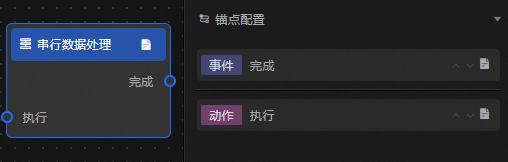
Event/action parameters
|
Event/Action |
Description |
|
Complete |
Passes the final result to the downstream node after all processing methods complete. |
|
Execution |
Takes the output of an upstream node as input for processing. |