In a public calendar, you can modify a date's type (for example, holiday or workday). This helps you quickly define scheduling conditions when you configure scheduled tasks.
Prerequisites
A public calendar has been created. For more information, see Create a public calendar and tags.
Procedure
In the top navigation bar of the Dataphin home page, choose Plan > Public Definitions.
On the Public Definitions page, click the Public Calendar tab.
In the Public Calendar list, select a calendar, click the date that you want to modify, and then click Modify Date Type.
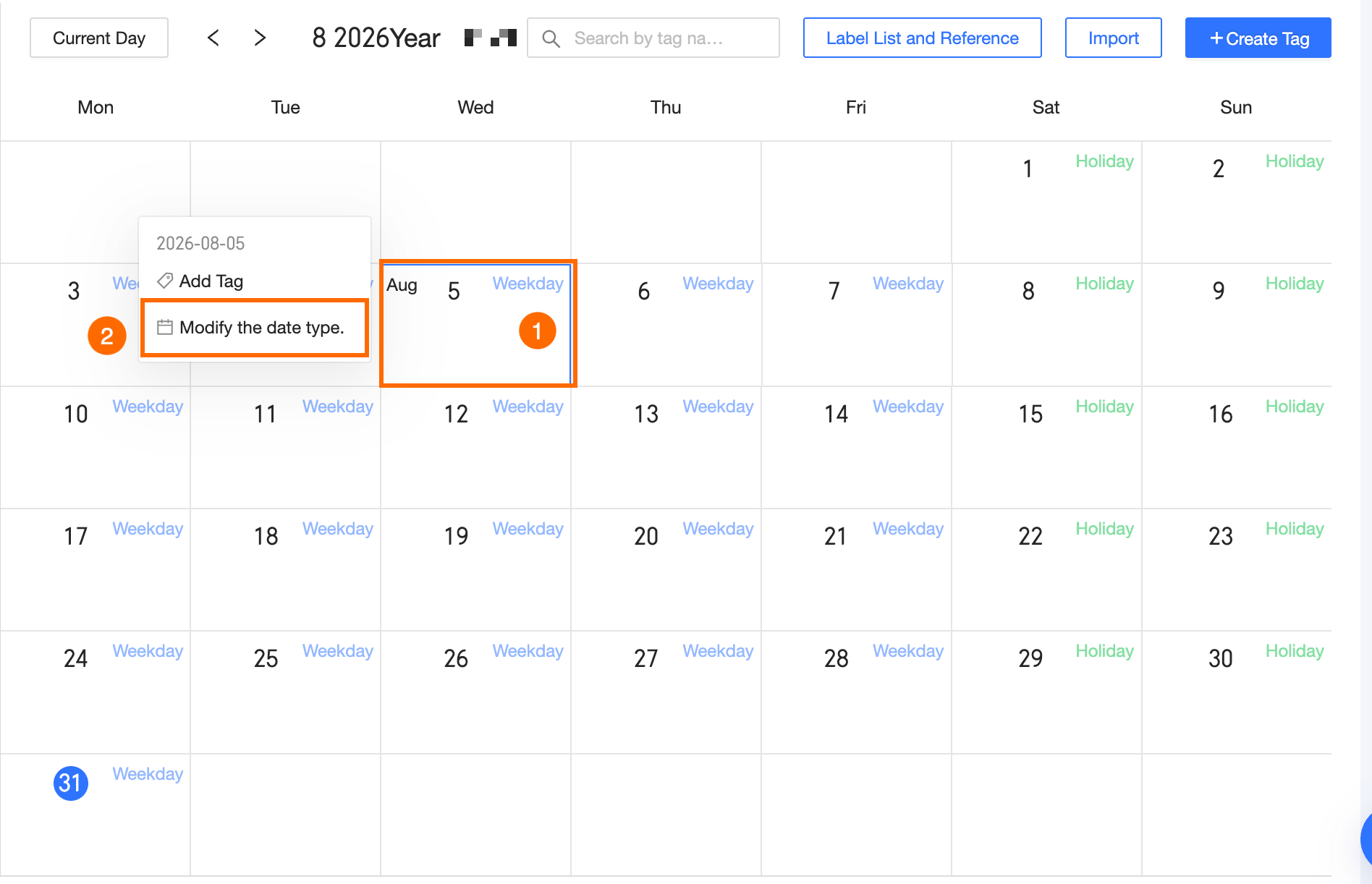
In the Modify Date Type dialog box, set the date type to Workday or Holiday.
Workday: In a new calendar, a workday is a special tag that recurs weekly from Monday to Friday, with no exception dates.
Holiday: In a new calendar, all non-workdays are holidays.
Click OK.