A service unit manages the metadata of one or more physical tables for API creation. To use a service unit owned by another user, you must first apply for the required permissions.
Apply for service unit permissions
-
On the Dataphin home page, click Management Center in the top menu bar.
-
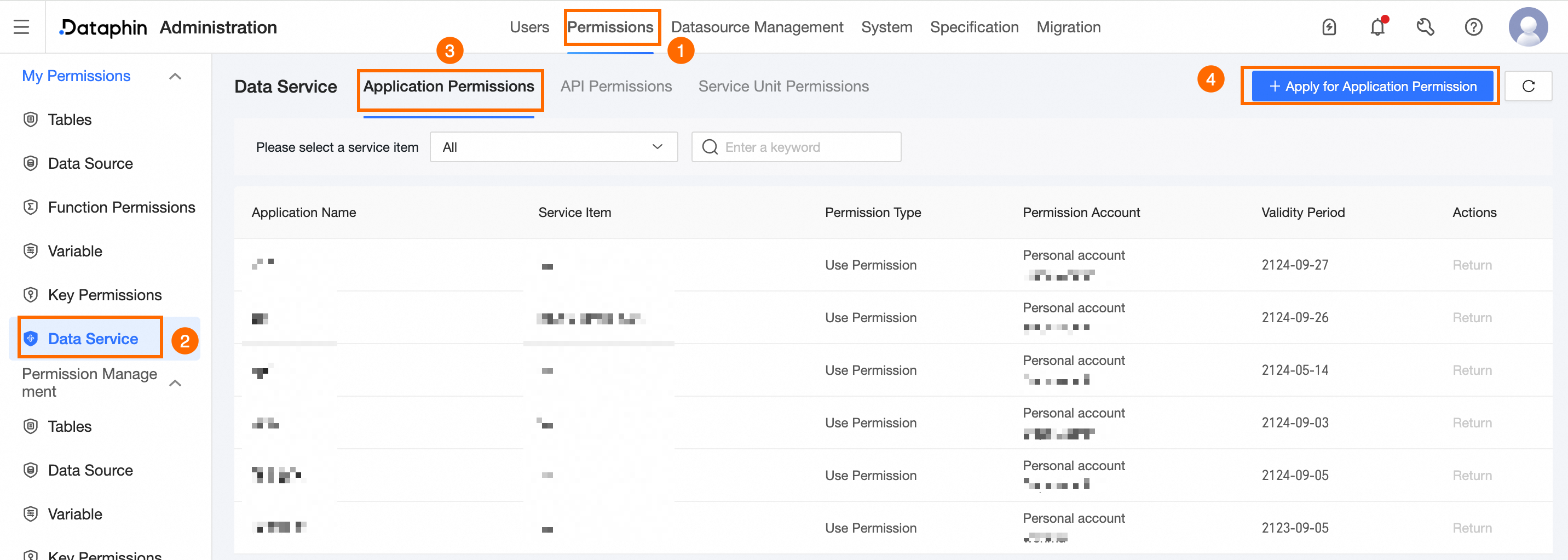
Follow the diagram below to open the Service Unit Permission Application page.
-
On the Service Unit Permission Application page, select a service unit object and configure the permissions.
Area
Parameter
Description
Service Unit Object
Service Unit
Select a service project, a service unit group, and then a service unit.
Permission Configuration
Permission Type
Select Usage Permission or Development Permission.
-
To create APIs using the service unit, select Usage Permission.
-
To create, edit, publish, or view APIs using the service unit, select Development Permission.
Permission Account
The default is Personal account and cannot be changed.
Validity Period
Permissions are granted indefinitely by default and cannot be modified.
Reason for Application
Enter the reason for your permission request.
-
-
Click Submit.
You can track the approval status in the Task Center. For more information, see View My Initiated Tasks or .
Release service unit permissions
-
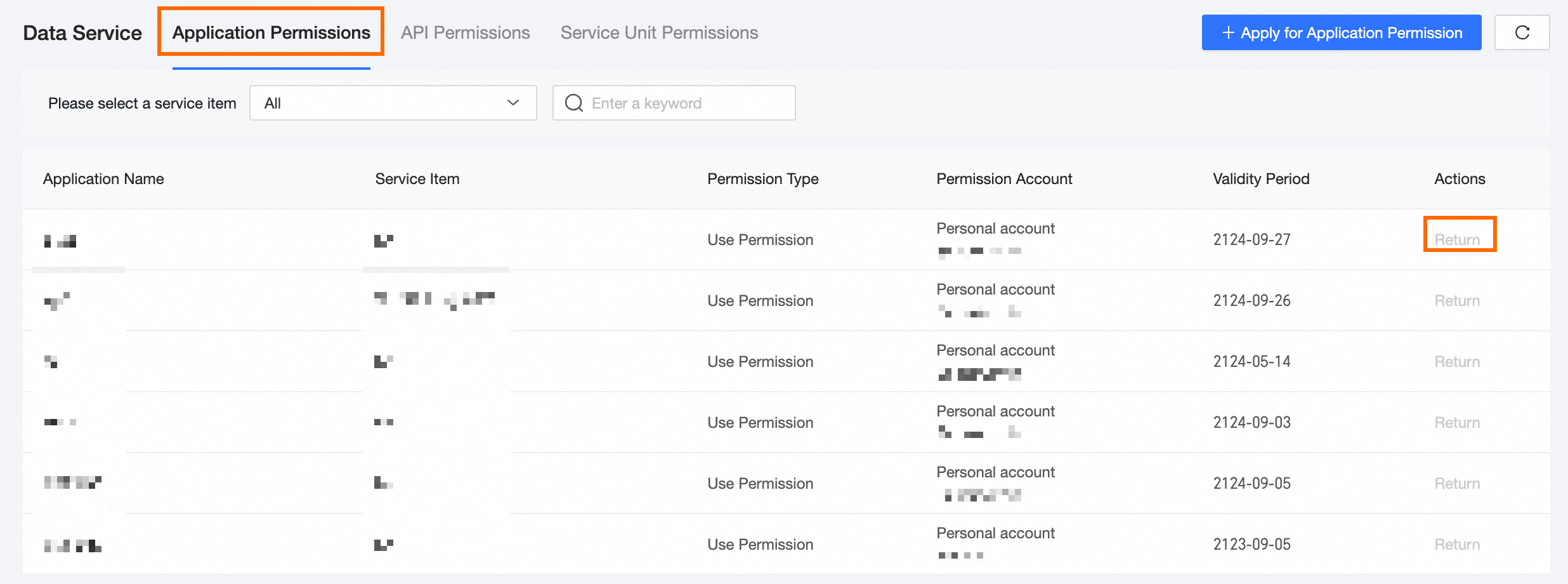
On the Service Unit Permissions page, find the target permission and click Return in the Actions column.
-
In the Confirm Return Permission dialog box, click OK.