Applications let you manage tags and groups from the marketplace and create services. You can create a new application or request to join an existing one. After an application obtains tags or groups from the marketplace, its members can create services.
Prerequisites
Offline tag services require computing resources. To create offline tag services, link the application to a tag project. For more information, see Create a tag project.
Application management overview
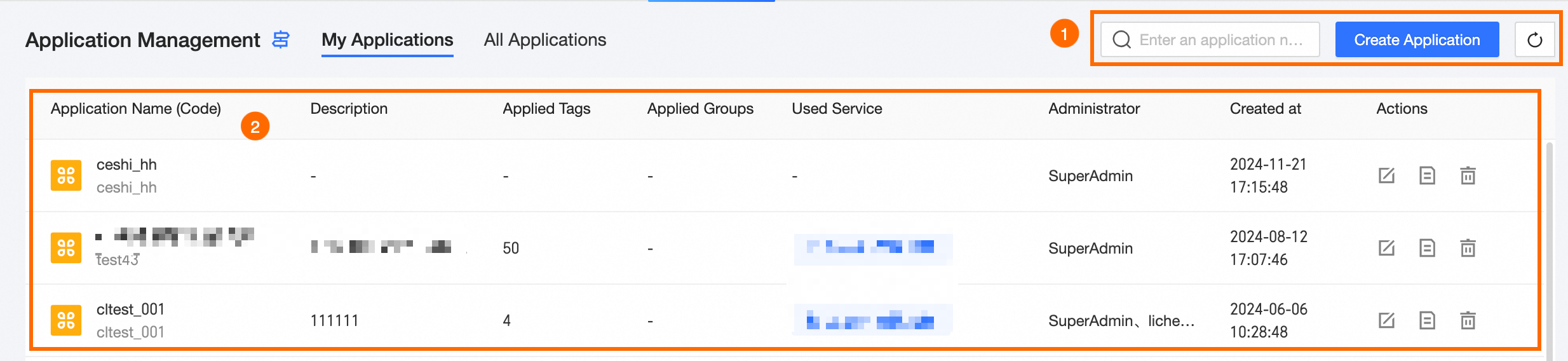
The application management page consists of a feature area and an application list, where you can perform management tasks for your applications.
|
Section |
Description |
|
①Feature area |
|
|
②Application list |
The application list shows created applications with details such as Application Name, Description, Requested Tags, Number Of Requested Groups, Used Services, Administrator, Created At, and available Actions. The following operations are supported: Note
Management operations are not available in the All Applications view.
|
 .
. .
. . For more information, see
  .
.Create an application
-
Navigate to the top menu bar of the Dataphin home page, select Tag > Tag Application.
-
In the left-side navigation pane, choose Application Management > Application Management.
-
On the Application Management page, click Create New Application.
-
In the Create Application dialog box, enter the following parameters:
Parameter
Description
Application Name
The name of the application. Accepts Chinese and English characters, numbers, underscores (_), and hyphens (-), up to 64 characters.
Application Code
A unique identifier for the application. Must start with a lowercase letter and can include lowercase letters, numbers, and underscores (_), up to 64 characters.
Application Administrator
The administrator of the application.
Application Members
The members of the application.
Associate Project
Offline services require computing resources provided by associated projects. For instructions on creating a tag project, see Create a tag project.
Description
A description of the application, up to 1000 characters.
-
Click OK to create the application.
View and manage application details
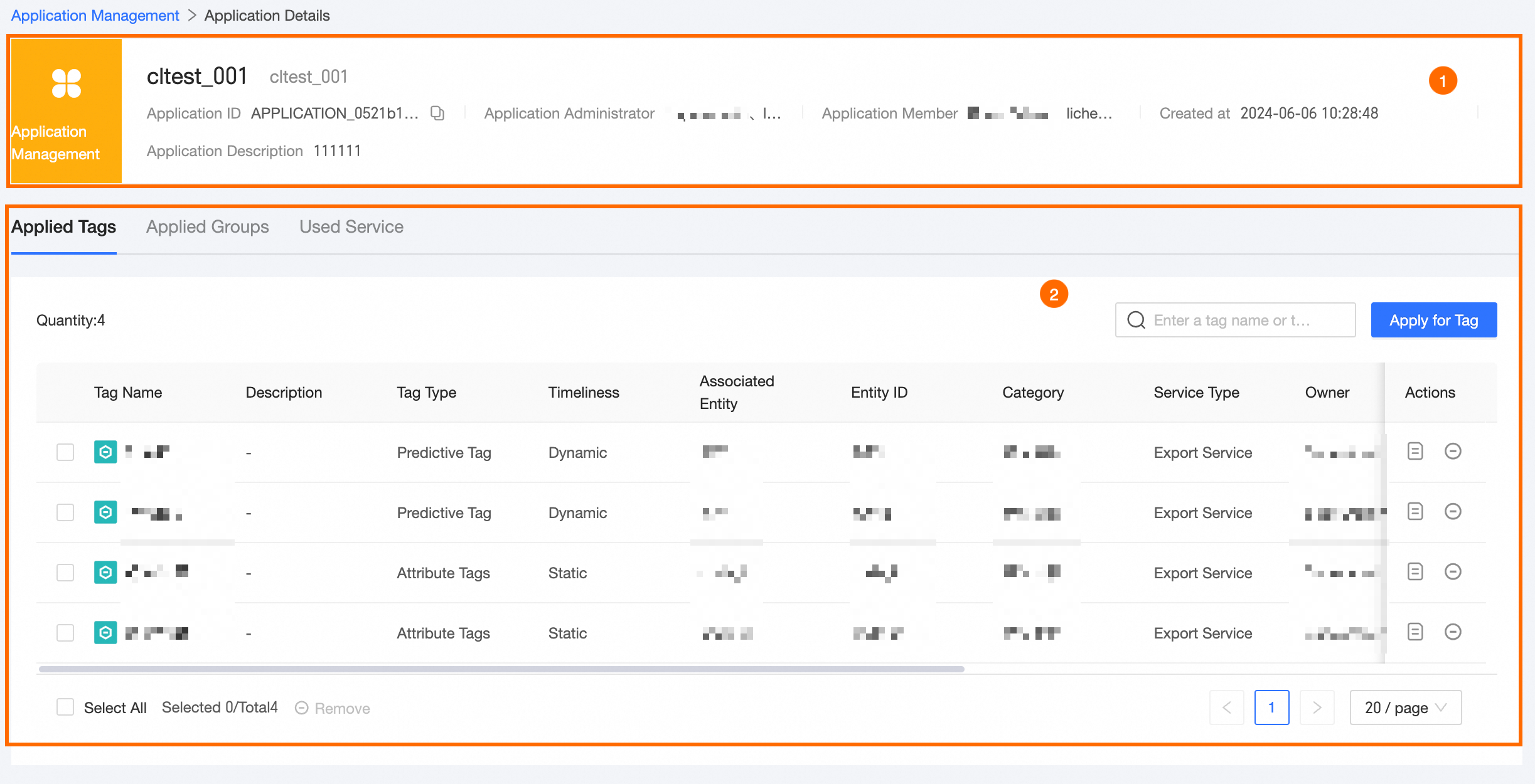
The application details page shows basic information and management options, including requested tags, requested groups, and used services.
|
Section |
Description |
|
①Application basic information |
Basic information of the current application, including application name, administrator, members, creation time, and description. |
|
②Application management |
|
 next to the target tag.
 . You can use this file to import the group during creation.
 .
. .
.What to do next
After creating the application, you can proceed to create services such as tags, groups, and profiles for the application. For more information, see Tag application.