If you need to use Microservices Engine (MSE) Ingress gateways to access services in Container Service for Kubernetes (ACK) clusters, you must grant related permissions to MSE Ingress Controller in the clusters. This topic describes how to grant permissions to MSE Ingress Controller in an ACK cluster.
Grant permissions to MSE Ingress Controller in an ACS cluster
You can use the following method to grant permissions to MSE Ingress Controller in an ACS cluster. If you determine to use MSE Ingress Controller when you create an ACS cluster, use the following method.
Method 1: Grant permissions to MSE Ingress Controller when you create a cluster
When you install MSE Ingress Controller during the cluster creation process, check the status displayed for MSE Ingress Authorization Check in the Dependency Check section in the Confirm Order step. If Failed is displayed for MSE Ingress Authorization Check, click Authorize Now.
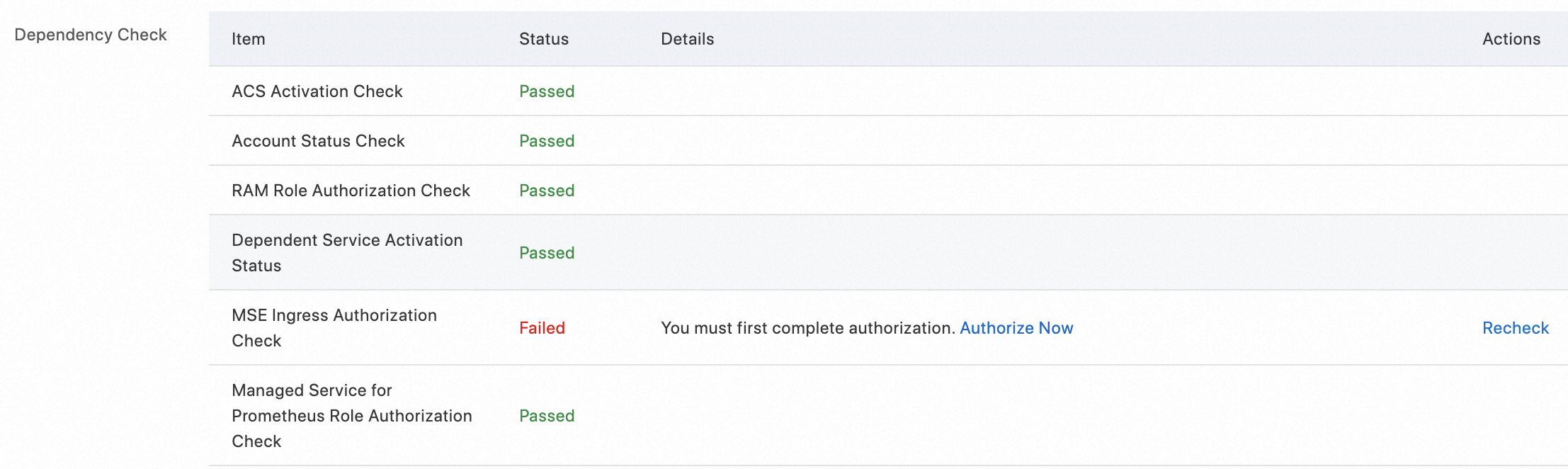
On the RAM Quick Authorization page, click Authorize.

Return to the Confirm Order step, and click Re-check. If the check is passed, click Create Cluster.
What to do next
For more information about how to use an MSE Ingress gateway to access services in an ACK cluster, see Use MSE Ingresses to access applications in ACK clusters.