You can smoothly migrate a VPC that uses a peering connection to CEN. CEN establishes private connections between different VPCs, and between VPCs and data centers. CEN uses automatic route distribution and route learning to accelerate network convergence, improve cross-network communication, and connect all your network resources.
Prerequisites
You have a CEN instance and a Basic Edition transit router in the region where the VPC is located.
Procedure
Log on to the CEN console.
On the CEN Instance page, click the ID of the target CEN instance.
On the tab, find the target transit router based on the VPC region and click Create Connection in the Actions column.
On the Connection with Peer Network Instance page, configure the connection for the two VPCs that you want to migrate. For more information, see Create a VPC connection by using a Basic Edition transit router.
If the two VPCs connected by the peering connection are in different regions, you must purchase a bandwidth package and create an inter-region connection between the two transit routers. For more information, see Use a bandwidth package and Create an inter-region connection.
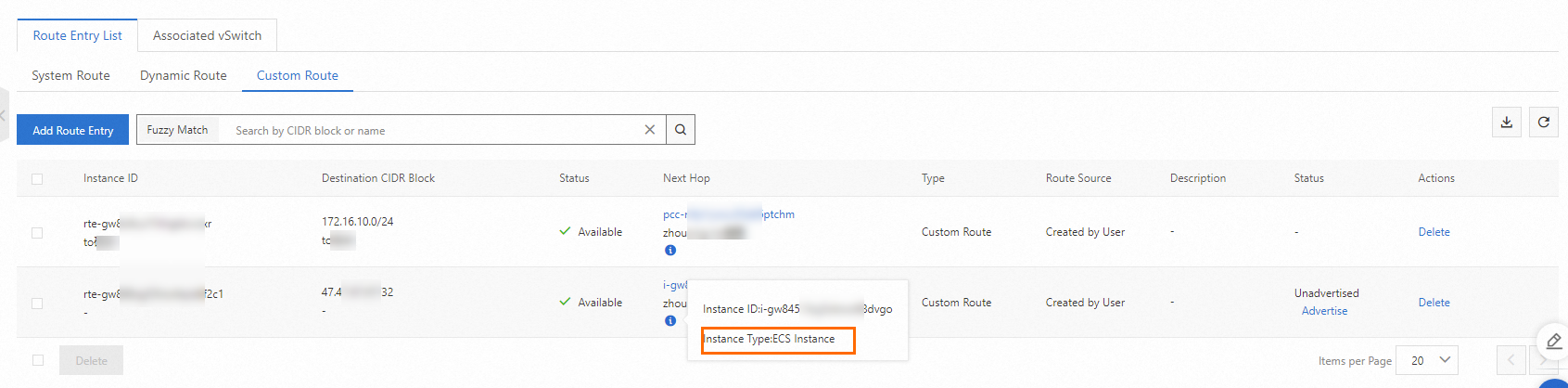
If the route table of the VPC contains route entries that point to an ECS instance, a VPN gateway, or an HAVIP, advertise these routes to CEN from the CEN console. For more information, see Advertise routes to a transit router.
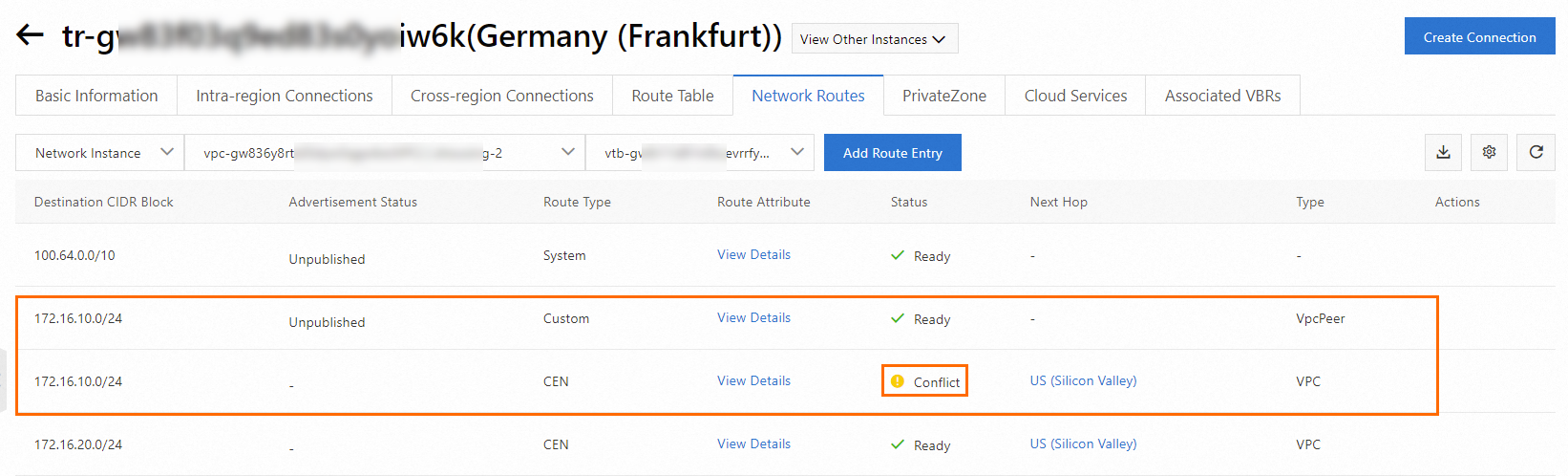
On the tab, click the ID of the target transit router. Click the Network Instance Route Table tab to view the route configuration of the target VPC. Ensure that no route conflicts exist after you connect the VPC instances.
Static routes configured for a peering connection take precedence over dynamic routes from CEN. This means that if a static route for the peering connection exists in the VPC route table, CEN cannot learn a route with the same destination CIDR block. To ensure a smooth migration, split the static route into more specific routes. After CEN learns the new routes, you can delete the split routes.
This topic provides an example of how to resolve a route conflict and migrate routes. In this example, a VPC in the US (Silicon Valley) region with the CIDR block 192.168.10.0/24 is connected to a VPC in the Germany (Frankfurt) region with the CIDR block 172.16.10.0/24 through a peering connection. During the migration, after both VPCs are attached to CEN, a route conflict occurs. As shown in the following figure, the CEN route to 172.16.10.0/24 from the Germany (Frankfurt) region has the same destination CIDR block as the static route for the peering connection in the VPC route table.
If you perform a migration with downtime, you can directly delete the peering connection route to 172.16.10.0/24 in the VPC console. The CEN route then automatically takes effect, completing the route migration.
The duration of the downtime is proportional to the number of CEN route entries. For mission-critical workloads, perform a smooth migration.
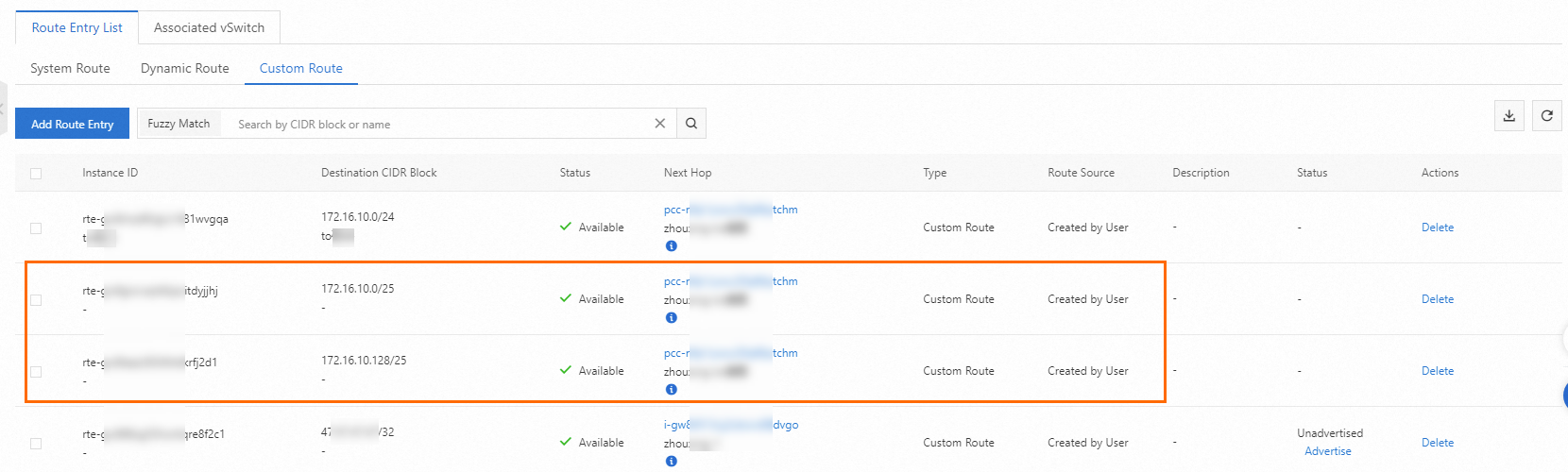
To perform a smooth migration, you must split the static route for the peering connection, 172.16.10.0/24, into more specific routes. For example, you can split the route into two more specific routes: 172.16.10.0/25 and 172.16.10.128/25.
In the VPC console, find the route table containing the route entry that you want to split.
On the Custom Route tab, click Add Route Entry to add two route entries. Set the destination CIDR blocks to 172.16.10.0/25 and 172.16.10.128/25, and set the next hop to the VPC peering connection.
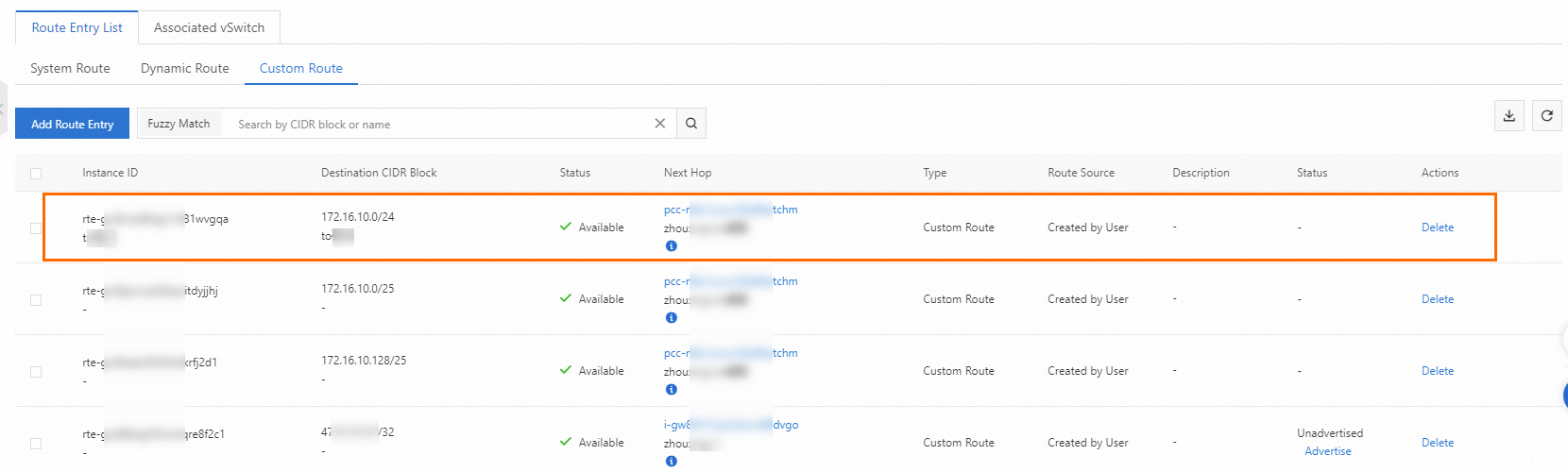
After the routes are added, find the static route for the peering connection to 172.16.10.0/24 in the VPC route table and click Delete.
On the Dynamic Route tab, verify that the CEN route has taken effect.
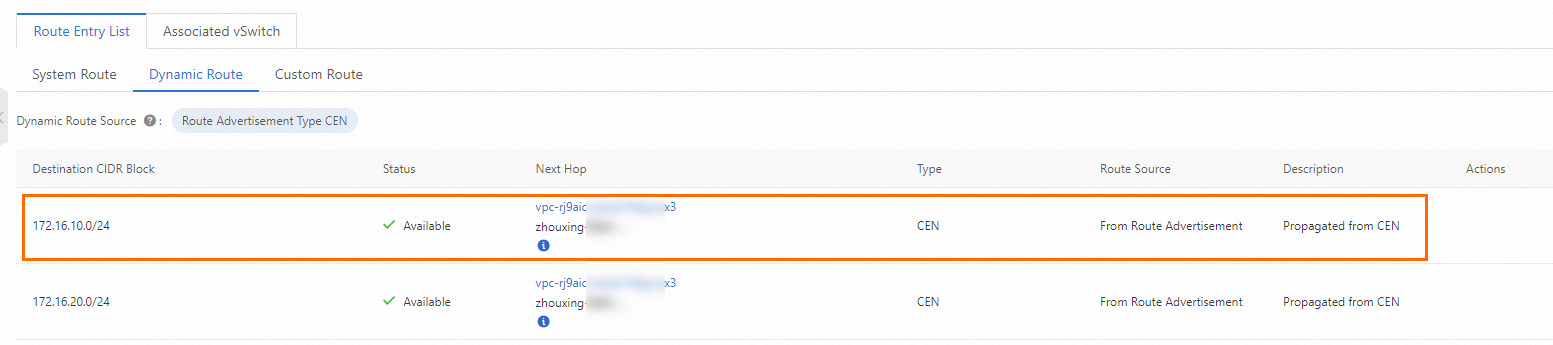
After the CEN route takes effect, delete the two more specific routes, 172.16.10.0/25 and 172.16.10.128/25, from the VPC route table. This completes the smooth route migration.
ImportantYou must repeat these steps for each conflicting CIDR block in both VPCs of the peering connection.
After you resolve all route conflicts, verify that traffic is flowing as expected, and then delete the peering connection configuration.