Data Categorization defines the data format that all participants in a consortium network must follow when writing data to the blockchain. Data that does not conform to the configured format cannot be parsed. Only the consortium administrator can configure data formats.
How it works
A data format consists of one or more data tables. Each data table contains fields, and each field has three configurable properties:
| Property | Description |
|---|---|
| Field type | The data type of the field value. |
| Restriction | Validation constraints applied to the field value. |
| Annotation | A description of the field's purpose, visible to all consortium members. |
Once a data format is configured, all consortium members must structure their on-chain data accordingly. Applications can then upload data to the blockchain or parse data downloaded from the chain against this format.
Create a data format
Prerequisites
Before you begin, make sure you have:
A consortium administrator account on the BaaS platform
Steps
Log in to the BaaS platform. On the management page, click Data Categorization in the left navigation bar.
Enter a name and description for the data format.
Click Add Data Table to add a data table, then click Add Field to configure the fields for that table. For each field, set the field type, restriction, and annotation as needed.
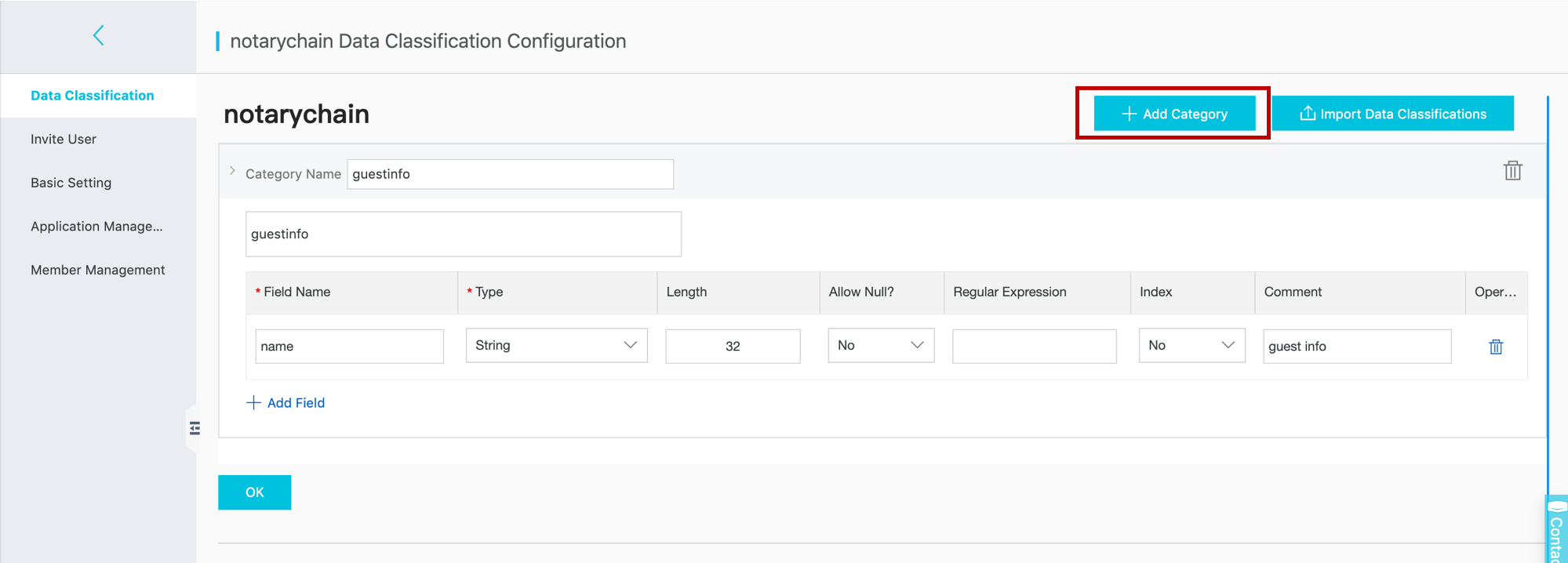
Import an existing data format
To reuse a data format that has already been configured, use the import data formats option instead of creating tables and fields from scratch.
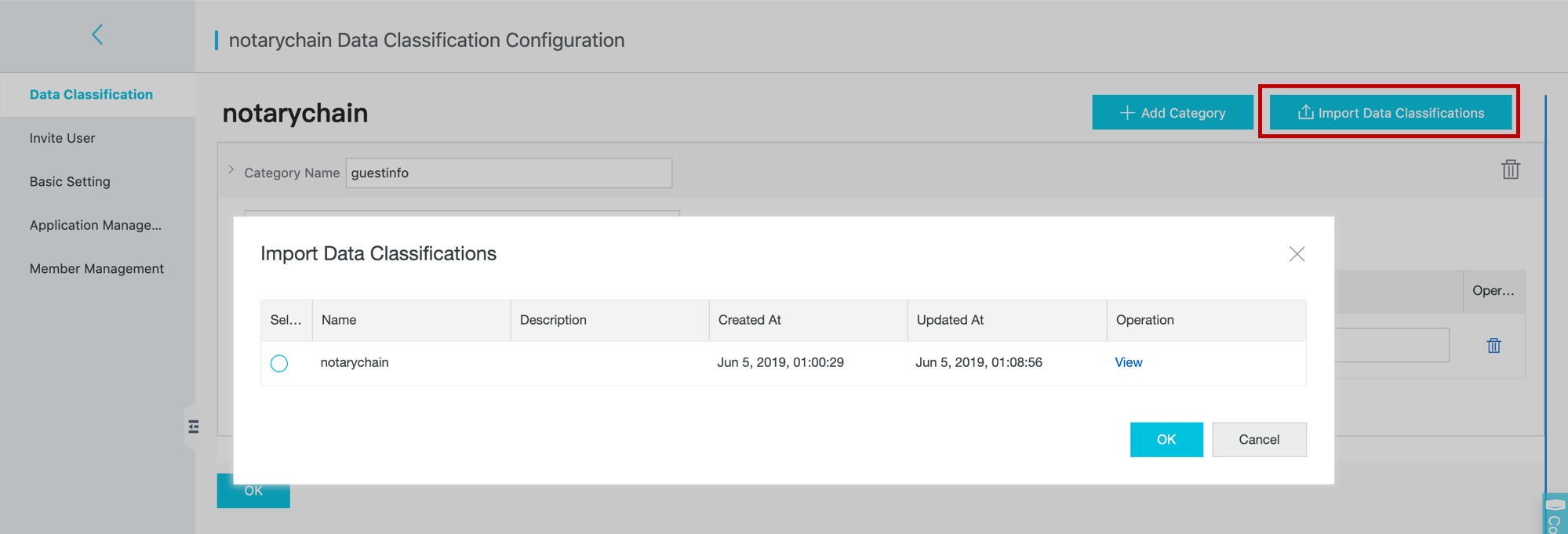
What's next
After configuring data formats, use the developer guide to learn how to upload data to the blockchain and parse data downloaded from the chain according to the configured format.