The management homepage gives consortium administrators access to five areas: data classification, user invitation, basic settings, application management, and member management.
Open the management page
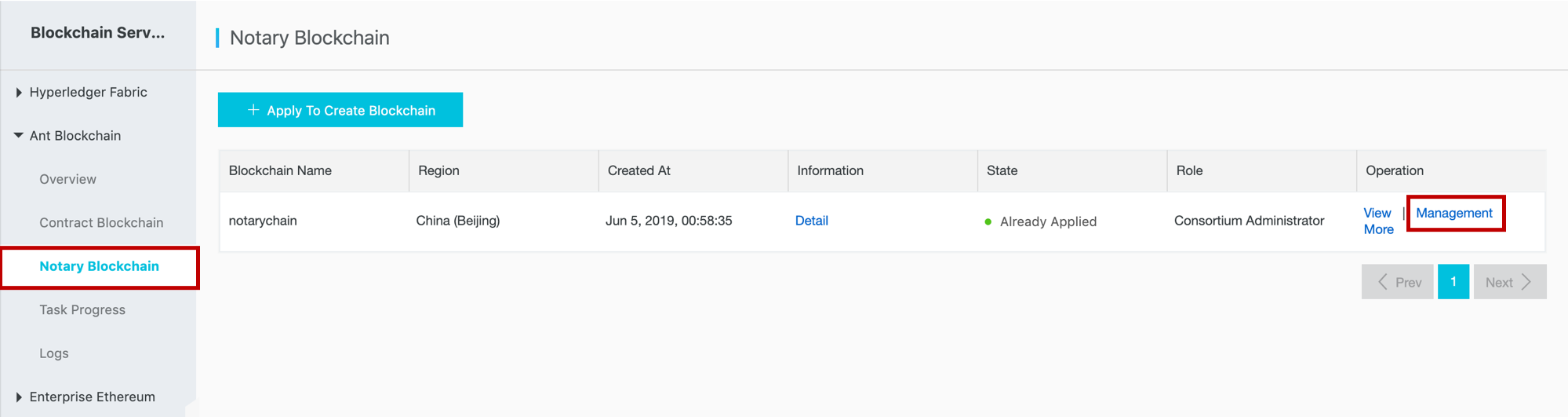
Log in to the Alibaba Cloud BaaS console and click Notary Blockchain under Ant Blockchain to open the blockchain list page.
Click Management next to the target blockchain.
Management sections
| Section | Description |
|---|---|
| Data Classification | Set data classification before consortium members access the blockchain. Coordinate with members on data formats before applying this configuration. |
| Invite User | Invite users to join your consortium. |
| Basic Setting | Edit basic settings for your consortium. Currently, only the consortium name can be modified. |
| Application Management | Review applications submitted by consortium members. |
| Member Management | View consortium member information and edit their roles. |
