This topic describes how to upgrade or downgrade a Cloud-native API Gateway instance.
Prerequisites
A Cloud-native API Gateway instance is created. For more information, see Create a gateway instance.
Background information
You can upgrade or downgrade the specifications of Cloud-native API Gateway instances that use the subscription or pay-as-you-go billing method. For more information about the billing of upgraded or downgraded instance specifications, see Billing overview.
Procedure
The time required to complete the upgrade or downgrade is approximately 4 to 5 minutes. During this period, you cannot perform operations on the instance in the console.
For an instance that contains two or more nodes, a rolling deployment is performed for the nodes and data is automatically synchronized on these nodes. Your business is not affected in this process. Instances that contain only one node cannot provide high availability, and service interruptions may occur when you upgrade or downgrade the instance specifications.
To ensure the continuity of your business, we recommend that you perform the upgrade or downgrade during off-peak hours.
Log on to the Cloud-native API Gateway console.
In the left-side navigation pane, click Instance. In the top navigation bar, select a region.
On the Instance page, select the instance that you want to manage.
Pay-as-you-go
Click Upgrade or
 > Downgrade in the Actions column.
 On the Cloud-native API Gateway (Pay-as-you-go) | Upgrade/Downgrade or Cloud-native API Gateway (Pay-as-you-go) | Downgrade page, select the desired specification from the Instance Specifications drop-down list.
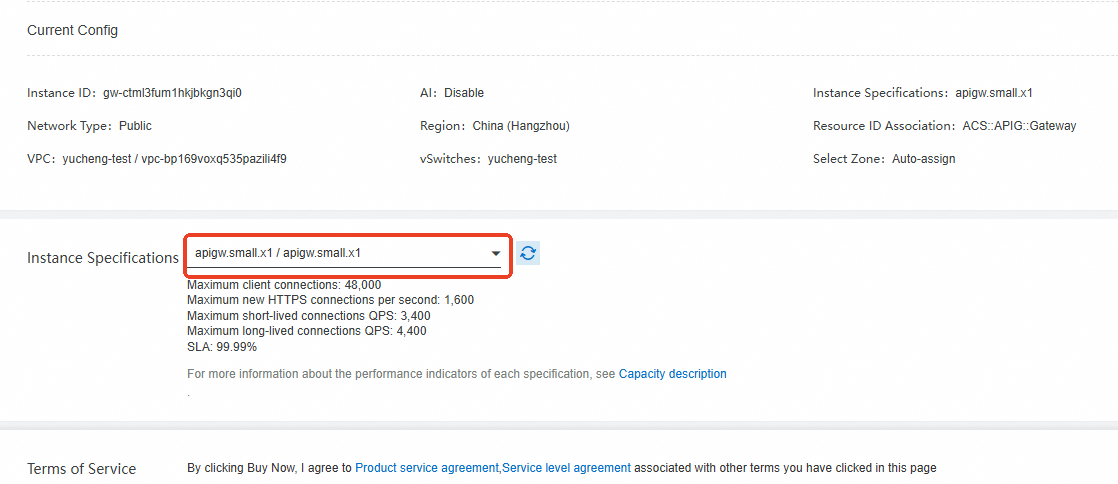
Read the Terms of Service.
Subscription
Click Upgrade or
> Downgrade in the Actions column. On the Cloud-native API Gateway (Subscription) | Upgrade/Downgrade or Cloud-native API Gateway (Subscription) | Downgrade page, select the desired specification from the Instance Specifications drop-down list.
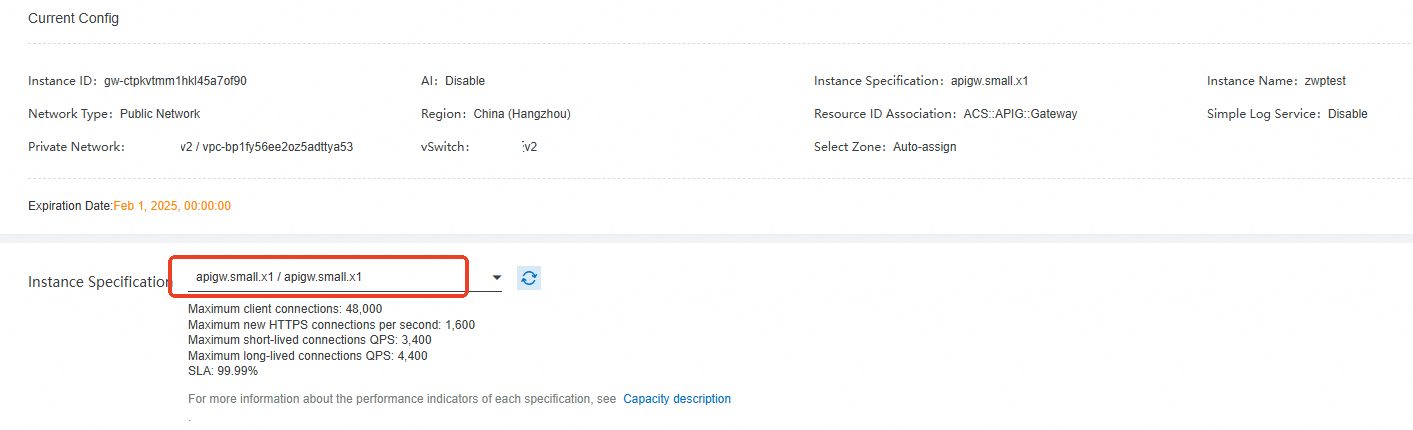
Read the Terms of Service.
Click Buy Now.
Click the instance in the list. On the page that appears, click the Basic Information tab and check the Instance Type parameter in the Running Information section to check whether the specification is changed.