As tables grow to hundreds of millions of rows, ORDER BY, GROUP BY, and JOIN queries spend most of their time scanning data that is irrelevant to the result. Sorting acceleration physically orders table data by a sort key and pushes operators down to the storage layer, so the database engine can skip data that falls outside the query's filter range. This reduces query time significantly for range filters, sorted aggregations, and join queries on sorted columns.
How it works
When you run SORT <tablename>, the system sorts the data of the specified table. AnalyticDB for PostgreSQL then pushes operators such as SORT, AGG, and JOIN down to the storage layer so that queries are accelerated based on the physical order of data. When your underlying data is ordered, queries that filter or aggregate on the sort key can take advantage of this physical ordering.
Constraint: The feature requires all data in the table to be sorted. After you insert new data, run SORT <tablename> again to restore physical order.
When to use sorting acceleration
Sorting acceleration delivers the most benefit when:
-
The table contains a large number of rows
-
Queries frequently filter, sort, or aggregate on a specific column
-
Queries join tables on the same column used as the sort key
If your workload consists primarily of random-access point lookups, sorting acceleration provides limited benefit.
Choosing a sort key:
| Query pattern | Recommended sort key |
|---|---|
| Frequent range filters (for example, by date or ID range) | The column used in the range filter |
| Frequent GROUP BY aggregations | The column used in GROUP BY |
| Frequent JOIN queries | The join column |
Quickstart
The following example creates a table named far, inserts 1,000,000 rows, and sorts the data to demonstrate query acceleration.
Prerequisites
Before you begin, make sure you have:
-
An active AnalyticDB for PostgreSQL instance
-
Permission to create tables and run DDL statements
Set up and sort the test table
-
Create a table named
farwith a sort key defined on columna:CREATE TABLE far(a int, b int) WITH (APPENDONLY=TRUE, COMPRESSTYPE=ZSTD, COMPRESSLEVEL=5) DISTRIBUTED BY (a) --Distribution key ORDER BY (a); --Sort key -
Insert 1,000,000 rows of test data:
INSERT INTO far VALUES(generate_series(0, 1000000), 1); -
Sort the table data:
SORT far;
After SORT far completes, the data is physically ordered by column a. Queries on this table can now take advantage of storage-layer pushdown.
Performance comparison
The following results compare query time before and after sorting on the far table.
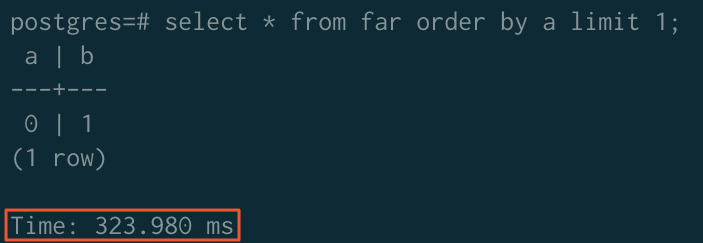
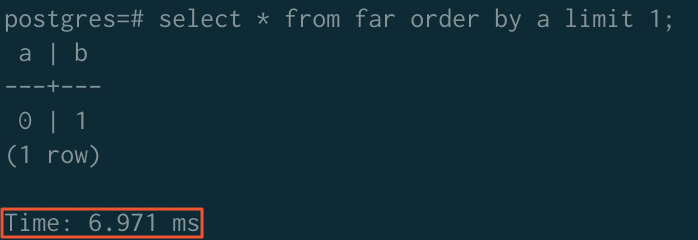
ORDER BY
Before sorting acceleration:
After sorting acceleration:
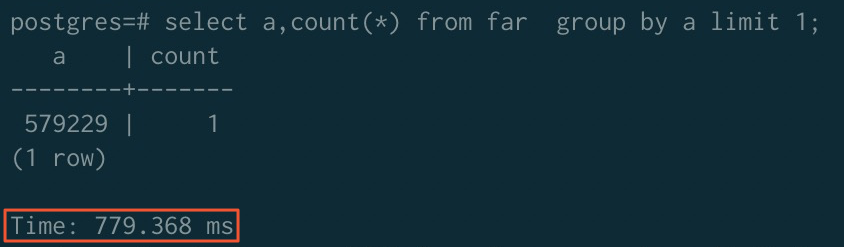
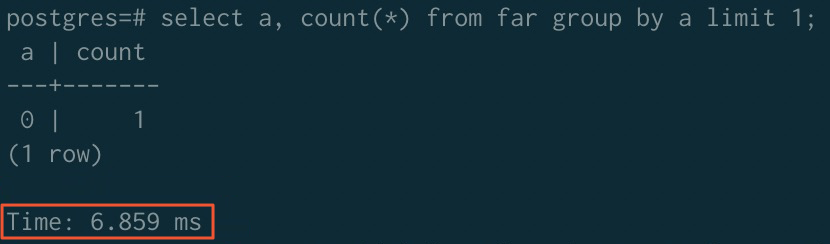
GROUP BY
Before sorting acceleration:
After sorting acceleration:
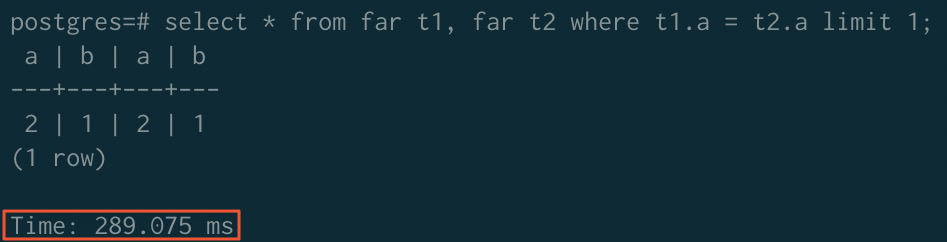
JOIN
Before sorting acceleration:
After sorting acceleration:
SET enable_mergejoin TO on;
SET optimizer TO off;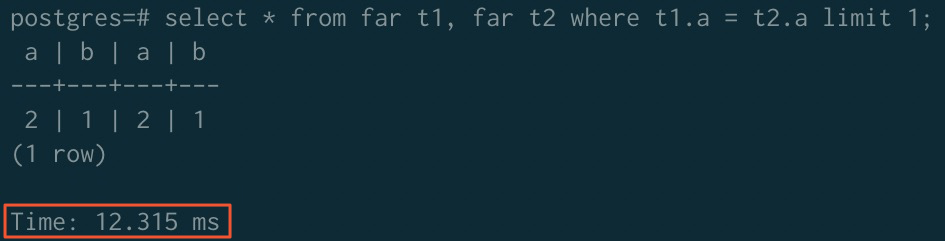
Summary
| Operator | Before acceleration | After acceleration |
|---|---|---|
| ORDER BY | 323.980 ms | 6.971 ms |
| GROUP BY | 779.368 ms | 6.859 ms |
| JOIN | 289.075 ms | 12.315 ms |
Usage notes
-
Re-sort after data ingestion: Physical order is not maintained automatically after new rows are inserted. Run
SORT <tablename>after bulk data loads to keep data ordered and maintain query performance. -
JOIN acceleration requires additional configuration: To accelerate JOIN queries, disable the ORCA optimizer (
SET optimizer TO off) and enable merge join (SET enable_mergejoin TO on) before running the query. -
Sort key is defined at table creation: Specify the
ORDER BYclause in yourCREATE TABLEstatement.