AnalyticDB for PostgreSQL supports both row stores and column stores on local storage, with HDD and solid-state drive (SSD) options and a maximum of 10 TB per node. Four built-in storage features — compressed storage, external tables, tiered storage, and shared storage — let you reduce total cost of ownership without changing how you query data.
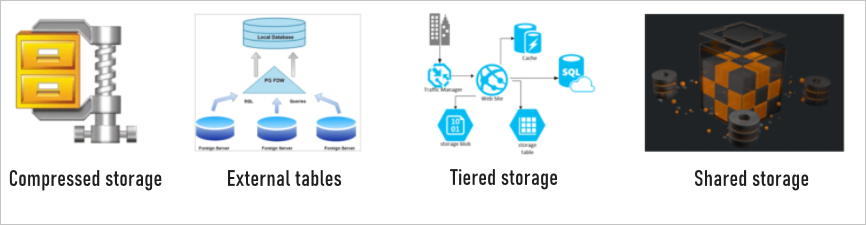
Choose a storage feature
| Feature | Best for | Cost impact | Query speed impact |
|---|---|---|---|
| Compressed storage | All column-store tables | Reduces physical storage by 60–75% | Improves on HDDs; slight overhead on SSDs |
| External tables | Cold or archival data accessed occasionally | Low-cost Object Storage Service (OSS) rates | Slower than native storage |
| Tiered storage | Mixed hot/cold datasets | Auto-archives old data to OSS | No change for hot data |
| Shared storage | Deployments requiring I/O acceleration and multi-node access | Lower than local storage | Improved via DBFS I/O acceleration |
Compressed storage
Column-store tables in AnalyticDB for PostgreSQL support compression natively. When you create an append-optimized (AO) or append optimized column oriented (AOCO) table, specify a compression algorithm at table creation time.
Compression reduces the amount of data written to disk. Less data on disk means fewer I/O operations per query — improving query performance on HDD-backed nodes where I/O throughput is the bottleneck. On high-speed SSD nodes, the decompression overhead slightly outweighs the I/O savings.
Three algorithms are supported:
| Algorithm | Storage savings | Decompression speed | Use when |
|---|---|---|---|
| zstd (default) | ~75% — 1 GB raw data → ~250 MB on disk | Baseline | Storage cost is the priority |
| zlib | Moderate | Moderate | General-purpose workloads |
| LZ4 | ~60% — 1 GB raw data → ~400 MB on disk | ~3× faster than zstd | Query speed is the priority |
zstd is the default and delivers the highest storage savings. Switch to LZ4 for workloads where query latency matters more than storage cost — its decompression speed is approximately three times faster than zstd.
External tables
External tables let AnalyticDB for PostgreSQL read data directly from OSS and Hadoop without importing it into the database. Supported formats are ORC, Parquet, CSV, and JSON. External tables can be partitioned, and the engine pushes down filter conditions to reduce data scanned.
External tables also work with MaxCompute for cross-service data access.
Querying data through external tables is slower than querying native tables, because data is read from remote object storage over the network. Use external tables for occasional or batch analytical queries, not for latency-sensitive workloads.
Tiered storage
Access patterns for analytical data are typically time-dependent: recent data is queried frequently, while older data is rarely touched. Tiered storage exploits this pattern by automatically archiving data older than a threshold you configure to OSS, which costs significantly less than local storage.
For example, configure data older than three months to archive to OSS automatically. Hot data stays on local storage and is served at full speed; cold archived data is still queryable through the same SQL interface.
Shared storage
AnalyticDB for PostgreSQL integrates with Database File System (DBFS), a cloud native shared file storage service from Alibaba Cloud. DBFS replaces local storage as the storage medium and provides:
I/O acceleration — higher sustained throughput than standard local disks
Multi-point reads and writes — multiple nodes can read from and write to the same storage simultaneously
Data backup — built-in high availability through DBFS redundancy
Compared with local storage, DBFS-backed deployments reduce storage costs while improving I/O performance and reliability.