Description
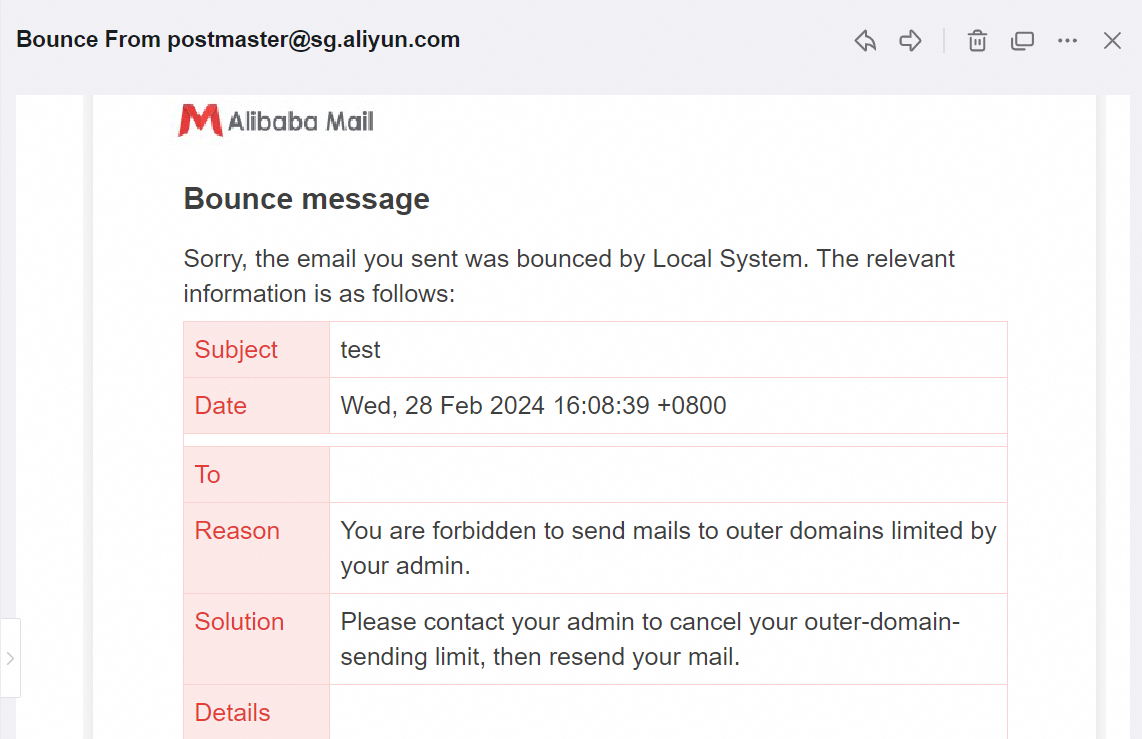
After sending an email using Alibaba Mail, a notification appears that You are forbidden to send mails to outer domains limited by your admin.
Cause
The email admin does not grant the external sending permission to this account, so the email account cannot send emails to foreign domains.
Solution
Please contact the email admin to grant the outer-domain-sending permission, then resend your email.
1. Log on to the Alibaba Mail Domain Management page by the postmaster account and go to DEPTs and Users > Employees Accounts.
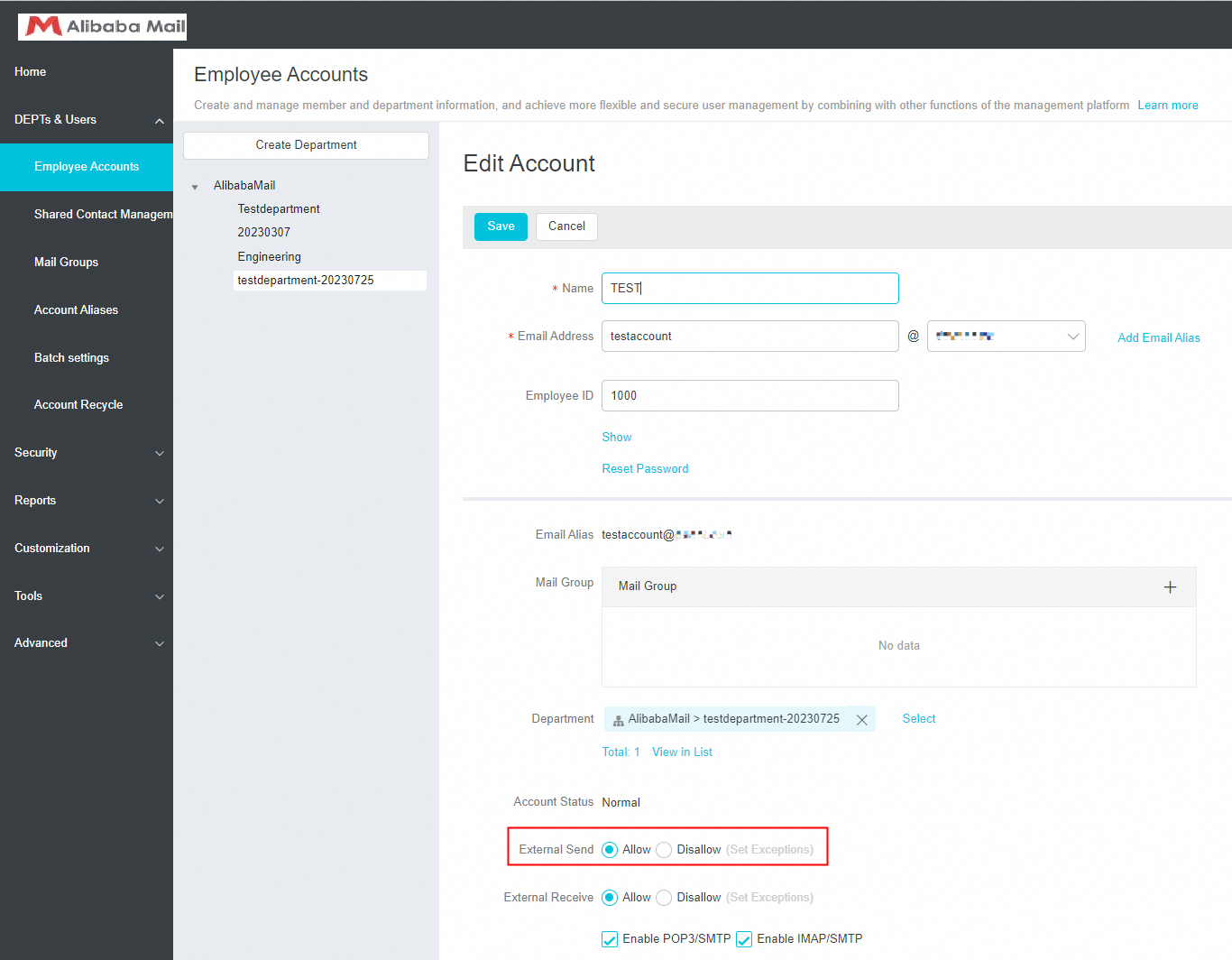
2. Click the email account that you want to modify, select Allow for External Send, and then click Save.
Note
If you want to grant the external receive permission for accounts, please select Allow for External Receive and click Save.