Description
When you use the third-party email client to receive emails, then you found that the email that should not be spam was saved to the junk folder.
Solution
You can refer to the following methods to solve the problem:
1. If you are using Webmail or client of Alibaba Mail, the Alibaba Mail server will automatically identify the body and store it in the corresponding folder when receiving emails. The Alibaba Mail determines that the rules of spam meet the standard, and the Anti-spam system has defined what spam is. In addition to the system defined rules, you can also customize the configuration through the Anti-spam Option on the Webmail, or the Email Filter function in the domain management.
2. If you use a third-party client to receive messages, the third-party client has its own policy or receiving rule settings. If you need to adjust the third-party rules, please refer to the following content.
If the IMAP protocol has been used to receive the messages in third-party client, it will return the result of the adjustment after judgment on the third-party client to the Webmail.
Foxmail 7.2
Open the Foxmail, choose Settings> Antispam, and set the Mails Filter, Black List and White List based on the actual need.
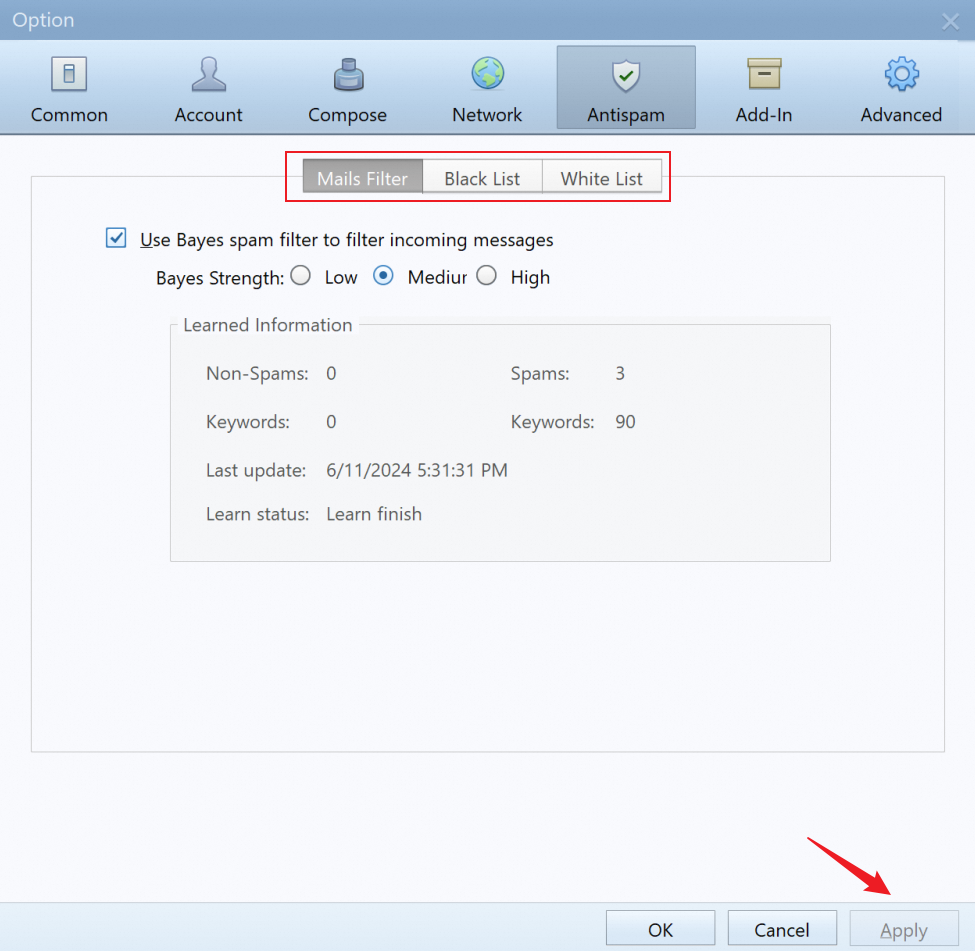
For more information about the configuration options, please check the documentation of the Foxmail official website.
Outlook 2016
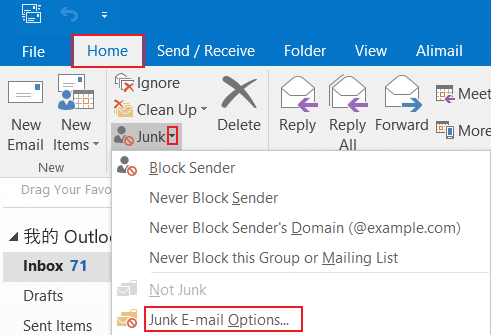
1. Open the Outlook 2016 software and click Home > Junk E-mail > Junk E-mail Options.
2. You can select the required configuration and click OK.
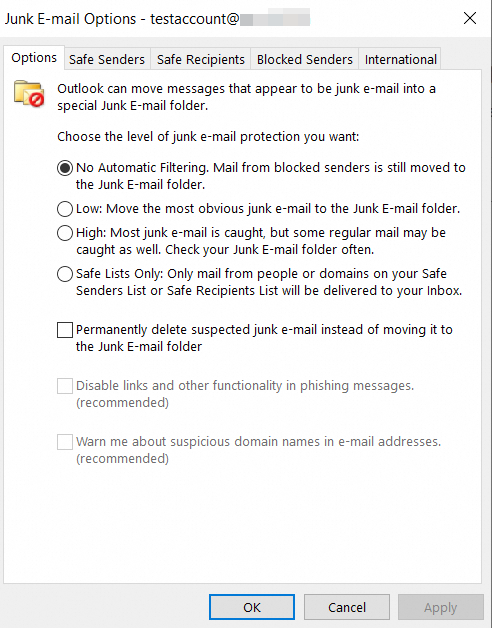
For more information about the configuration options, please check the documentation of the Outlook official website.