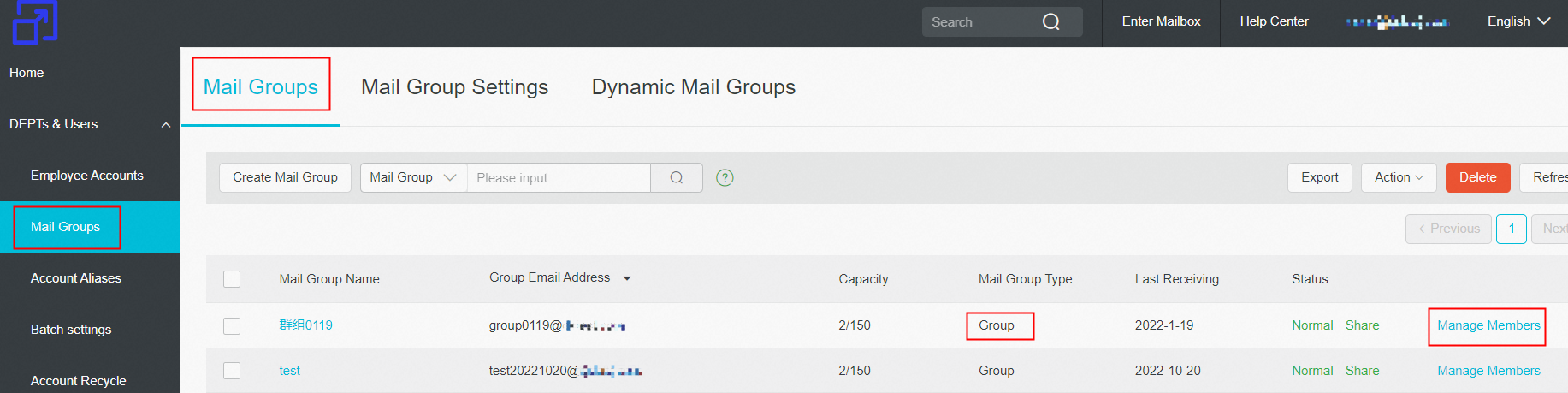
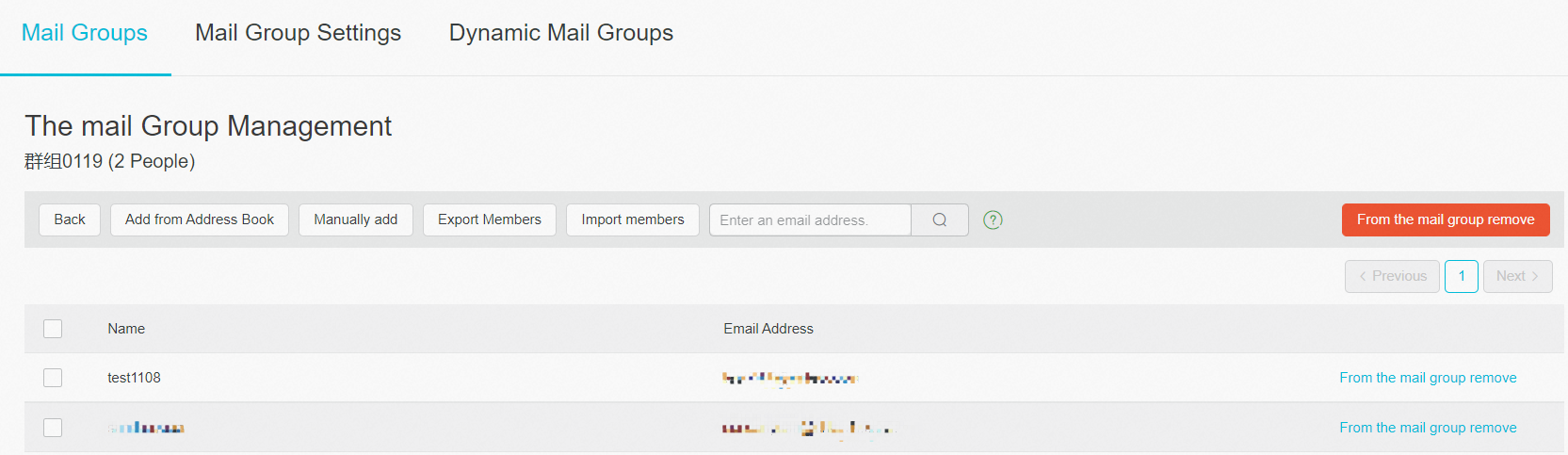
Group is the organization and collaboration platform, which provides users with enterprise project collaboration and communication services. Through mail, network disk and task module, the members of the group are connected in series with mail group to achieve the purpose of convenient communication and information sharing. Groups are independently created by employee accounts on Webmail, and postmaster can view and manage them in domain management page.
How to Create a Group?
1. After the employee account login to the webpage, select the "Group" application and click the "Create/Upload" button in the upper left corner.

2. The pop-up window displays the creation information and user may fill in the corresponding content.
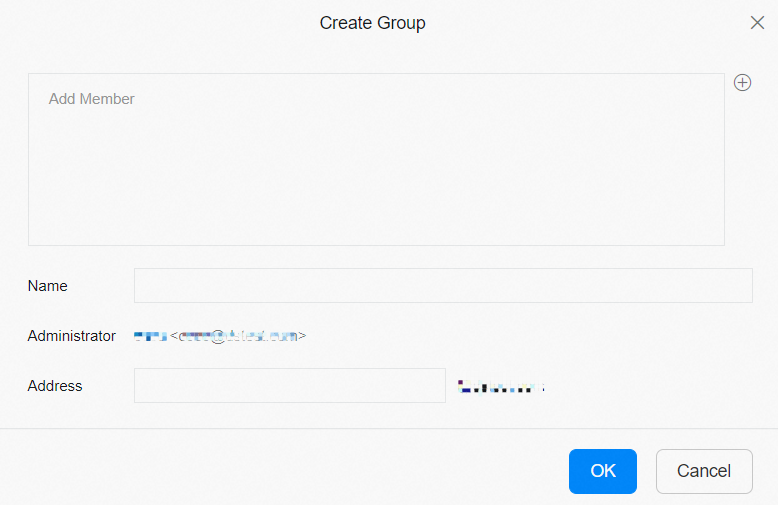
2) Group Administrator: The user who creates the group is the group administrator by default. The administrator has the permission to approve and manage groups.
3) Group Members: Users who join the group and group members have the same rights.
4) Mail Group: It refer to create a group and create a corresponding mail group at the same time. This mail group only supports static mail groups.
How to Manages Groups by Postmaster Account?
1. Use postmaster account to login Alibaba Mail and enter the domain management page >> click DEPTs & Users>> click Mail Groups.
2. In the left-side navigation pane, click "Mail Group" and find "Group" type of mail group to manage.