This topic describes the differences between standard mode and conversation mode of Alibaba Mail.
Email Reading Settings:
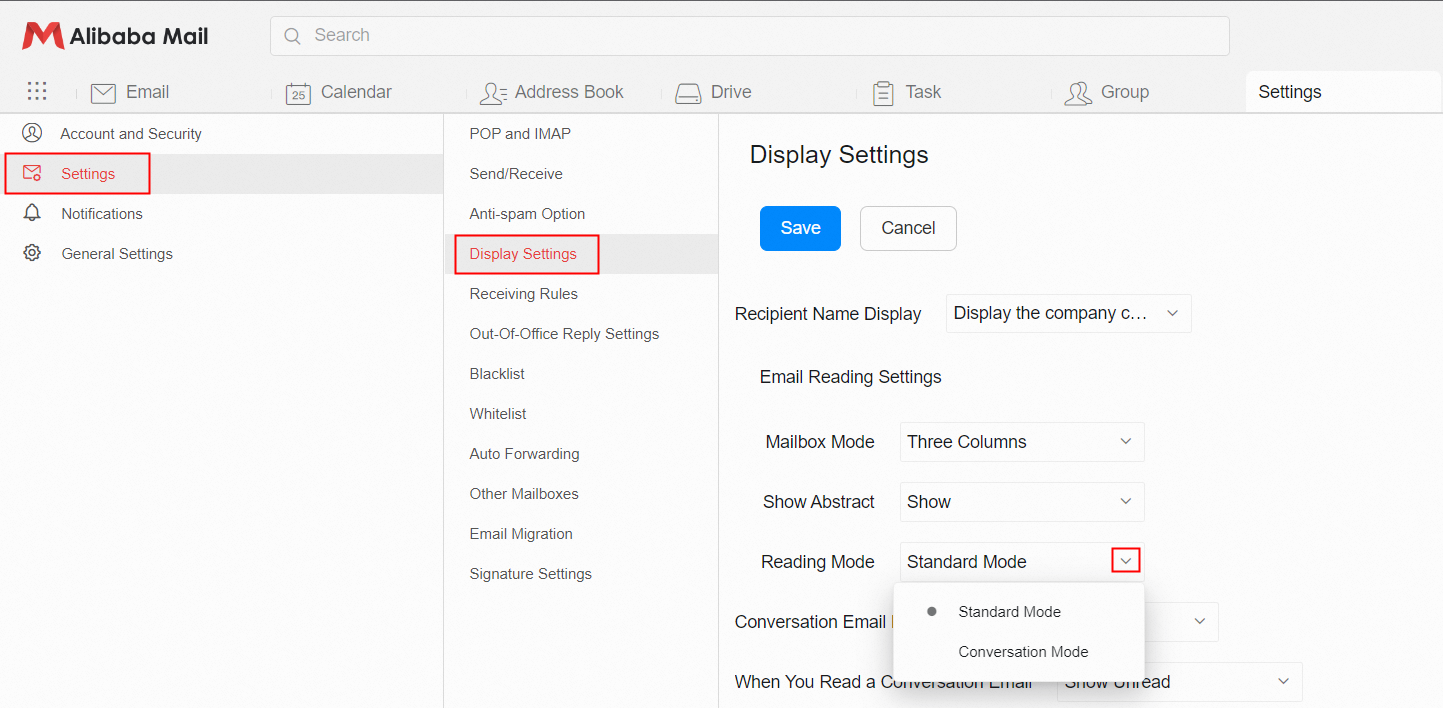
Click Settings Email Settings> Display Settings> Reading Mode to enable the corresponding mode. The following section describes the Standard Mode and Conversation Mode.
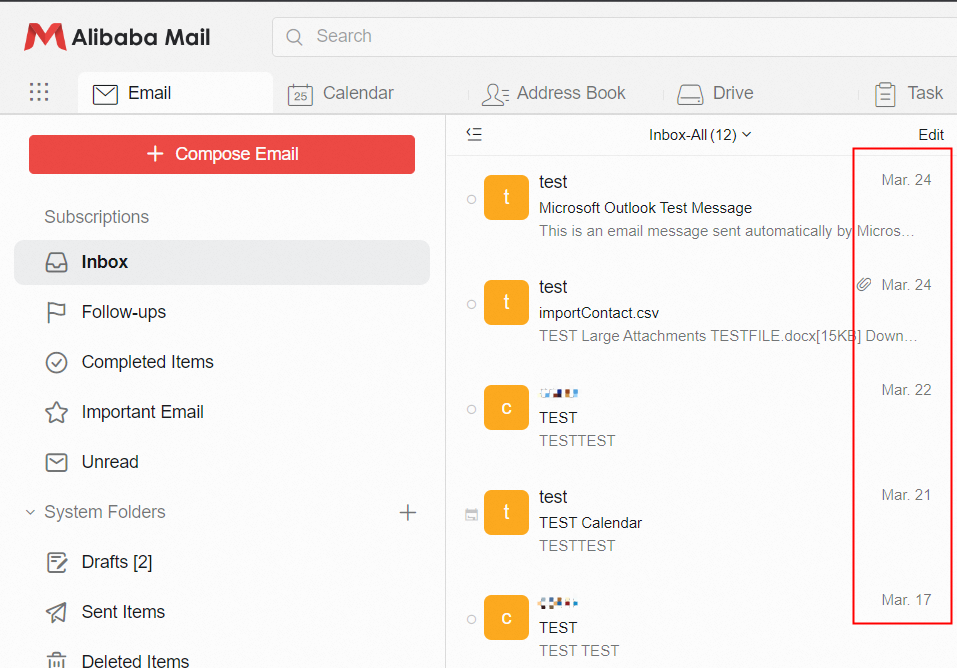
Standard Mode:
Displays a list of emails based on the time and order of receipt.
Conversation Mode:
A list of emails will be displayed in a cascade manner based on the email subject. Multiple emails with the same subject, including emails received and sent by different communication accounts, will be displayed in the same session in a centralized manner to facilitate unified access to emails with the same subject.
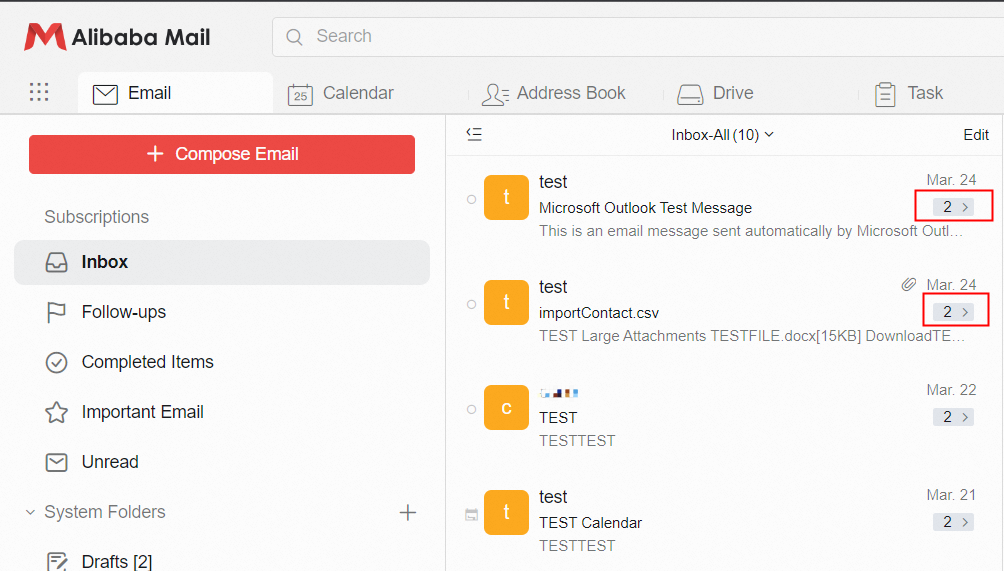
Note: In conversion mode, the emails in Sent Items folder that are returned to the emails will be also visible in the Inbox session.