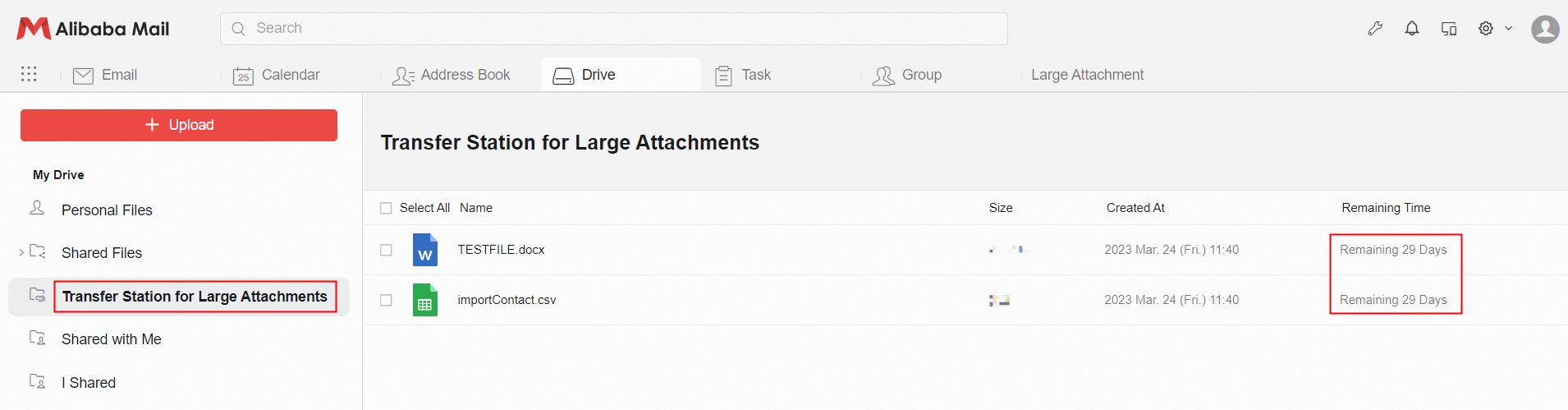
There are two ways to send attachments: ordinary attachment and large attachment.
1. Attachment Size
Attachment: You can send a maximum of 60 MB. We recommend that you upload normal attachments within 30 MB because the size of the uploaded data will increase when you upload an attachment.
Large Attachment: The size of a single large attachment in an email cannot exceed 4G. Users can upload multiple files within 4G in a single email, but the total size of all files cannot exceed the total available space limit of the Transfer Station for Large Attachments.
2. How to Upload
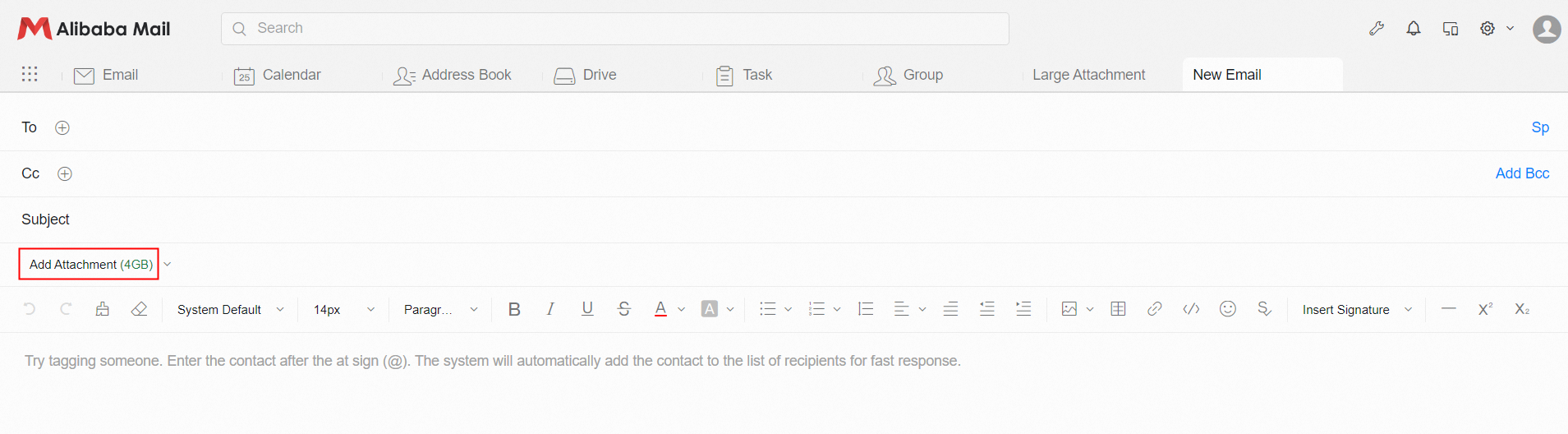
Normal Attachment: Click Add Attachment and select file to upload, as shown in the following figure.
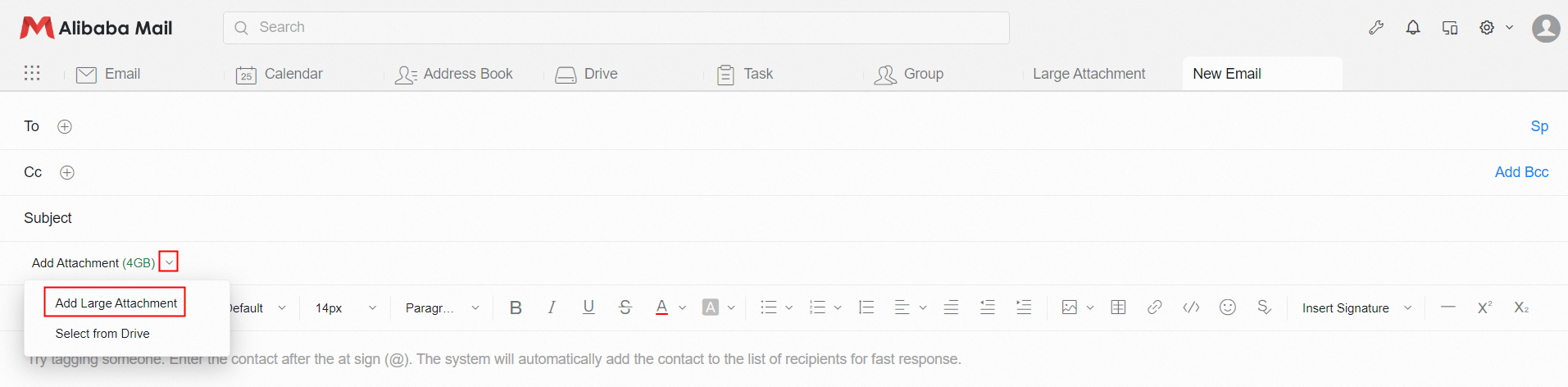
 Large Attachment: Click the drop-down button on the right of Add Attachment and select the Add Large Attachment option from the drop-down list, as shown in the following figure.
3. Attachment Pattern
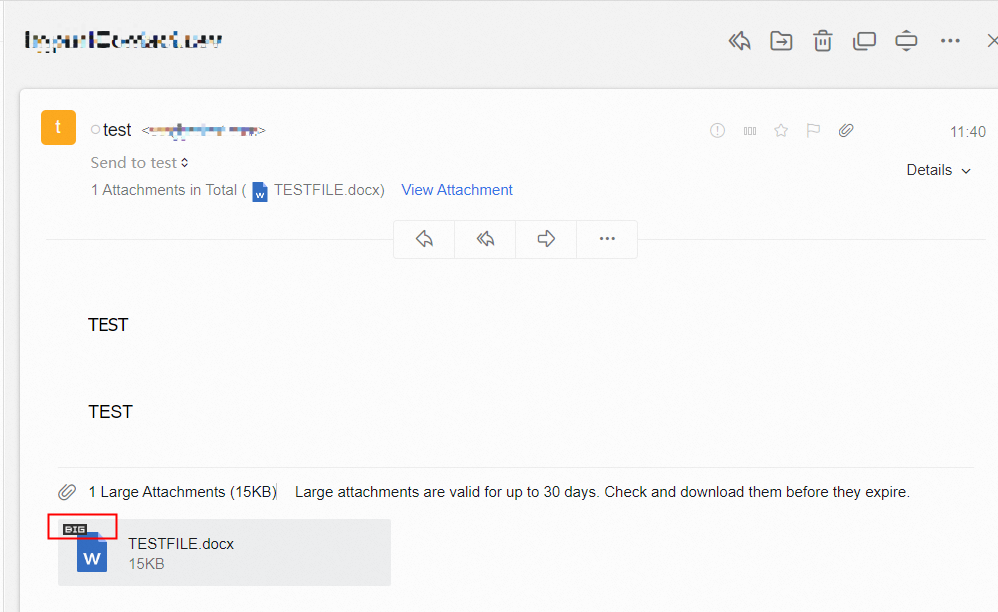
If "BIG" is displayed in the upper-left corner of the file, it means this is a Large Attachment. If this is not marked, it is a normal attachment.
Note: The BIG mark has nothing to do with the file size. It only distinguishes whether it is a large attachment upload.
4. Preserve Time
Ordinary attachments are stored in the email, as long as the email does not delete the attachment will exist.
Large attachments are stored in the Transfer Station for Large Attachments for the longest storage time of 30 days. The recipient needs to download the attachment within 30 days, and cannot be retrieved after the expiration date.