SPF authenticates email senders by verifying IP addresses against DNS records to prevent spoofing and spam.
What is SPF?
Sender Policy Framework (SPF) is an email authentication method that combats spam. Receiving mail servers check the domain's SPF record to verify whether the sender's IP address is authorized. Authorized addresses are accepted; unauthorized addresses are rejected as forgeries.
How to add an SPF record
If your domain is not registered with Alibaba Cloud, contact your domain provider for instructions.
The following example uses Alibaba Cloud DNS:
1. Log on to the Alibaba Cloud DNS console. Find your domain and click DNS Settings in the Actions column. The DNS Settings page appears.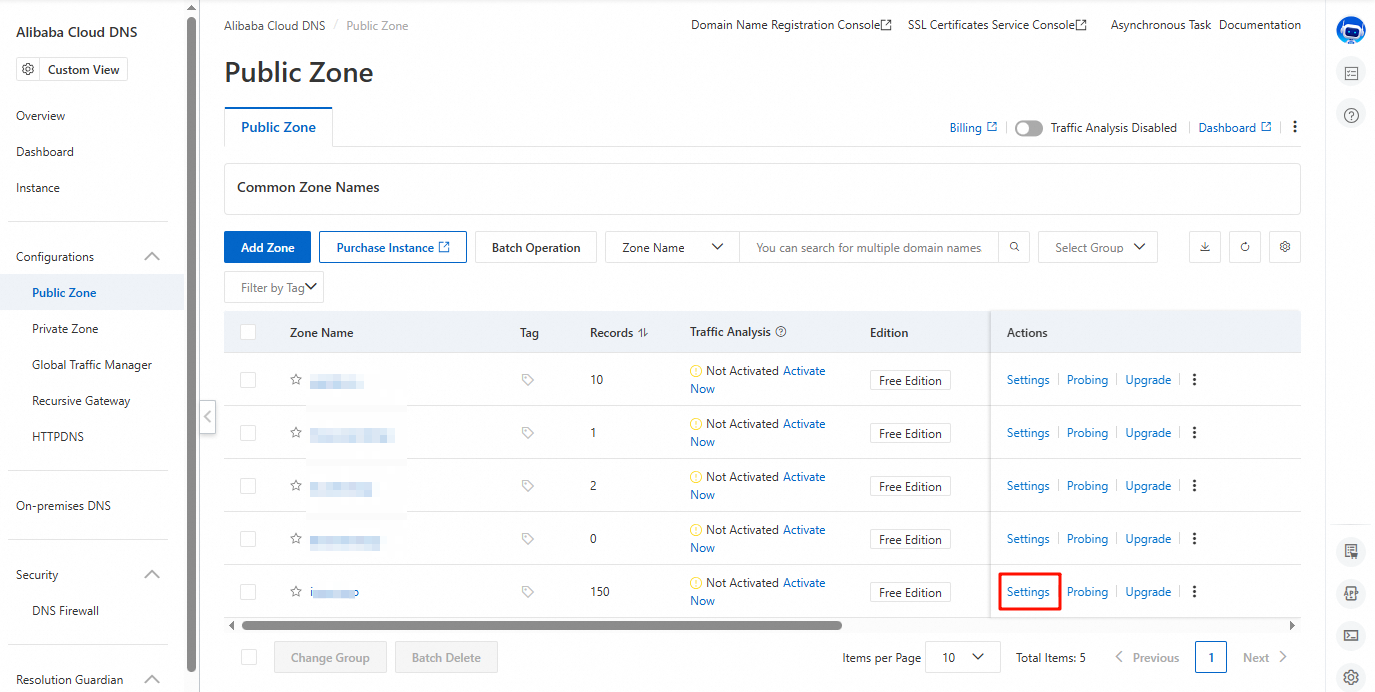
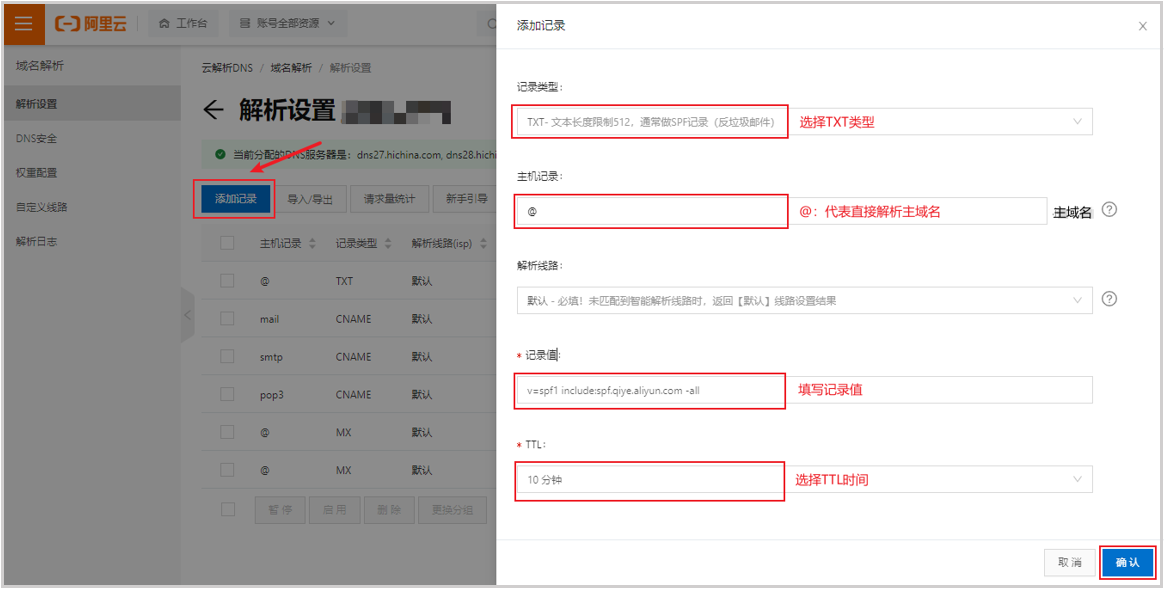
2. On the DNS Settings page, click Add Record, configure the parameters, and click OK.
Example:
Record Type: TXT
Host: @
Value:
Singapore region
v=spf1 include:spf.sg.aliyun.com -all
China (Hong Kong) region
v=spf1 include:spf.hk.aliyun.com -all
Germany region
v=spf1 include:spf.de.alibabacloud.com -all
US region
v=spf1 include:spf.us.alibabacloud.com -all
Only one SPF record is allowed per domain. If you have multiple outbound IP addresses, merge them into a single record. Ensure all IP addresses are trusted — an overly broad IP range increases the risk of email spoofing.
Syntax examples:
Domain name + Domain name: v=spf1 include:spf.sg.aliyun.com include:spf1.dm.aliyun.com -all
Domain name and IP address: v=spf1 include:spf.sg.aliyun.com ip4:x.x.x.x -all
Domain name + IP address range (use with caution): v=spf1 include:spf.sg.aliyun.com ip4:x.x.x.x/24 -all
Note: Use ip4, not ipv4.
3. Wait for the record to take effect. Verify your configuration by following How to query trusted IP addresses in an SPF record.