Description
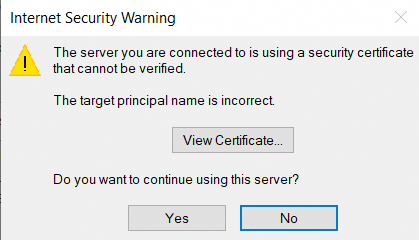
If the SSL encrypted connection is set for logon in Outlook client, a warning appears as follows:
Cause
This problem occurs because SSL encrypted login is set and the incoming mail server is set as pop/imap.domain name.
Solution
This problem can be solved by changing the POP3, SMTP, and IMAP addresses. The following takes Outlook 2016 as an example to set SSL encryption for POP3 accounts. The specific operations are as follows:
This method applies to Outlook 2007/2010/2013/2016 version.
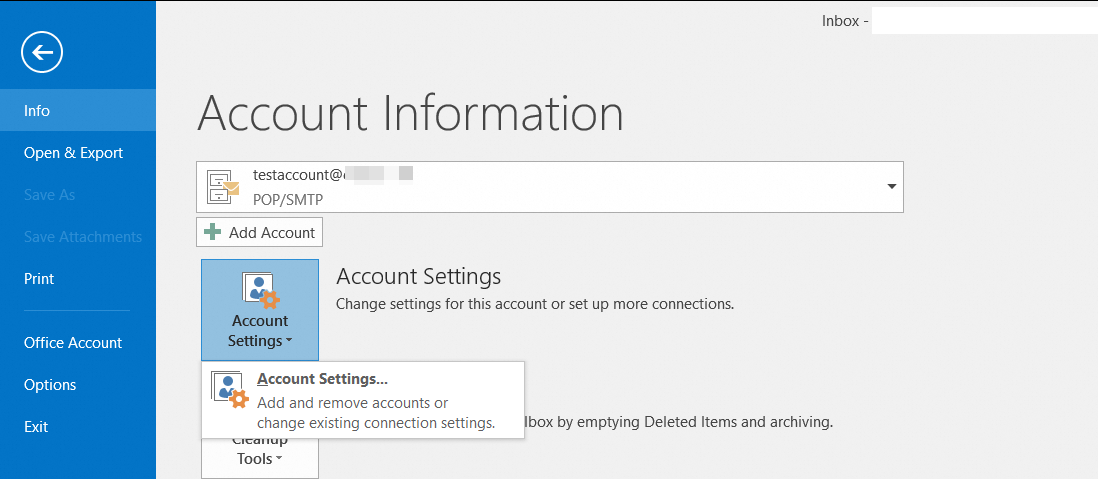
1. In the Outlook 2016, choose File> Info> Account Settings.
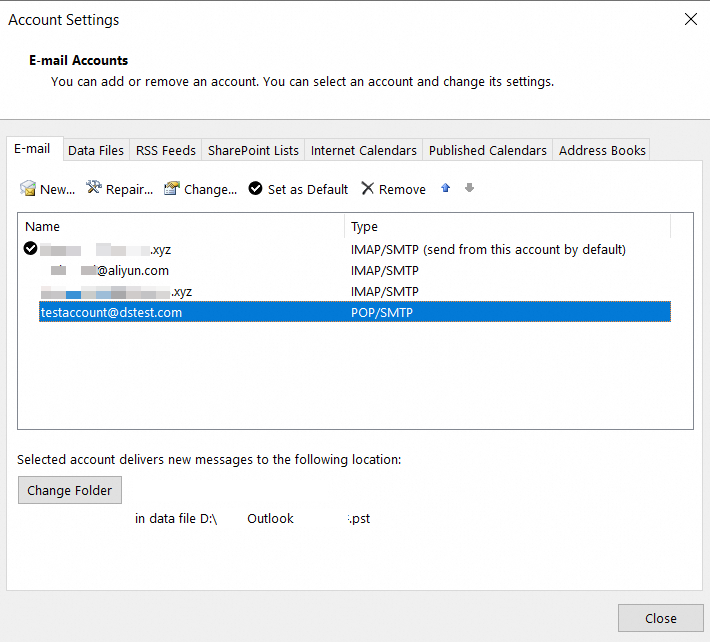
2. Enter the Account Settings page, double-click the related email account.
3. Change the addresses of the POP3 and SMTP servers and click Next.

POP3 address changed to: pop.sg.aliyun.com
SMTP address changed to: smtp.sg.aliyun.com
IMAP address changed to: imap.sg.aliyun.com
Applicable Scope
Alibaba Mail