This article describes how to share calendars in Alibaba Mail.
How to Share?
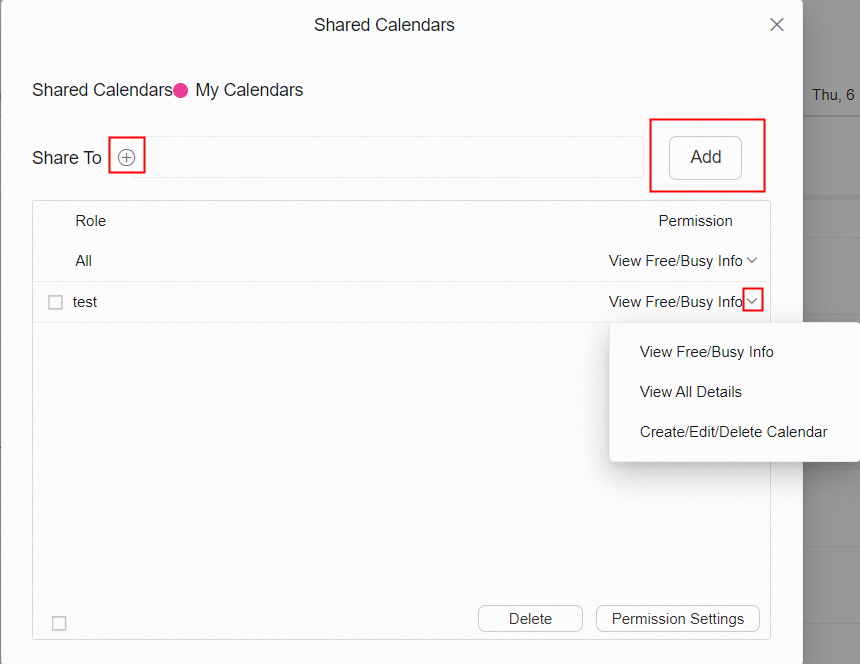
1. Click Calendar> My Calendar, find the calendar that you want to share and click Share to....

2. Add the objects that you want to share with, click Add, and set the permissions to view the shared calendar.
How to Accept?
1. Click Accept Invitation in the received reminder email.

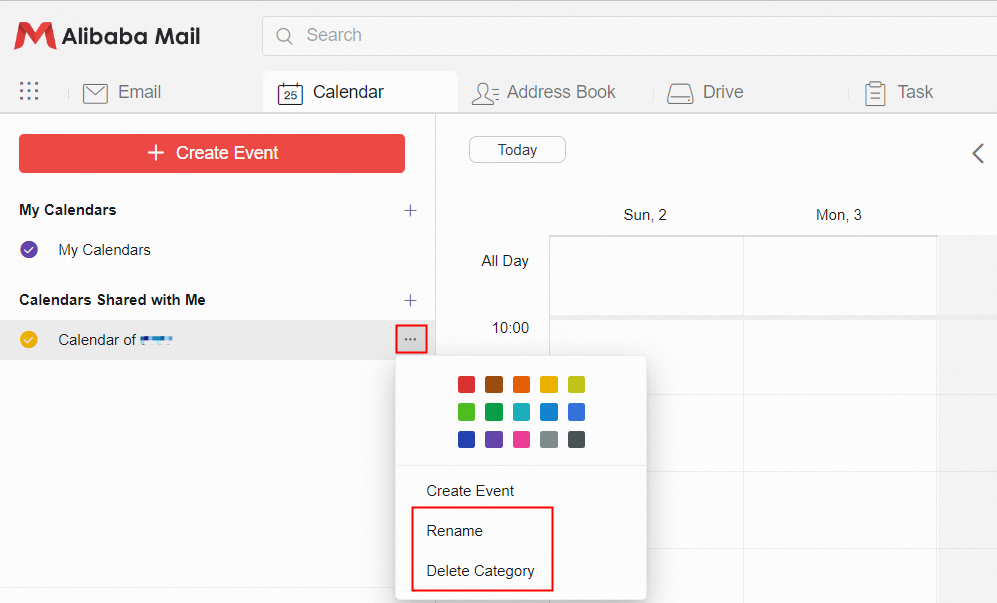
Or click the + in the right of the Calendars Shared with Me if you know the sharer's account, fill the sharer's account and complete the calendar addition.

2. After the addition is complete, user can view the shared calendar under Calendars Shared with Me. User can set different colors to distinguish with My Calendar, and rename and delete shared calendars.