When the user clicks the link in the email, a risk warning will be issued. The domain name links in the allowlist below will not be warned. The upper limit of the whitelist is 50.
The Procure to Add Whitelist of Risk Link Alert
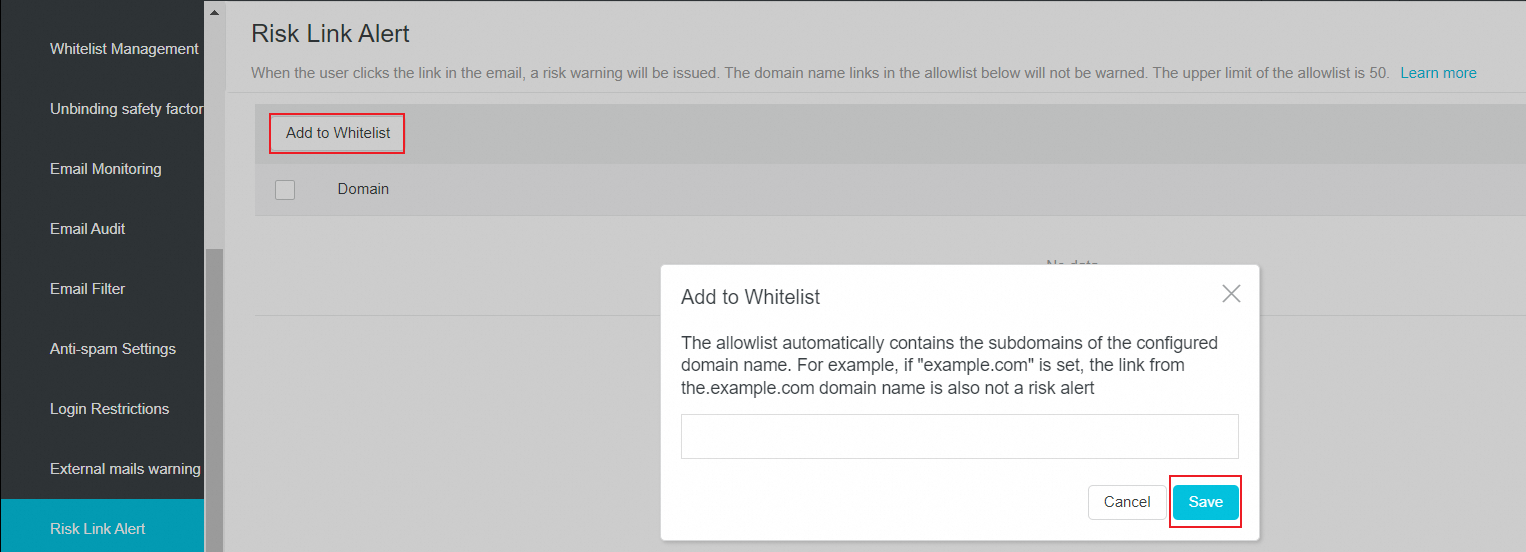
1. Use the postmaster account to logon to the Alibaba Mail and enter the domain management background. Click Security- Risk Link Alert.
2. Click Add to Whitelist, enter the domain names that you want to add and click Save.
The whitelist automatically includes the subdomains of the specified domain name. For example, if "example.com" is set, links from "a.example.com" will also not be displayed as a risk link.
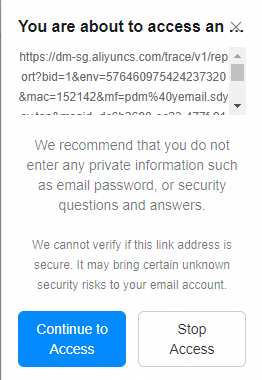
After the whitelist is added, the links of the whitelisted domain names will not have the following reminders.
The Procure to Delete Whitelist of Risk Link Alert
1. Click Delete in the Actions column to delete one domain name.

2. Select the domain names and click Delete in the Actions column.
