Why Did You Receive the Unusual Login Reminder?
Mailbox unusual login reminder is that the system automatically matches the previously commonly used login IP of the mailbox. When a new IP login occurs, it will be judged as "strange IP" to log in in a remote place. The judgment of strange IP changes dynamically with the usage of mailbox login. If the IP login operation use increases, it will not be judged as "strange IP" in the future.
If User Often Receives Unusual Login Reminders, Please Try the Following Solutions
1. Confirm whether the unusual login information of the reminder is the login of other common users of the mailbox;
2. Whether the email client (Foxmail, Outlook, etc.) is set up when traveling in the corresponding area, and the binding is not unbound after receiving and sending letters. When the client is opened, it will automatically connect to the mailbox server for receiving and logging in according to its set frequency.
3. Whether mobile devices such as mobile phones and iPad that use the corresponding IP to use mailboxes (some operators cellular data network use home access IP);
4. Whether other mailbox systems corresponding to IP, such as Tencent, NetEase and other mailboxes, have been bound to Alibaba Mail mailboxes for mail collection, etc.
5. Whether the inquiry service has been opened in Alibaba International Station, you can take the IP address of the login to the https://ip138.com/ to inquire. If the address of Alibaba is displayed, it is usually caused by the inquiry service.
6. If it is not used by user, it is not ruled out that the email account has been leaked and the password must be changed in time.
Please Pay Attention to The Following Points for Later Use
1. It is recommended to change the email password to a mixture of more complicated numbers, letters and special character, and do not fill in regular letters or numbers, and keep them properly.
2. It is recommended to try not to use Alibaba Mail on some open, registered and untrusted websites, so as not to be maliciously used by others.
3. Try to scan the computer that sends and receives emails regularly.
4. If you use an email client to send and receive letters, it is recommended to select SSL encryption: the corresponding server ports are: SMTP: 465, POP3: 995, IMAP: 993;
5. We recommend that you set IP Login Restrictions. For more information.
How to Turn off The Unusual Login Reminder?
If you need to close the unusual login reminder, select Close in Settings-> Notifications-> Reminders-> Unusual Logon Reminder.
If you need to turn it on after turnoff, enable the remote login notification in the settings.
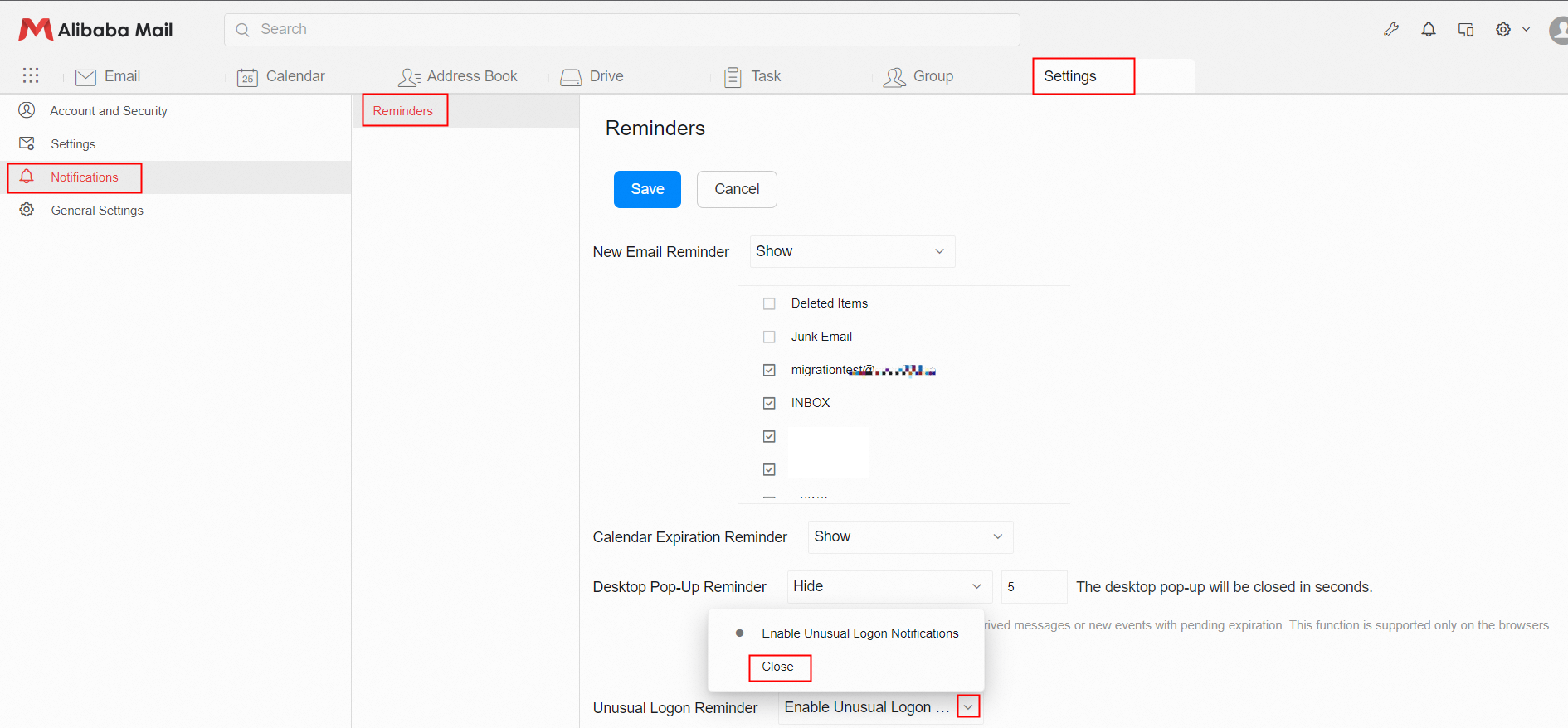
Note: After the reminder is closed, the unusual logon reminder notification will no longer be pushed, and you must bear the account security risks. We recommend that you do not disable the unusual logon reminder.