Reset a forgotten Alibaba Mail password from the sign-in page, the admin console, or through your mail administrator.
Details
Reset your password using one of the following methods:
Use case 1: Administrator resets an employee's password
The password reset process is the same across all editions. If an employee forgets their password, the administrator can reset it from the domain management page.
1. Sign in to Alibaba Mail as an administrator and go to the domain management page.
2. In the navigation pane on the left, choose Organization and Users > Mailbox Management.
3. In the Name column, click the name of the account whose password you want to reset.
4. On the edit account page, click Reset Password.
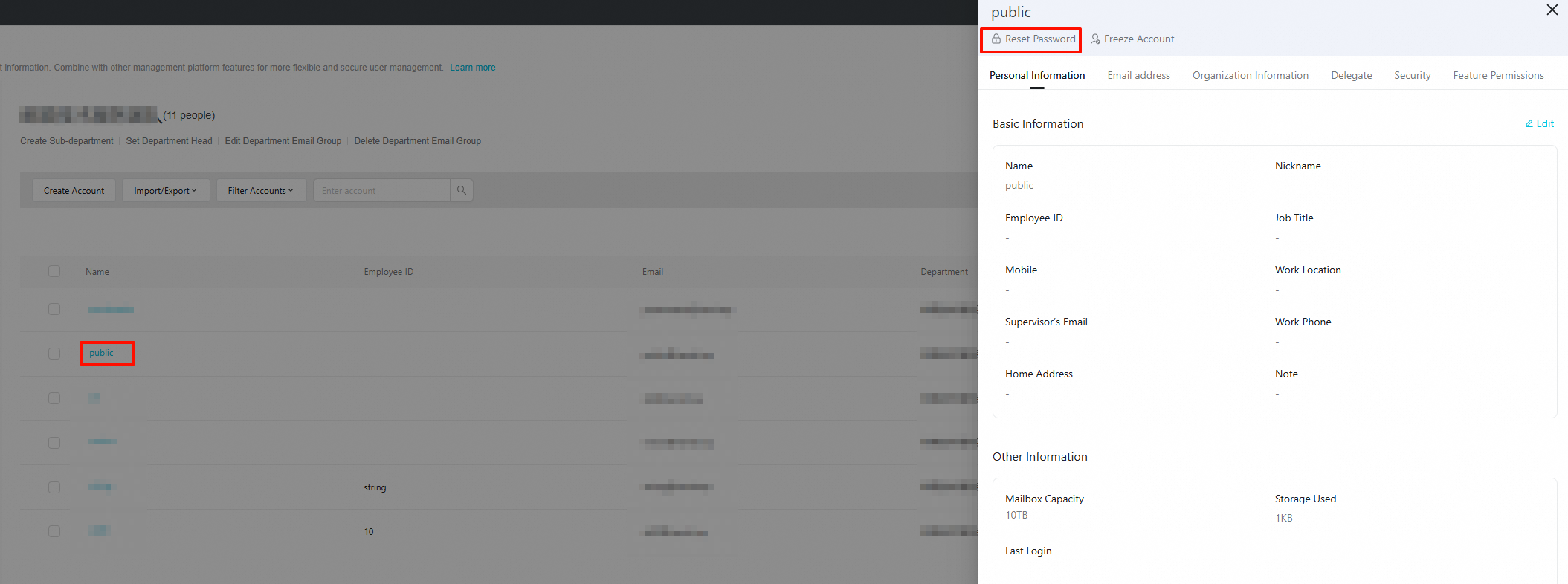
5. Enter and confirm the new password per the password rules, and click Save.
The new password must meet the following format requirements or the reset will fail.
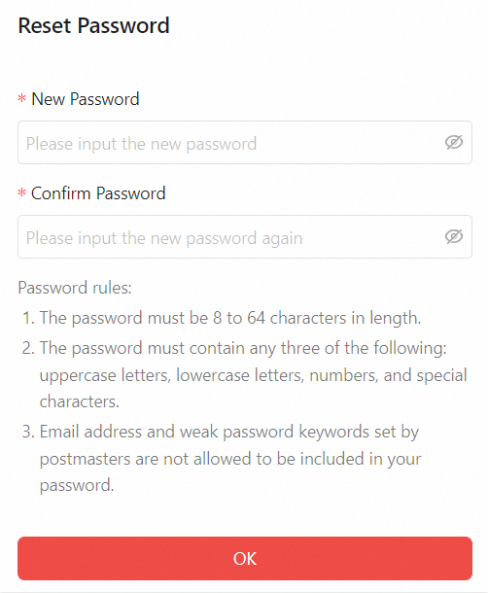
Password requirements: 9–64 characters, combining at least three of: uppercase letters, lowercase letters, numbers, and special characters. The password must also pass the backend password strength check.
Use case 2: Employee resets their own password
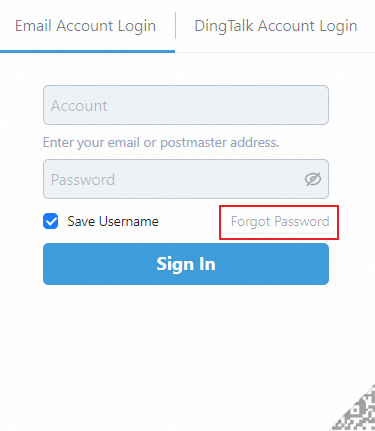
If you linked a phone number or set security questions, click Forgot Password on the sign-in page.
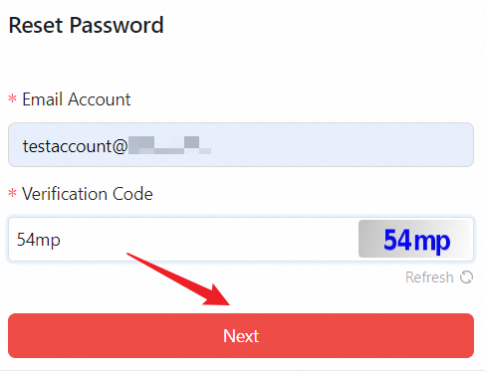
Enter your email address and the CAPTCHA.
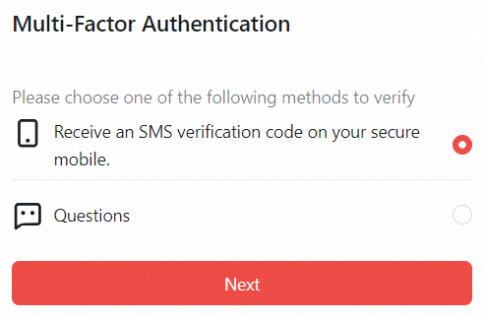
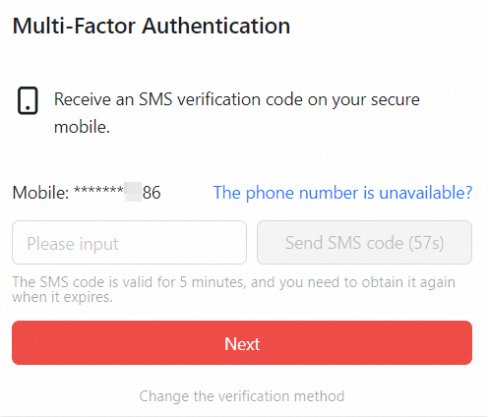
Choose a verification method: Receive text message with verification code via secure phone or Authenticate via security questions. The following steps use phone verification.
Click Get Dynamic Code and enter the verification code sent to your phone.
Set a new password.
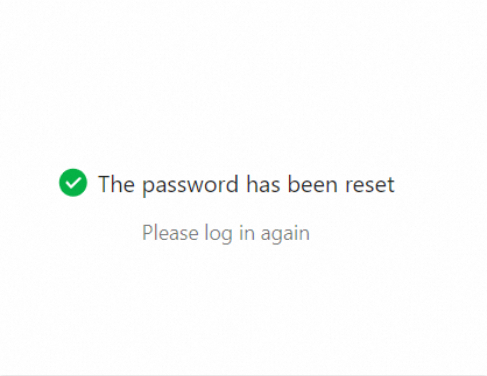
Your password has been reset.
Use case 3: Administrator forgets their password
To reset the postmaster administrator password:
1. Sign in to the Alibaba Mail console.
2. In the navigation pane on the left, click Mailbox List.
3. Find your email domain and click Manage to open Mailbox Management.
4. Click Reset Password.
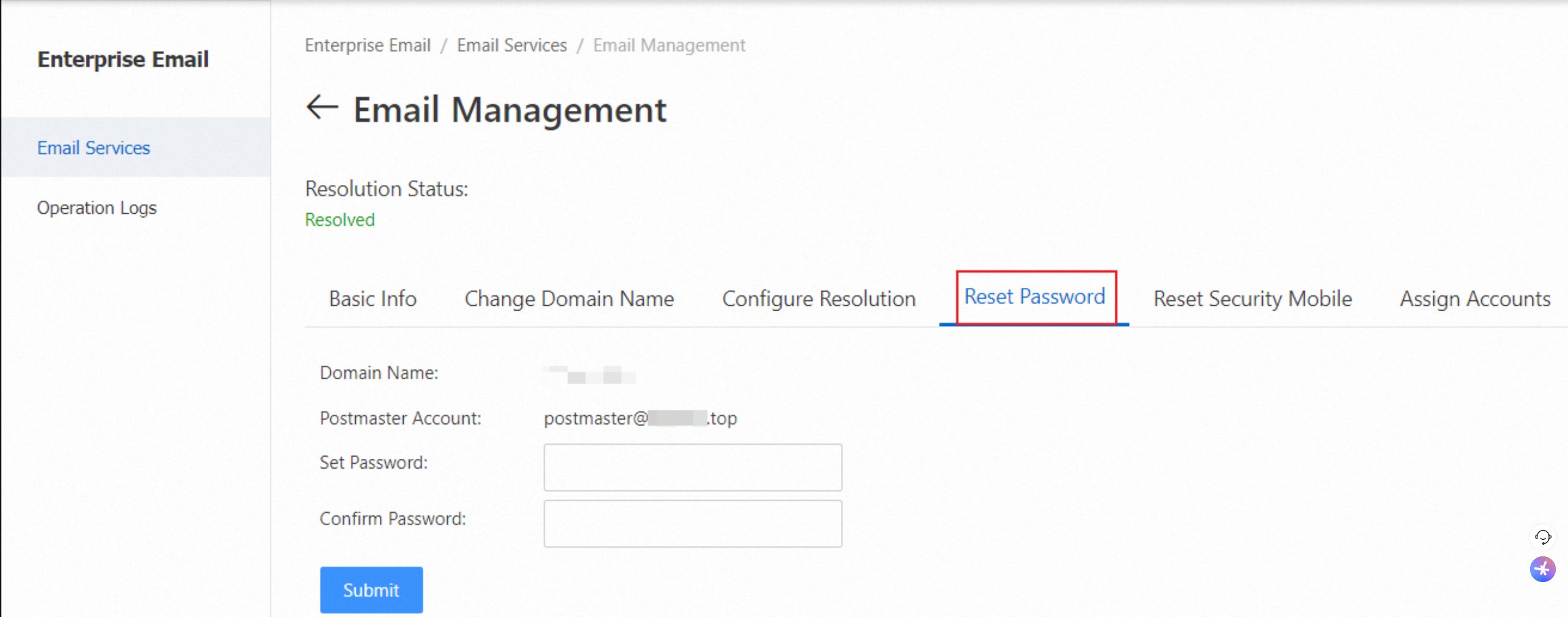
5. Reset the administrator password and click Submit.