Overview
The Webmail of the Alibaba Mail supports the function of adding other mailboxes, which can receive emails from other email accounts (such as NetEase, Tencent and other mailboxes) in a unified way on Alibaba Mail account platform, thus saving the time cost of collecting multiple emails on multiple platforms.
The email from the added mailbox will not be received to the Inbox, but will be received under other mailboxes. Therefore, if you use third-party email client to receive emails, you must use IMAP protocol to receive emails. If you use POP protocol to receive emails, the client only receives emails from the Inbox. The Alibaba Mail supports adding up to five mailboxes.
Detailed Information
To add other mailbox to the Alibaba Mail, please perform the following steps:
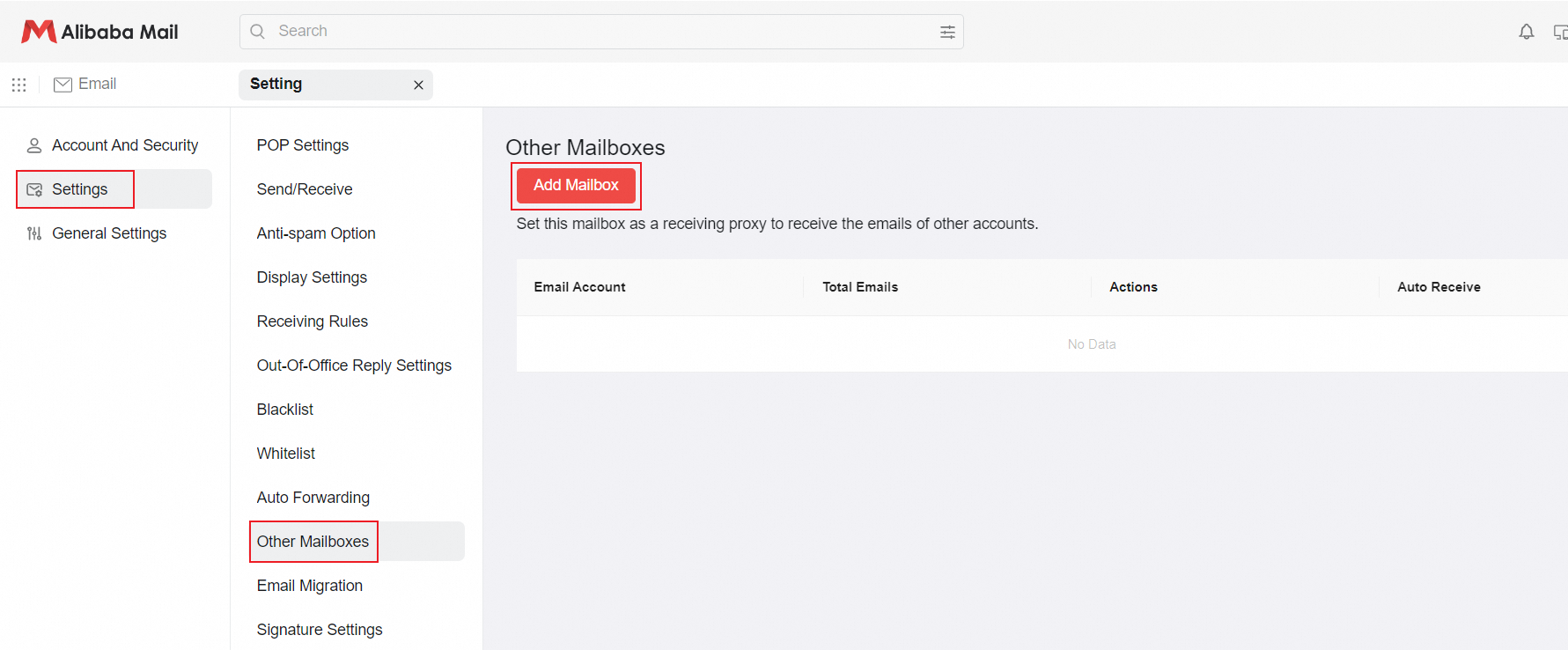
1. Log in to the Alibaba Mail, and click Settings->Other Mailboxes->Add Mailbox.
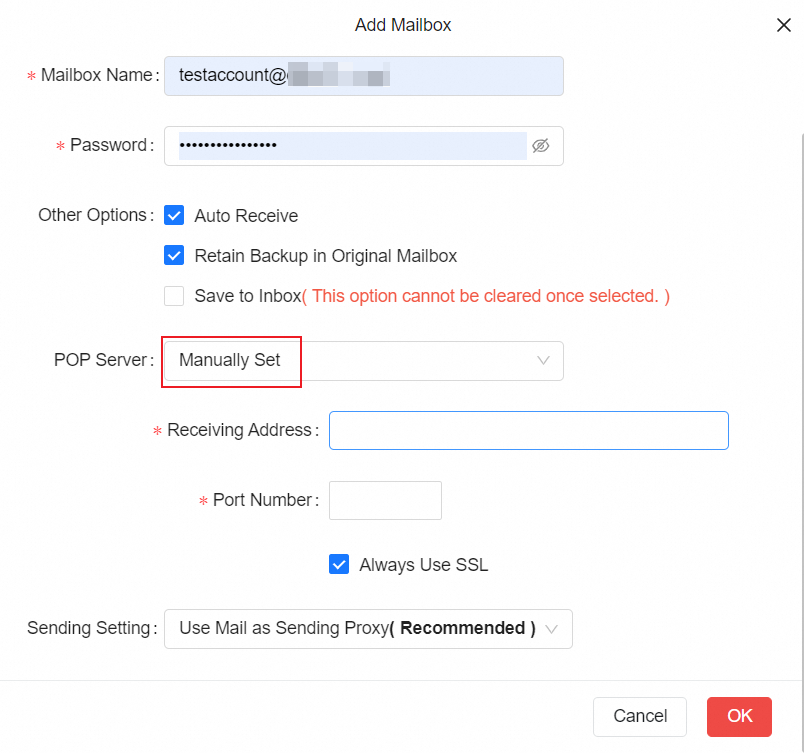
2. In the Add Mailbox page, enter the Email Address, Mailbox Name, and Password that you want to collect. Set Automatic Identification (Recommended) for POP Server. Select Use Mail as Sending Proxy(Recommended) for Sending Settings.
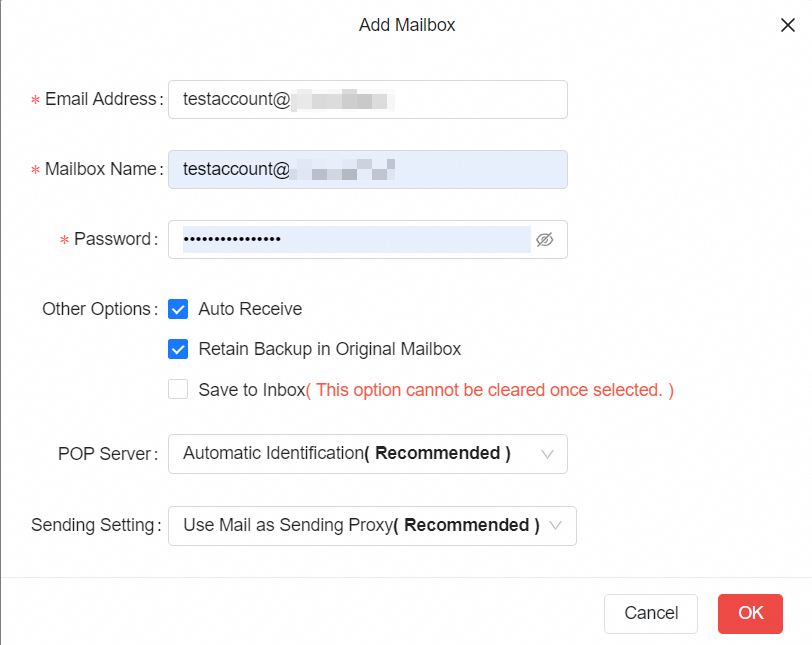
4. If failed to add the account after setting POP server to Automatic identification (Recommended), please select Manually Set. The receiving address and port number of the POP server are subject to the information provided by the service provider.
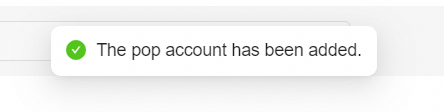
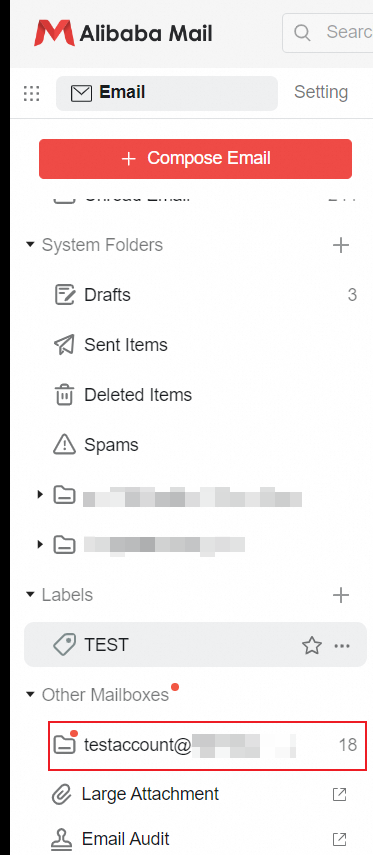
5. After adding the account successfully, it will be displayed as a folder named as the email account under Other Mailboxes.