When using Alibaba Mail Webmail, if you need to delete or clear existing emails, please refer to the following methods.
1. After the deletion operation, the email will automatically move into the Deleted Items folder;
2. After clearing the Deleted Items folder, the email will be completely deleted from the mailbox and will no longer be visible.
3. After the Deletion Permanently operation, the email will be completely deleted from the mailbox and will no longer be visible.
Operation Method 1:
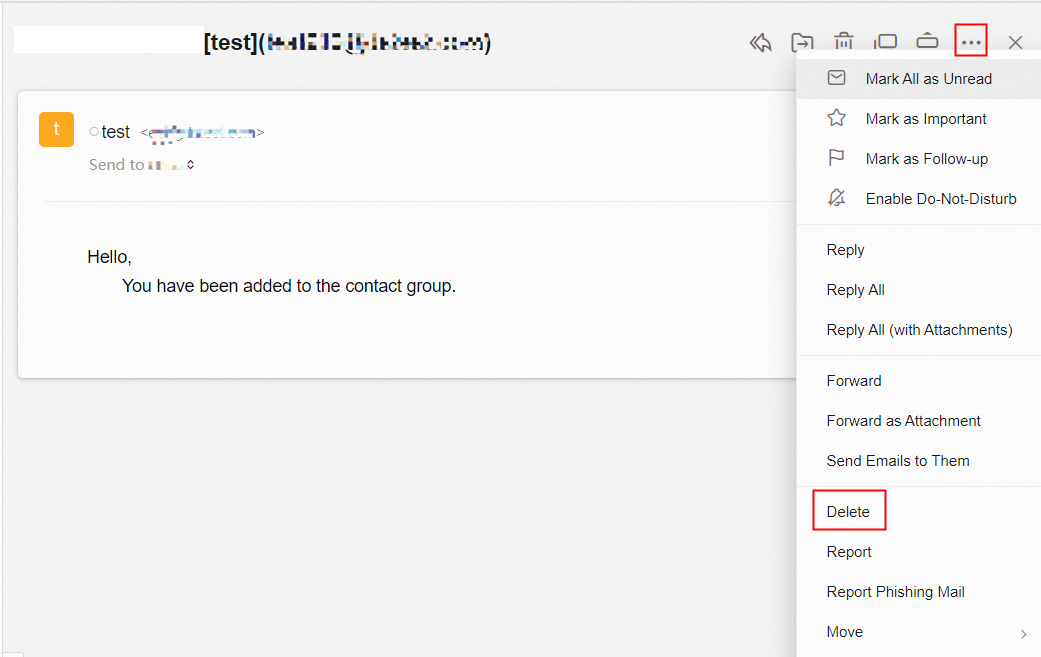
When viewing emails, select the Delete option in the More Actions menu.
Operation Method 2:
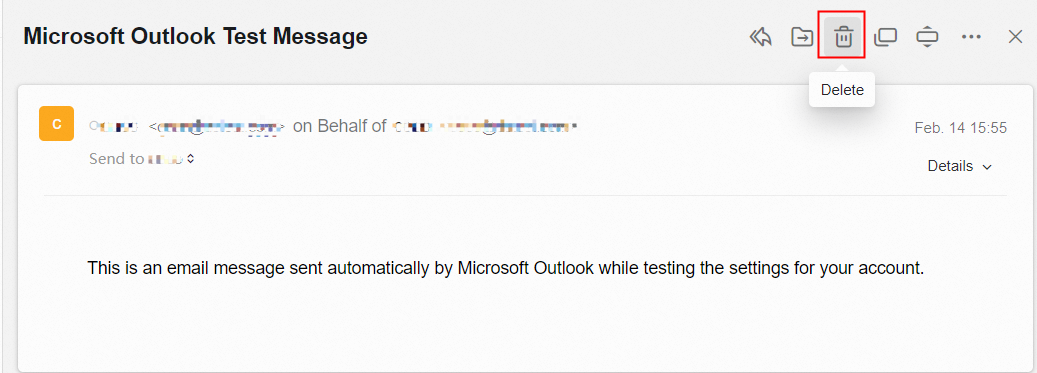
When you view the email, click Delete above the email body.
Operation Method 3:
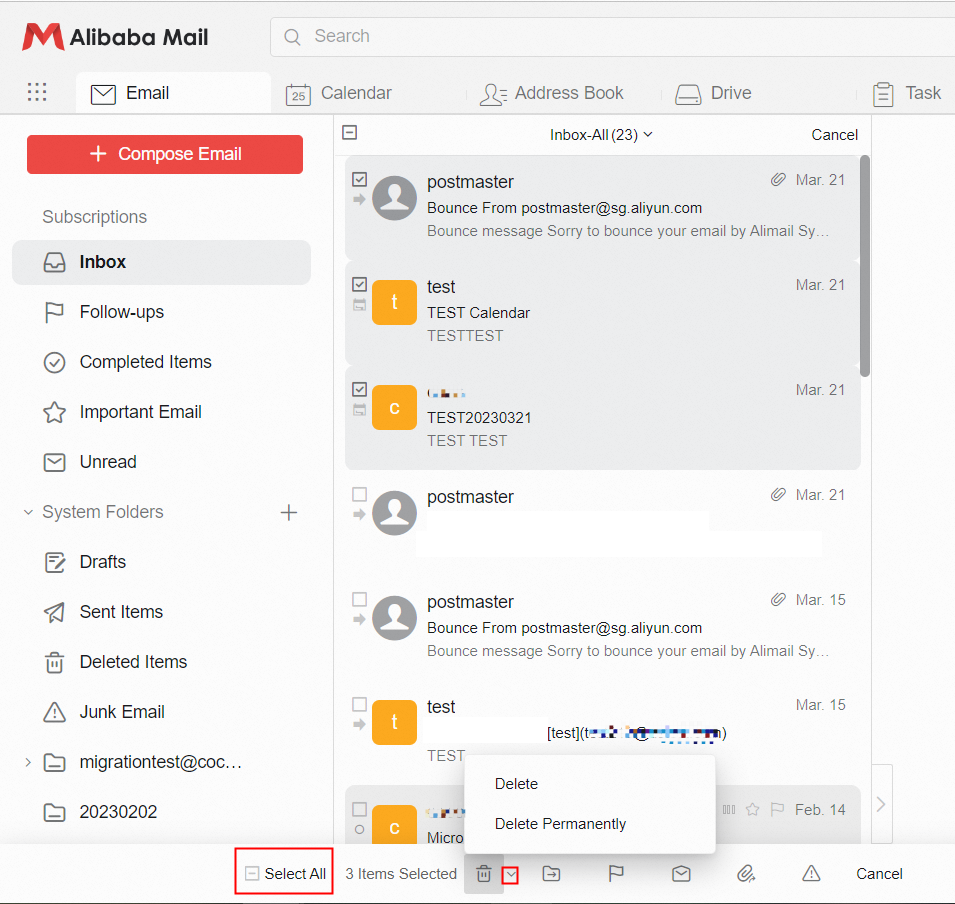
Use the check box in the email list to check a single email or multiple emails. Click Delete at the bottom of the page. The selected emails will be moved to the Deleted Items folder. The emails will be completely deleted and no longer visible in the mailbox if click Delete Permanently.
Operation Method 4:
Clear all emails in the Inbox, Drafts, Sent Items, Deleted, and Junk Email folder. Click Clear Folder next to the folder name.

Operation Method 5:
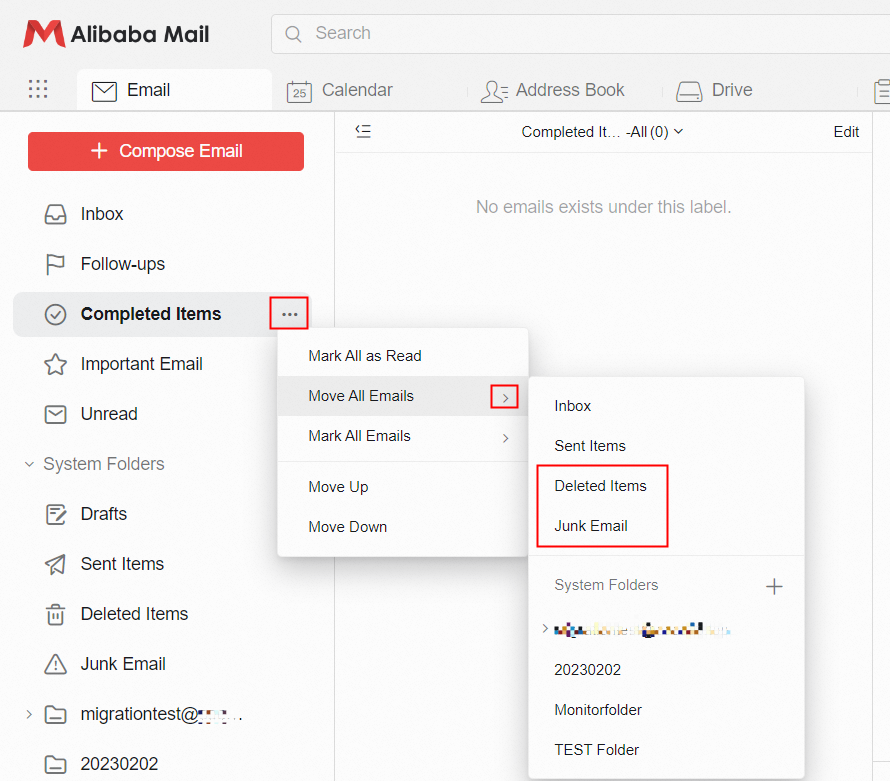
To clear emails in the Follow-ups, Completed Items, Important Email, and Unread folder, you must click Move All Emails to Deleted Items or Junk Email, and then clear the folders refer to Operation Method 4.
Operation Method 6:
Configure the email account in the third-party email client such as Outlook and Foxmail by POP3 protocol, and do not select the Leave a copy of the messages on the server option in the software, and enable Allow No Email Receiving Software to Delete Emails setting in Webmail. Then all the emails in the mailbox on the Webmail side will be moved to the Deleted Items folder.
Take Outlook as an example: 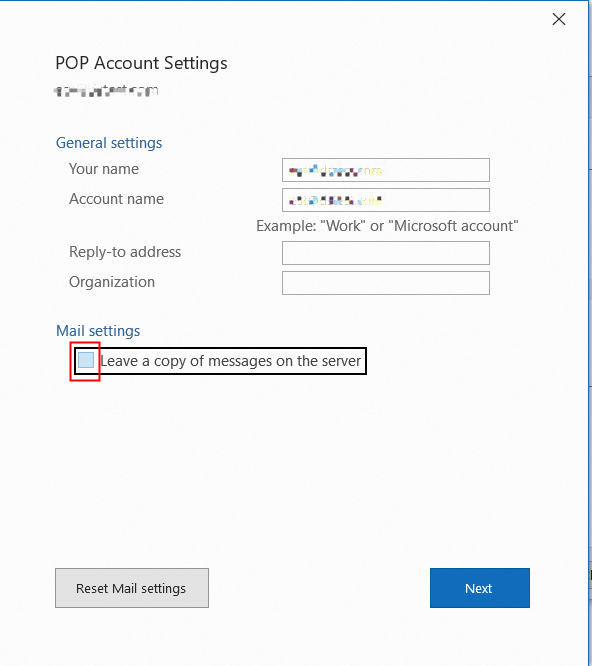
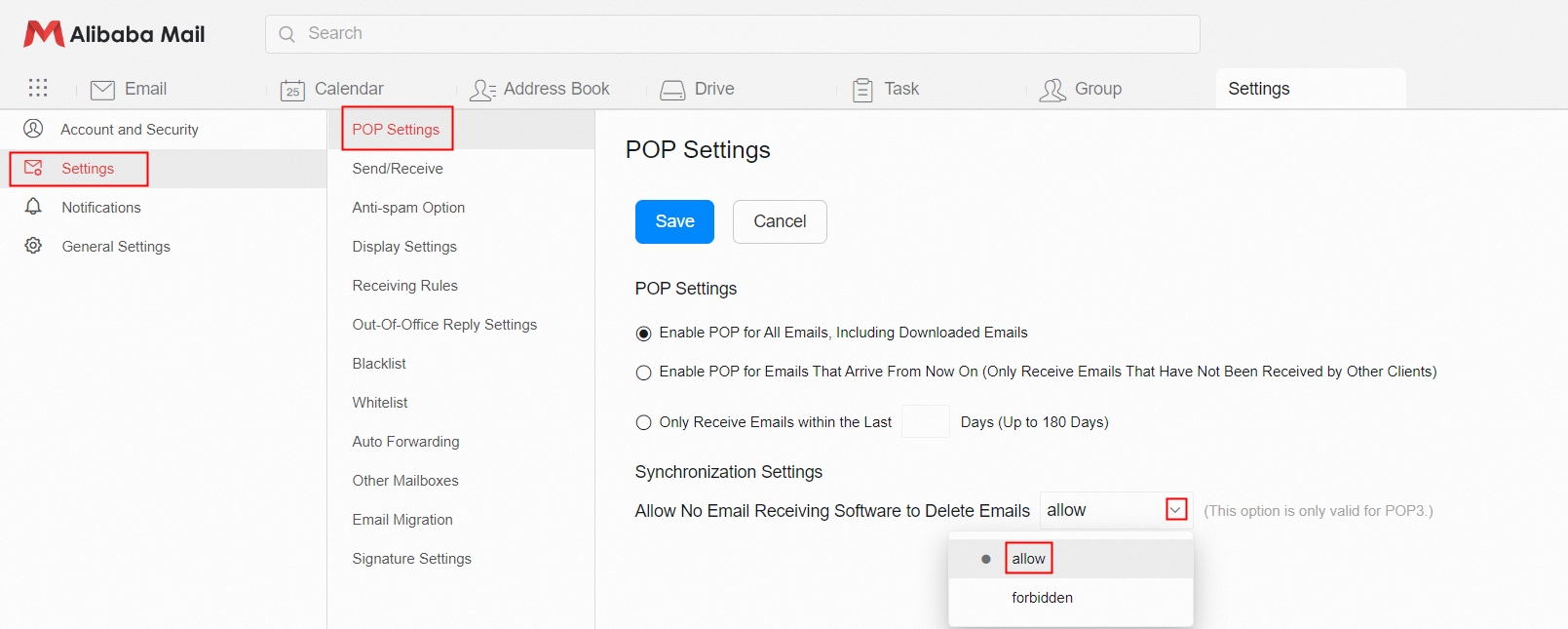
Operation Method 7:
Configure the email account in Outlook, Foxmail or other email client by IMAP protocol, and delete the email in the client, the mail in Webmail will also be deleted synchronously. For more information, please check Client Configuration.