This article focuses on what the Meeting Rooms function is and how to create and use a meeting room account.
What Is the Meeting Room Account?
The meeting room account refers to the resource mailbox assigned to the meeting place. The meeting room account has the attributes of accommodating number of people, whether it is equipped with conference telephone, demonstration screen, address name, etc. The Meeting Room Management function is integrated in the domain management platform of Alibaba Mail. The administrator can create a meeting room account based on the actual conference room resources of the enterprise. After the account is created, when the users initiate a meeting invitation through the calendar, the users can synchronize the meeting room reservation. Users can view the conference room reservation and select an idle conference room to facilitate the enterprise to manage conference room resources.
How to Create the Meeting Room Account?
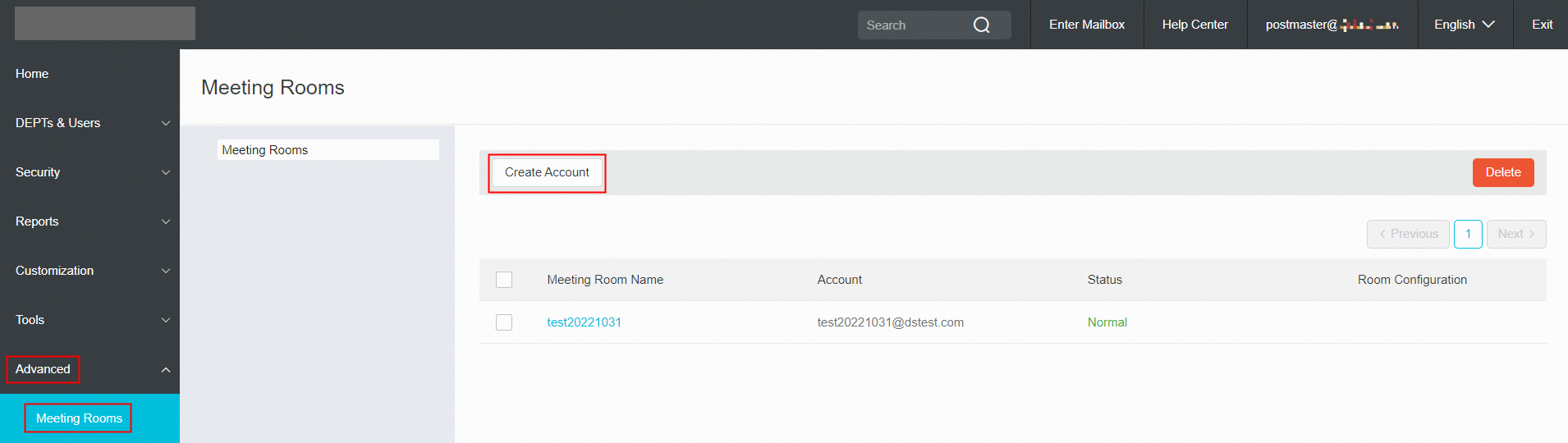
Use postmaster account login Alibaba Mail and enter domain management page-> Advanced-> Meeting Rooms-> Create Account.
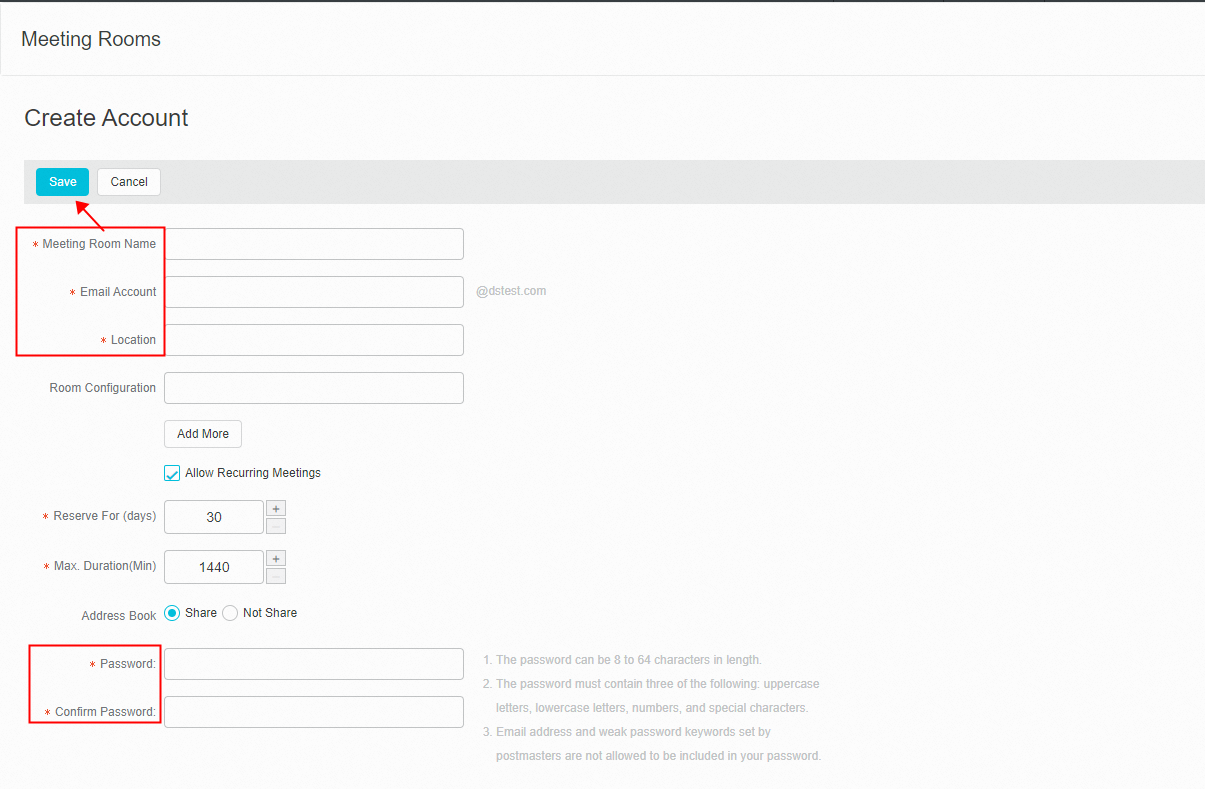
 Fill the Meeting Room Name, Email Account, and Location of the conference room. Then set the password and click Save.
How to Use the Meeting Rooms?
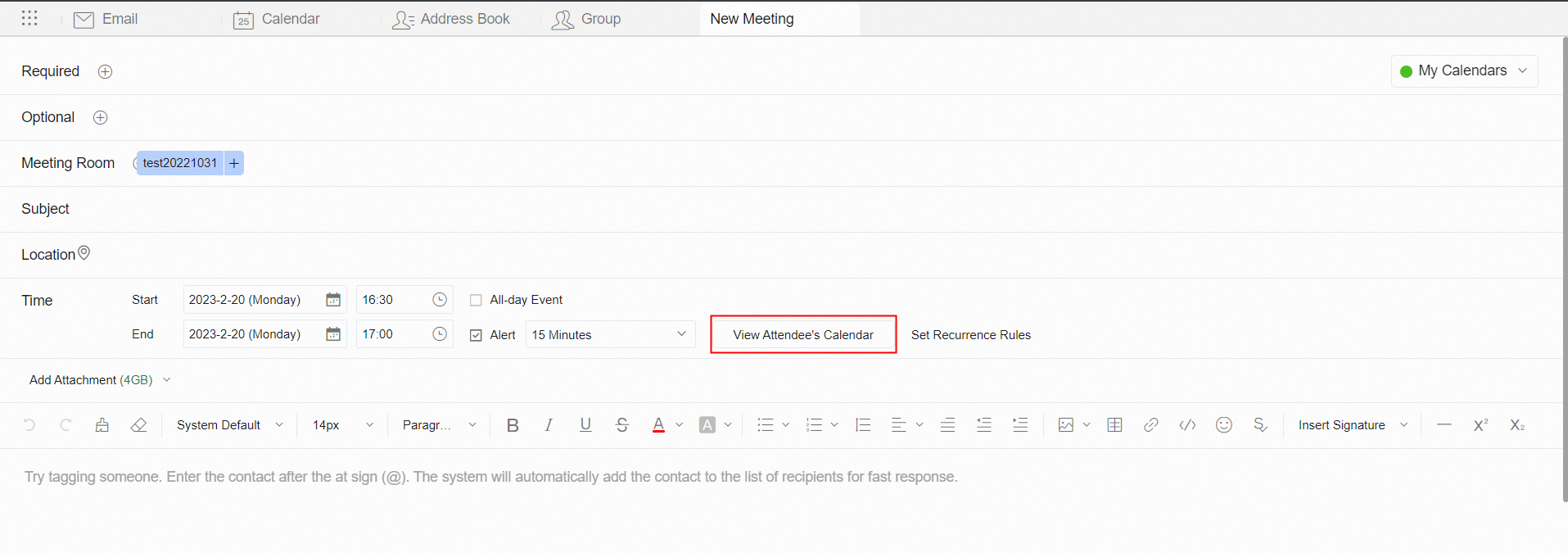
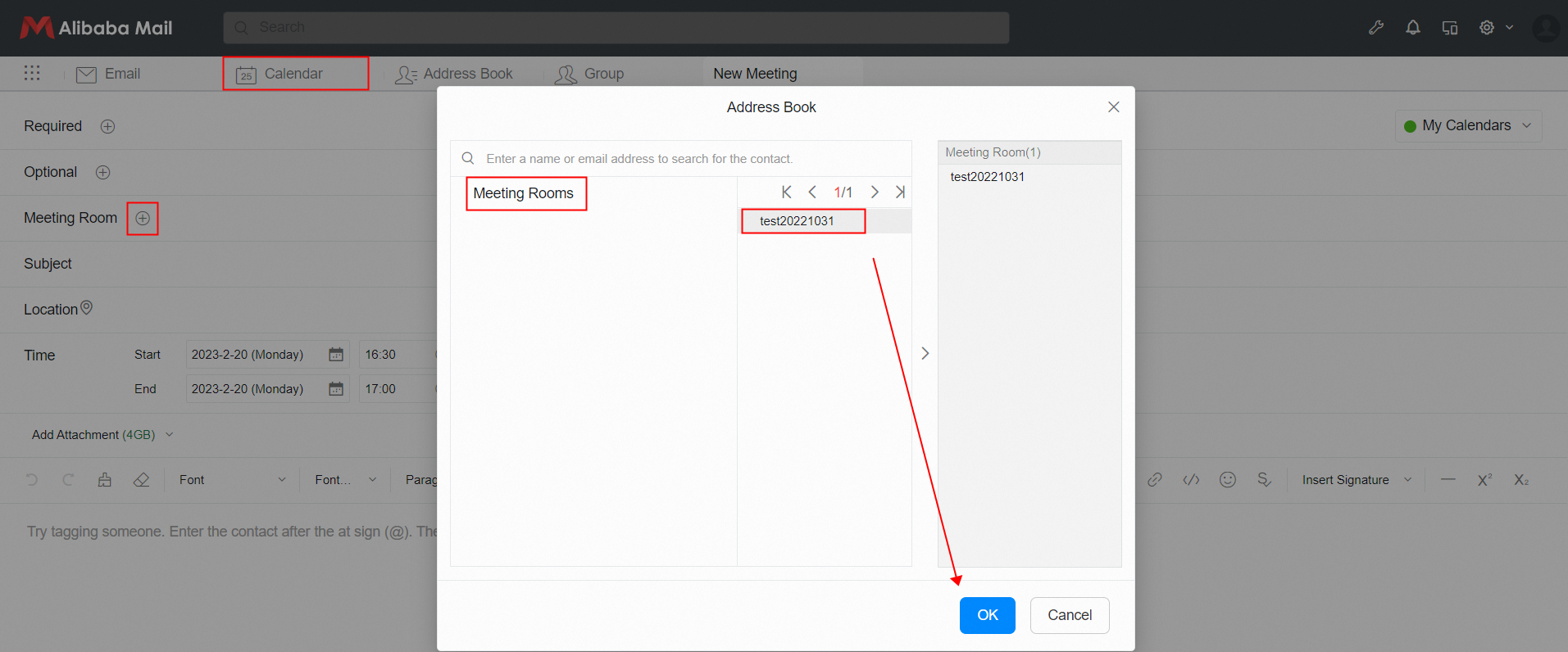
After the creation is completed, users can initiate meetings on the Webmail and add meeting rooms.
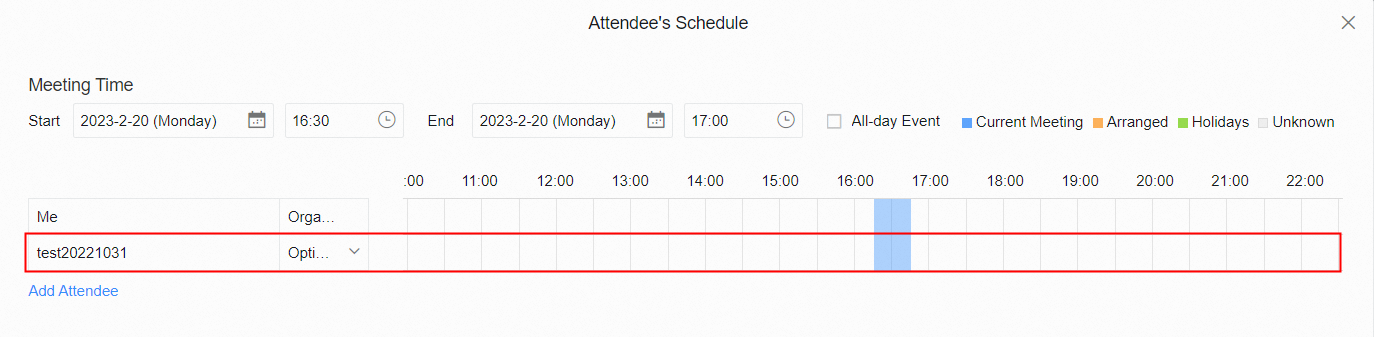
 Click View Attendee' s Calendar to view the conference room reservations.