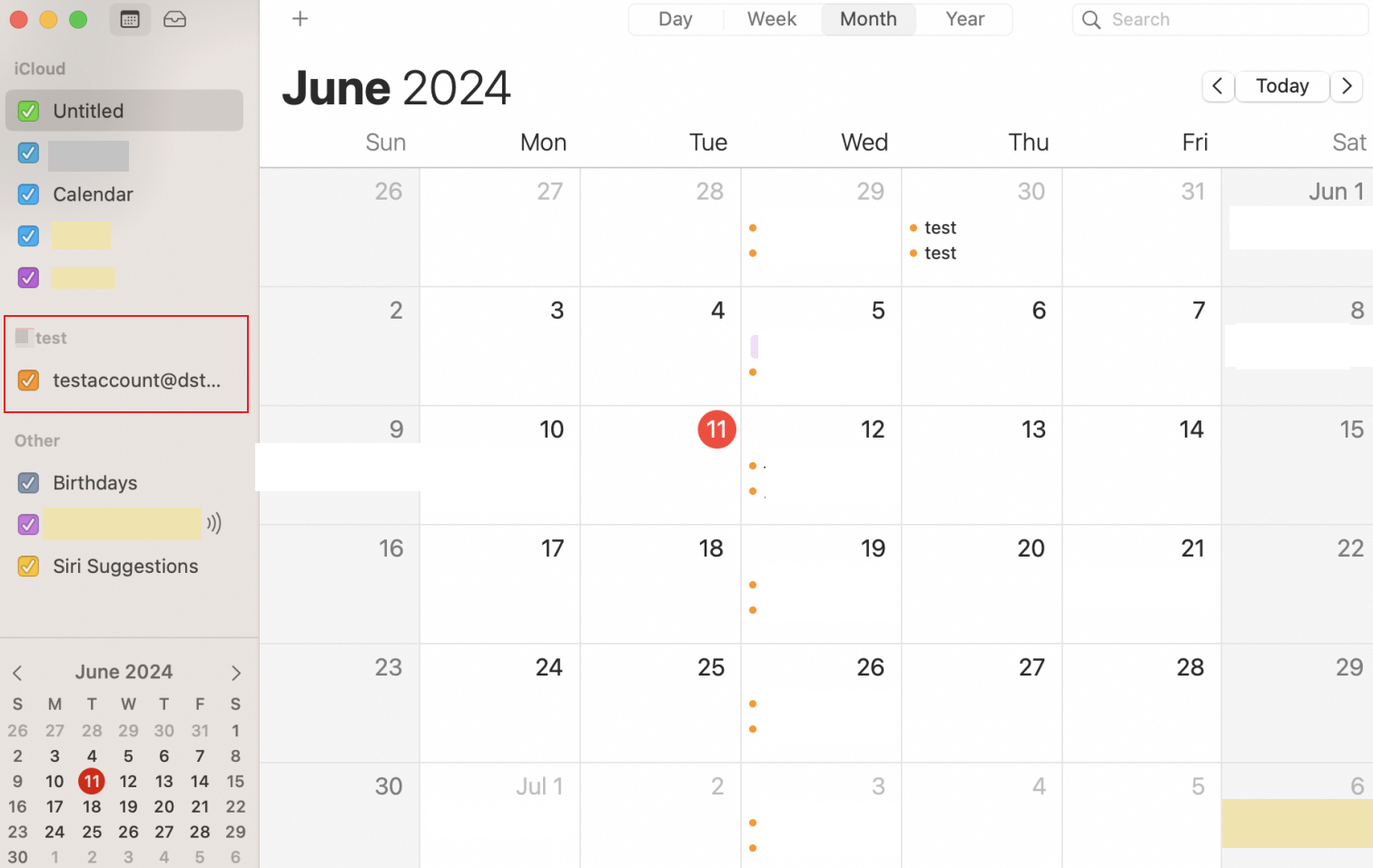
If you need to use the Alibaba Mail calendar on the Mac, you can configure the Alibaba Mail calendar in the Mac calendar application through the CalDav protocol.
Procedure
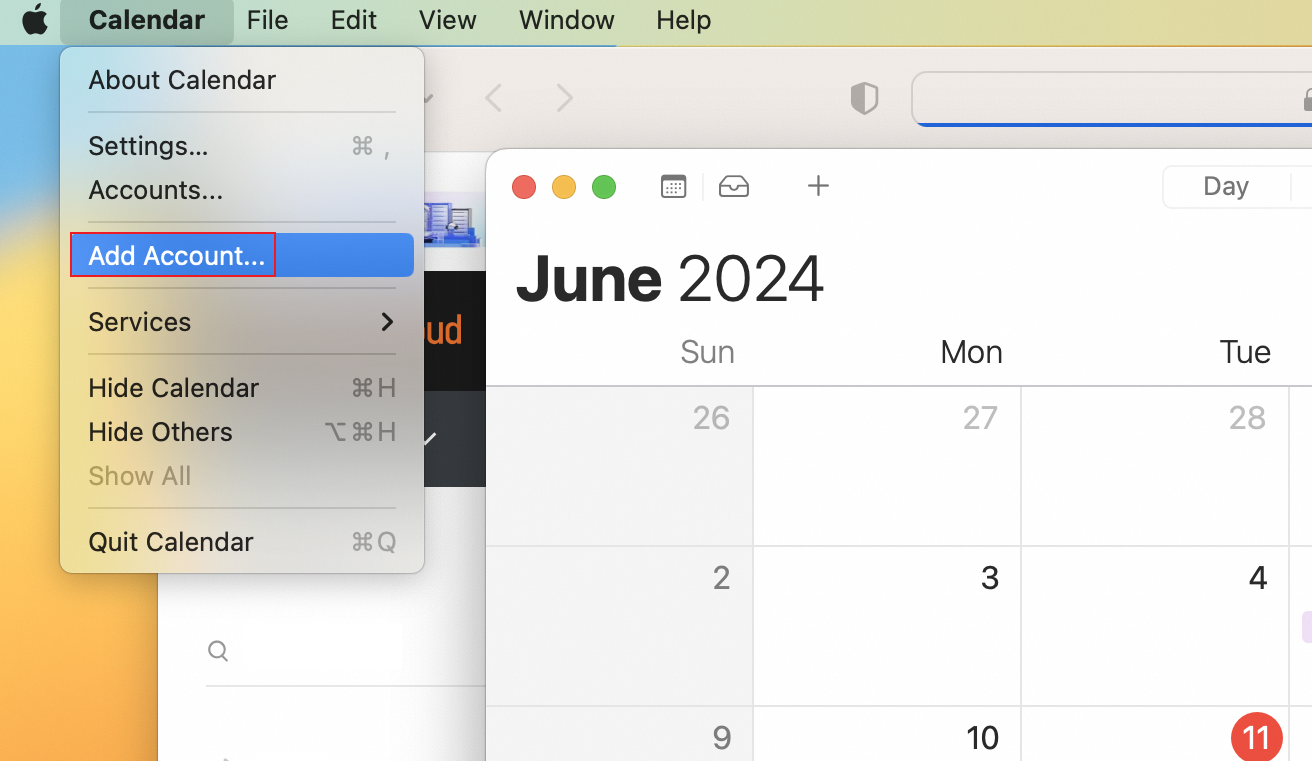
1. Open the application and click Calendar-- Add Account;
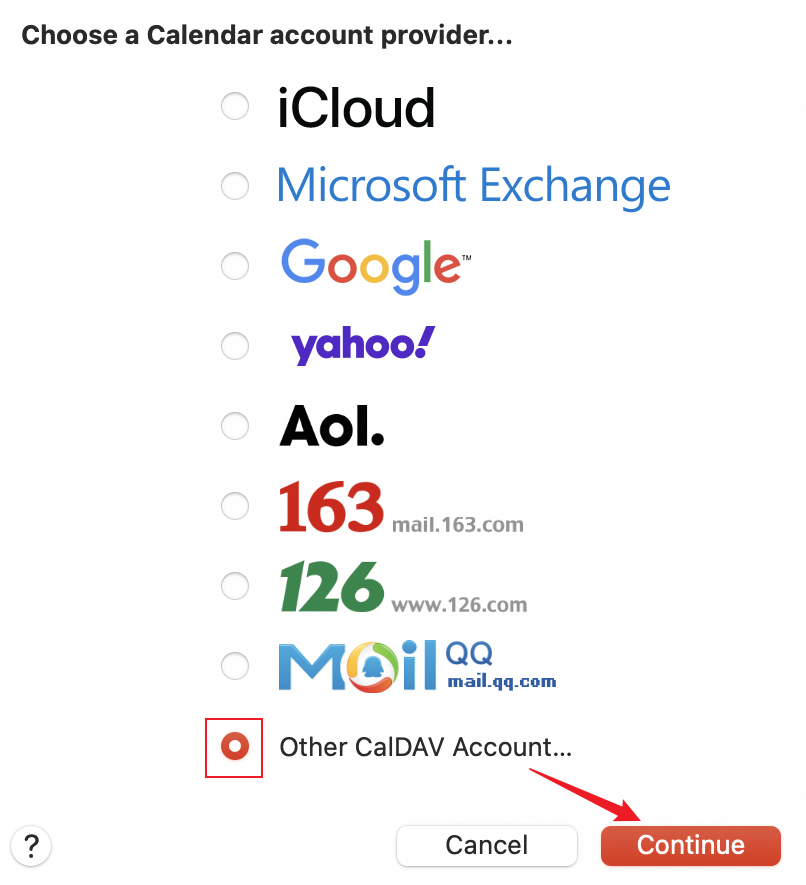
2. Select Other CalDAV Account and click Continue;
3. Select Manual as the Account Type, fill in the relevant configuration and click Sign In;
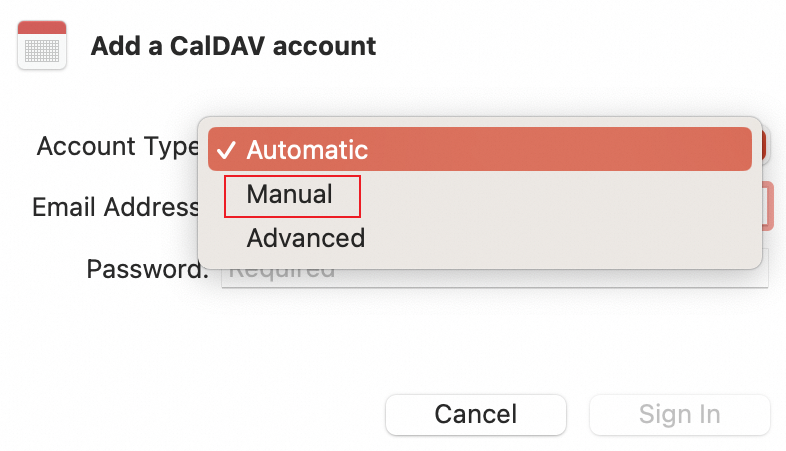
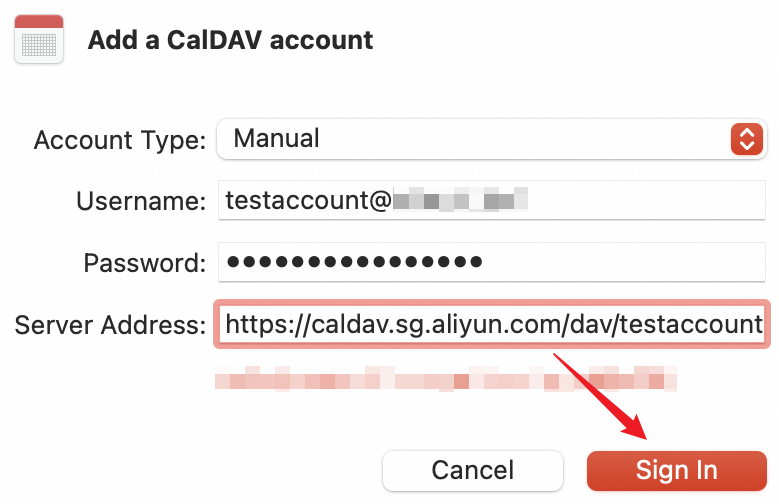
Server Parameters:
Account Type: Manual
Email Address: Full email address
Password: Email password
Server Address:
SG site: https://caldav.sg.aliyun.com/dav/email account
HK site: https://caldav.hk.aliyun.com/dav/email account
Germany site: https://caldav.de.alibabacloud.com/dav/email account
US site: https://caldav.us.alibabacloud.com/dav/email account
Note: If your email account is a**@example.net, it should be filled in as https://caldav.sg.aliyun.com/dav/a**@example.net.
4. After the setting is completed, the calendars created in the email account will be synchronized to the calendar application of Mac.