Problem Description
Use a browser to access the login address of the Alibaba Mail and cannot open the email page.
http://mail.[$Domain][$Domain] is the domain name you want to set.
Or
https://mail.sg.aliyun.com/Solution
You can refer to the following operations to check:
1. Check whether Alibaba Mail services and domain service have expired. If so, please renew them in time.
2. Check whether the CNAME record of the mail.[$Domain] points to an Alibaba Cloud server. For more information, please check How to Setup DNS Resolution of Alibaba Cloud Domain Name for Alibaba Mail?.
3. If you cannot open it with a single browser, you can replace it with another browser, such as Google Chrome or Firefox, to check the opening status.
4. If multiple browsers cannot be opened and the Alibaba Mail and Domain service are normal, please perform the following operations on the local computer for testing:
a. Open Start > Run, enter the command cmd, and press Enter.
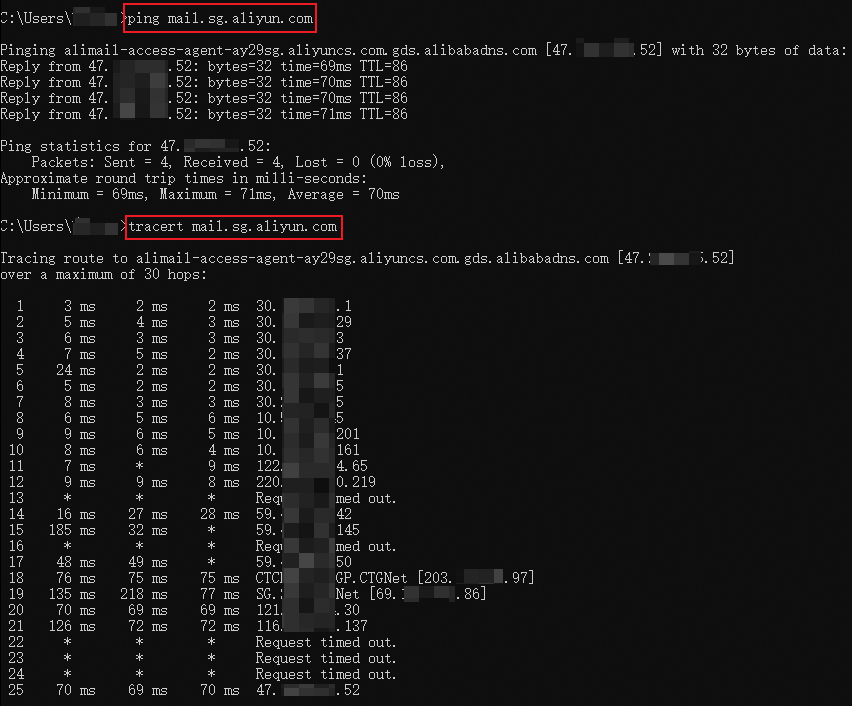
b. Run the following command to test the network connectivity:
ping mail.sg.aliyun.comOr
ping mail.[$Domain]5. After the return is complete, run the following command to test the link:
tracert mail.sg.aliyun.comOr
tracert mail.[$Domain]Sample command output: