Problem
When you send an email using Alibaba Mail, the delivery fails and you receive the following bounce message:
(13)ESO_LOCAL_SPAM: spammed by local spam engine
The anti-spam system classified the email as spam and blocked its delivery.
Cause
This error indicates that the local anti-spam system classified the email as spam.
The delivery failed because keywords in the email subject or email body triggered an anti-spam rule.
Alibaba Mail is designed for regular business and personal communication. It does not support sending bulk emails, such as system notifications, registration confirmations, event invitations, or monitoring alerts. If you need to send these types of emails, use Alibaba Cloud's Direct Mail service.
Solution
Review your email for spam-like content.
1. Alibaba Mail prohibits sending bulk marketing and promotional emails. If your message contains such content, revise the email and send it again.
2. If you believe your email is not for marketing, forward the returned mail as an attachment to antispam_fankui@alibaba-inc.com. Our technical specialists will review the email and respond with their analysis.
a. Log in to Alibaba Mail Webmail.
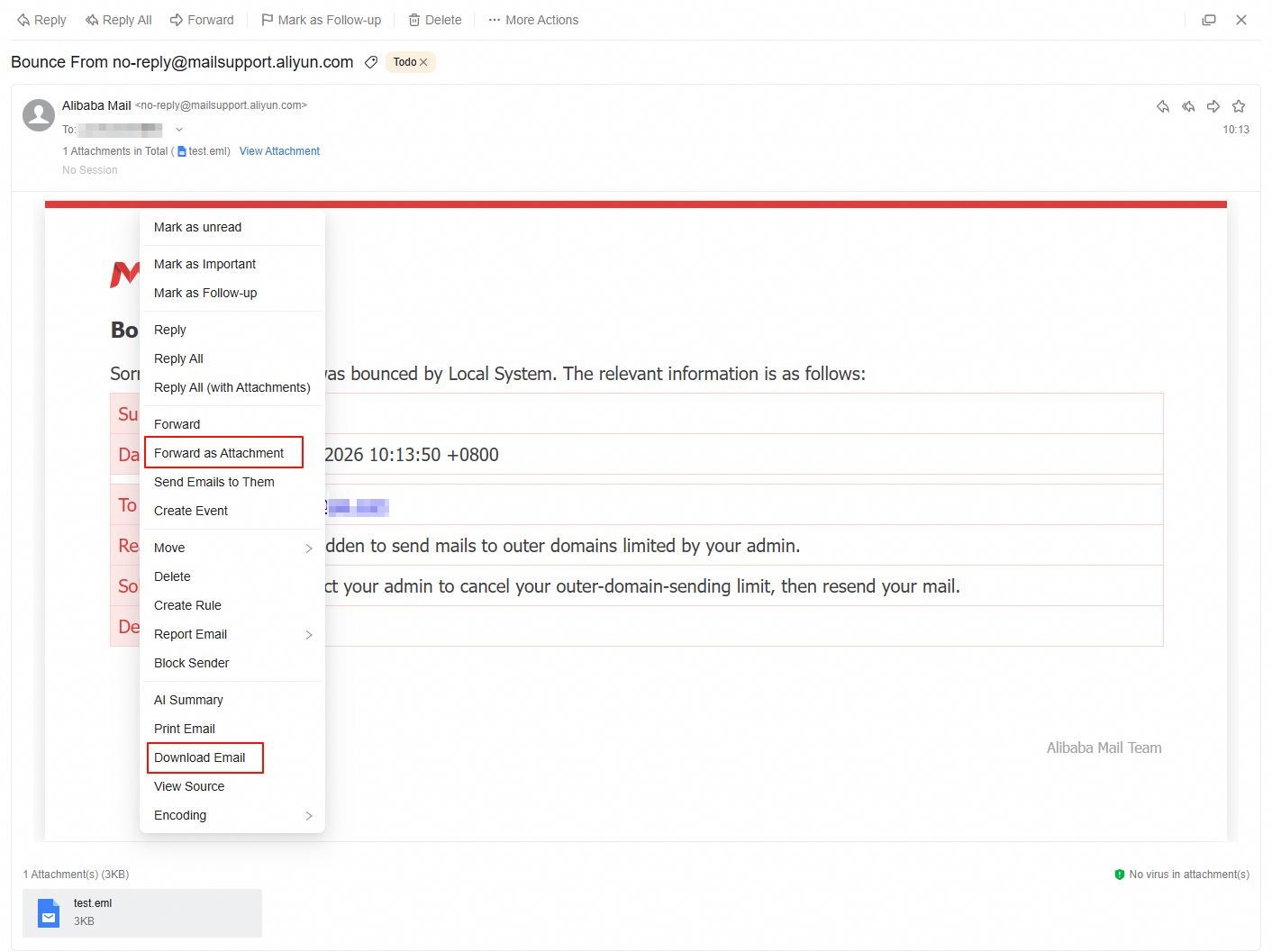
b. Select the returned mail. In the email content area, right-click and select Forward as Attachment, or select Download Email and attach the downloaded file to a new email.
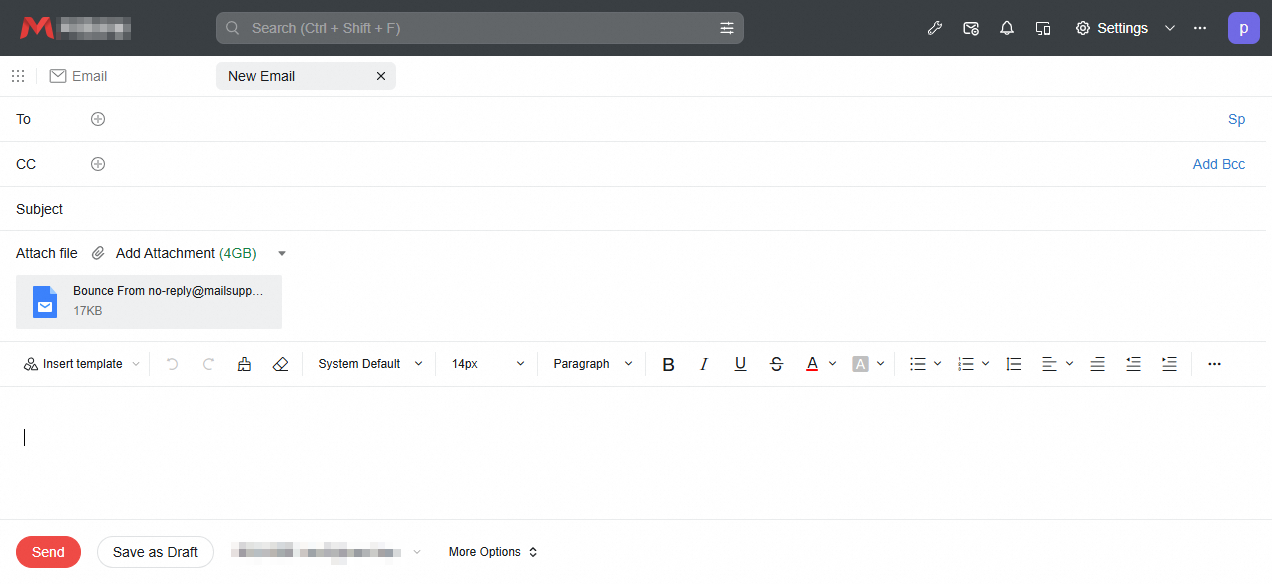
c. In the email editor, set the To field to antispam_fankui@alibaba-inc.com. In the email body, explain the purpose of the original email so that we can quickly identify the cause.