The Alibaba Mail supports enterprise address book synchronization. For more information, please see the following section.
The following steps are configuration steps for the address book so that you can look up recipient information in the address book when you send emails.
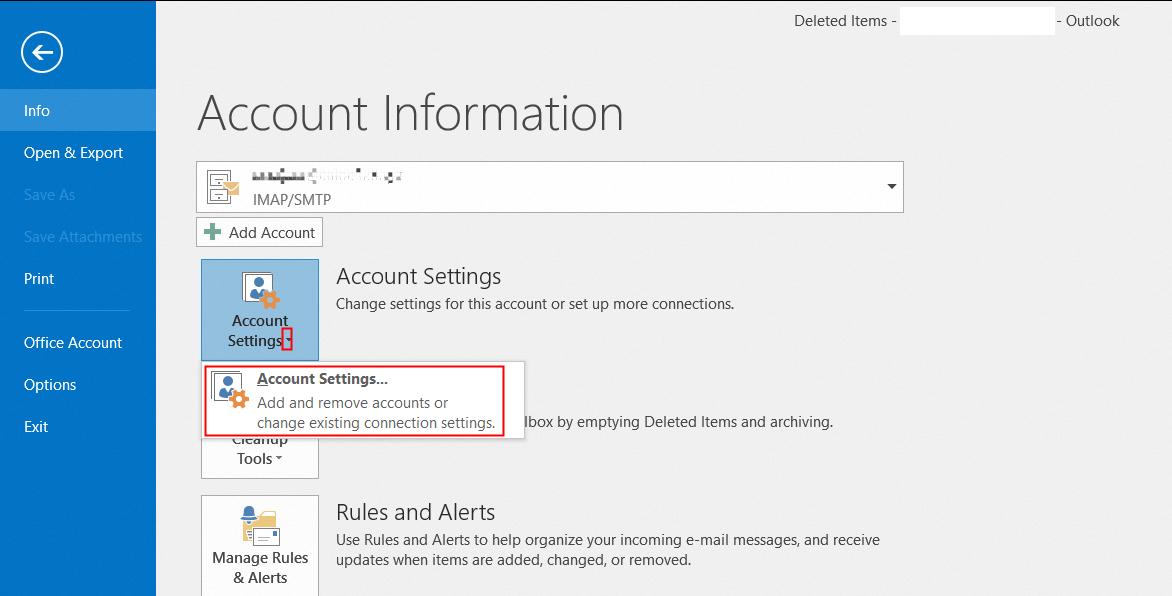
1. Open Outlook 2016. Click "File"--"Account Settings";
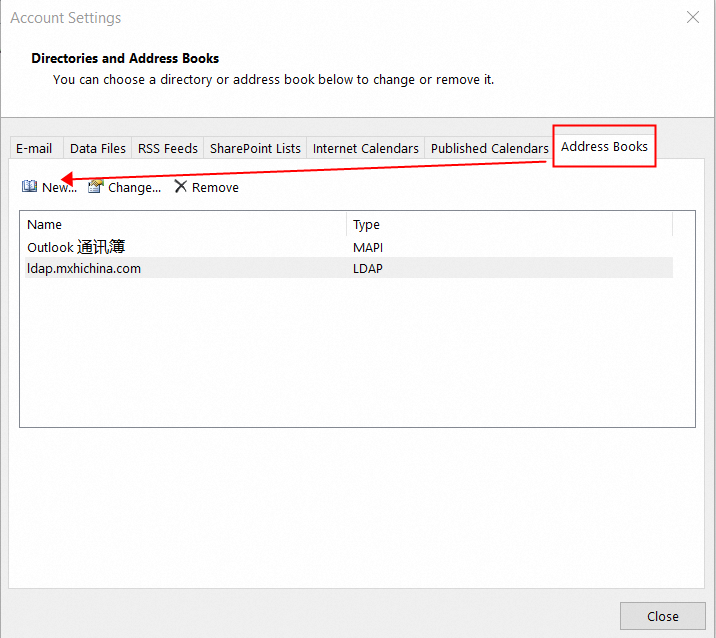
2. Click "Address Books"--"New" in the opened "Account Settings" dialog box;
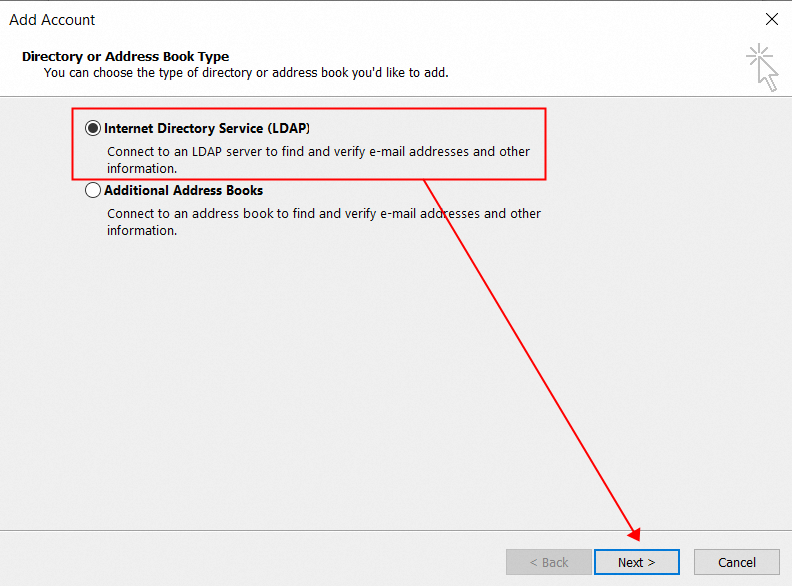
3. Select "Internet Directory Service (LDAP)" and click "Next";
4. Fill in the Server Information as shown in the following figure;
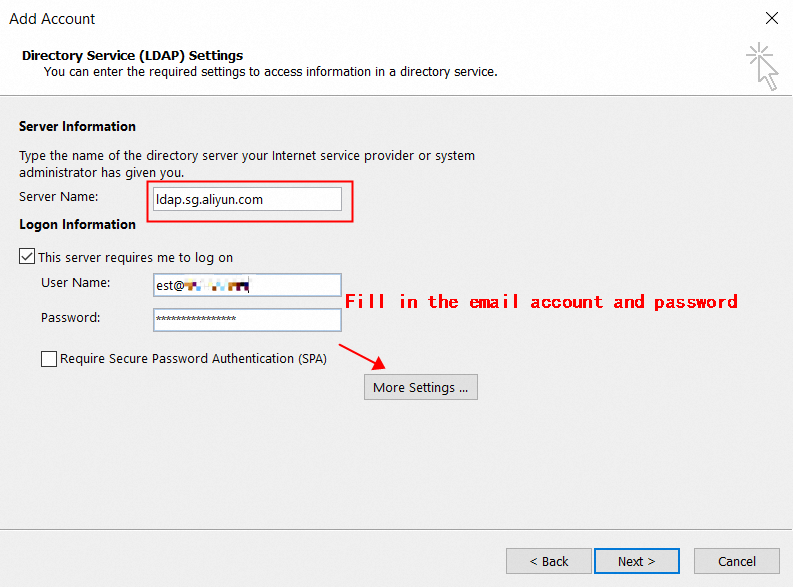
Server name: ldap.sg.aliyun.com;
Select This server requires me to log on;
User name: your email address, for example: a***@example.net;
Password: your email password;
Do not select Require Secure Password Authentication (SPA).
5. Click More Settings and click OK in the displayed dialog box.
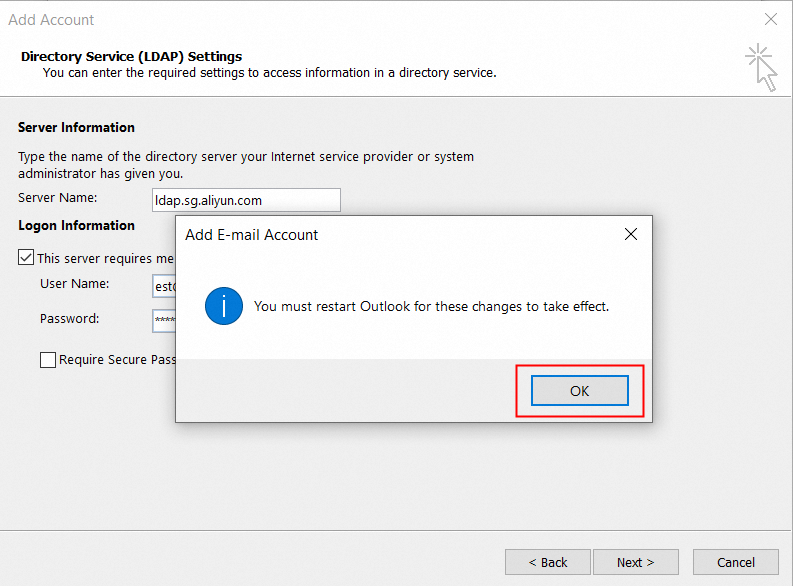
6. In the "Other Settings" dialog box, check the following figure to configure;
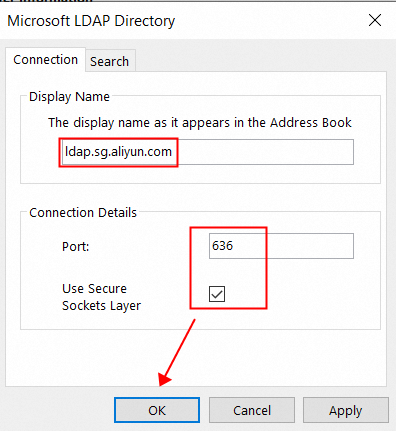
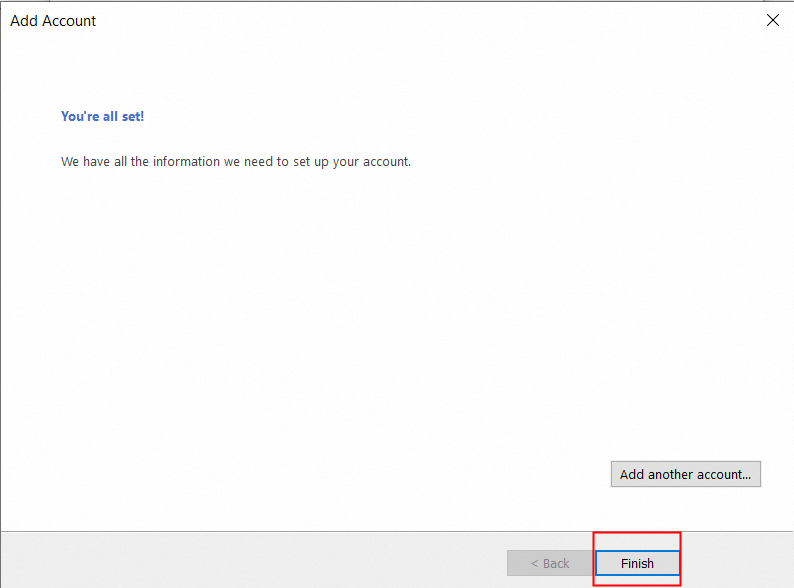
7. Click OK and then click Next to finish configuration. Close the dialog box by click Finish;
8. Restart Outlook (must be restarted to take effect);
9. Set up the Address Book;
a. Open the address book

b. Click "Tools" -- "Options";
Configure the address book search optimization level;
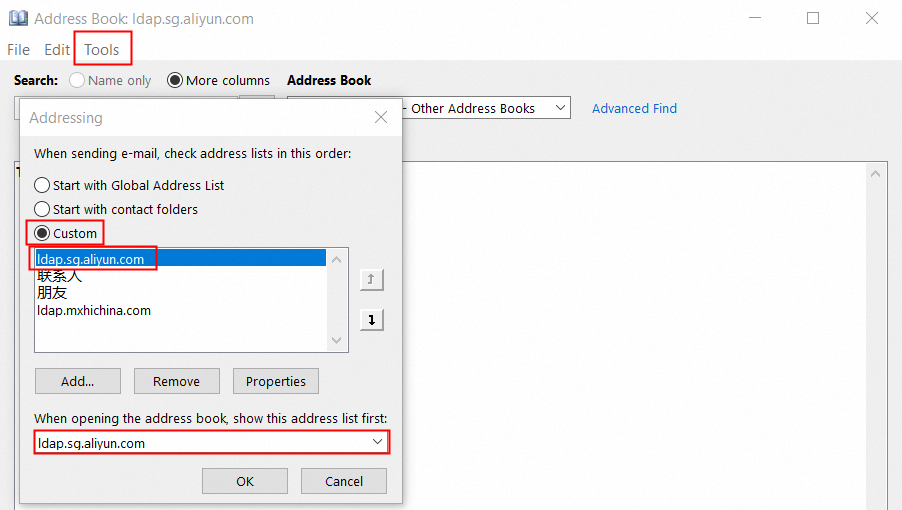
The above settings can be used directly after completion.