When using Alibaba Mail to receive emails through POP protocol, users can customize the range of receiving emails.
Setting Method:
Click the gear shape button in the upper right corner of the mailbox page to enter the mailbox setting interface.
Settings-> POP and IMAP-> POP Settings.
Select the range of receiving emails by POP as required.
The specific settings are shown in the following operation interface:
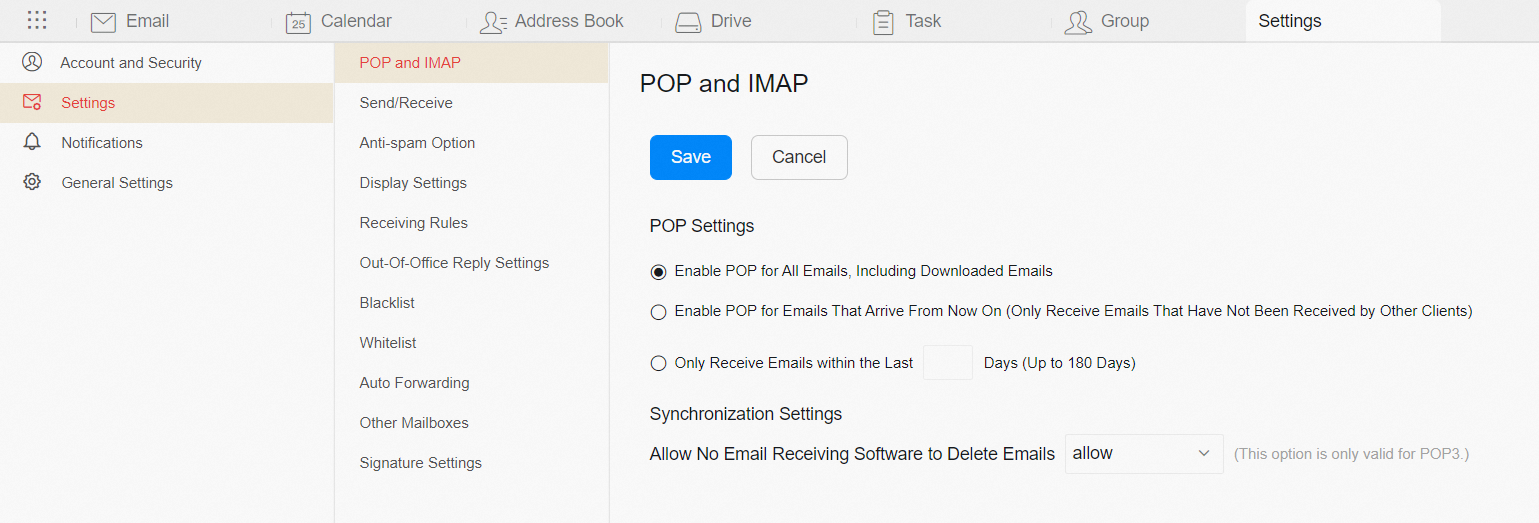
POP Setting Options:
1. Enable POP for All Emails, Including Downloaded Emails: All emails in the inbox can be synced by POP.
2. Enable POP for Emails That Arrive From Now On (Only Receive Emails That Have Not Been Received by Other Clients): After you configure the account in current email client through POP protocol, incoming emails can be collected.
3. Only Receive Emails within the Last () Days (Up to 180 Days): Emails received within the previous () days can be collected when the account is configured on current client by POP protocol. User can choose to collect emails received within the previous 180 days.